• dazzlinginfotech.co.in
  • No. 81, 33, Thiyagappa Chetty St, Meenambal Nagar, Korukkupet, Old Washermanpet, Chennai, Tamil Nadu 600021

5mp ip camera

CP Plus CCTV Camera

๐Ÿ“น CP Plus CCTV Camera โ€“ Complete Guide (2026)

Secure Your Home & Business with Trusted Surveillance Technology

In a world where safety and monitoring are increasingly important, CP Plus CCTV cameras have become one of the most popular choices across India. Whether youโ€™re securing your home, shop, office, or warehouse, CP Plus offers a wide range of surveillance solutions that fit different needs and budgets.

๐Ÿ‡ฎ๐Ÿ‡ณ About CP Plus โ€“ Trusted Security Brand

CP Plus is a well-known global CCTV and security solutions brand, offering a broad portfolio of products including:

  • CCTV cameras (bullet, dome, PTZ, Wi-Fi & 4G)
  • DVRs & NVRs
  • Video door phones
  • Time & attendance systems
  • Accessories

Their products are designed for homes, offices, public safety systems, industrial use cases, and large-scale infrastructure projects.

The brand also regularly innovates and has received industry recognition for smart surveillance tech, including intelligent and secure solutions suited for Indian conditions.

๐Ÿ“ธ Types of CP Plus CCTV Cameras

๐Ÿ”น 1. Bullet Cameras

Ideal for outdoor use due to rugged build and weather-resistance.
Offers clear video day and night, with IR-based night vision and strong housing for external walls or gates.

๐Ÿ”น 2. Dome Cameras

Best for indoor locations like homes, lobbies, and offices.
Low-profile design and wide viewing angles.

๐Ÿ”น 3. IP Cameras

Network cameras with remote viewing capability via mobile or computer.
Higher resolution and smart features like motion detection.

๐Ÿ”น 4. Wi-Fi Cameras

Wireless security cameras that connect over Wi-Fi โ€” great for rentals and quick install.

๐Ÿ’ก Features That Make CP Plus Popular

โœ… Budget-friendly & reliable โ€” affordable price compared to many brands.
โœ… Good build quality for Indian weather โ€” durable outdoor usage.
โœ… Wide range โ€” from basic 2MP cameras to advanced 5MP cameras.
โœ… Mobile app and remote monitoring support
โœ… Easy installation and local service support across India.
โœ… Warranty & strong support network

CP Plus cameras are especially popular with homeowners, shop owners, and small to medium business users because they balance price and performance well.

๐Ÿ’ฐ CP Plus CCTV Camera Price Ranges (India 2026)

The price varies based on camera type, resolution, and features:

Camera Type Price Range (Approx)
Basic CCTV (2MP) โ‚น1,000 โ€“ โ‚น3,000+
Mid-range Cameras (3MP โ€“ 4MP) โ‚น2,000 โ€“ โ‚น6,000+
Higher Res (5MP) โ‚น5,000 โ€“ โ‚น10,000+
Smart Wi-Fi / Pan-Tilt Cameras โ‚น2,000 โ€“ โ‚น7,000+

Complete kits (e.g., 4 cameras + recorder + HDD + installation) typically start around โ‚น12,000 โ€“ โ‚น35,000+ depending on quality and storage.

๐Ÿ“Œ Note: Prices vary by seller, features (such as AI motion detection), storage capacity, and installation charges.

๐Ÿ“Š Why Choose CP Plus for Your CCTV Needs?

โœ” Good Value for Money

You get reliable surveillance performance at a lower price versus many international brands.

โœ” Made for Indian Conditions

Designed to withstand heat, dust, rain and variable power conditions common in Indian environments.

โœ” Support Network

After-sales service centers and local vendors support easy installation and maintenance locally.

โœ” Flexible Options

From simple home CCTV to advanced network cameras โ€” CP Plus has a solution for most security needs.

๐Ÿ’ก Choosing the Right CP Plus Camera

๐Ÿง  For homes or small offices:

  • Start with a 2MP or 3MP bullet/dome camera with IR night vision.

๐Ÿ“ For larger areas or remote access:

  • Choose IP cameras with PoE and mobile app access.

๐Ÿ›  For advanced monitoring:

  • Look for 4MP/5MP models with motion alerts and higher night-vision range.

๐Ÿ“Œ Final Thoughts

CP Plus CCTV cameras continue to be a top choice for affordable and dependable security in India. With models for every budget and application โ€” from home monitoring to business surveillance โ€” CP Plus delivers quality, performance, and easy support.

Whether youโ€™re installing cameras for the first time or upgrading an existing system, CP Plus offers cost-effective solutions that make your property safer and more secure.
read more

CCTV Setup for Home

CCTV Setup for Home: Complete Guide to Protecting Your Family and Property

Home security is no longer a luxury โ€” itโ€™s a necessity. With rising safety concerns, installing a CCTV system at home is one of the most effective ways to protect your family, property, and valuables. Whether you live in an apartment, villa, or independent house, a well-planned CCTV setup can provide peace of mind and 24/7 surveillance.

In this guide, youโ€™ll learn everything about CCTV setup for home, including types of cameras, installation tips, costs, and maintenance.

Why Install CCTV at Home?

A CCTV system offers multiple benefits beyond just recording video.

1. Crime Prevention
Visible cameras act as a strong deterrent against theft and vandalism.

2. 24/7 Monitoring
You can monitor your home anytime through mobile apps or remote access.

3. Evidence Collection
Recorded footage can be used as proof in case of any incident.

4. Family Safety
Monitor children, elderly family members, or domestic help.

5. Insurance Support
Footage helps during insurance claims for theft or damage.

Types of CCTV Cameras for Home

Choosing the right camera is the first step in setting up an effective system.

1. Dome Cameras

  • Compact and discreet
  • Ideal for indoor use
  • Harder to identify direction of recording

2. Bullet Cameras

  • Long and cylindrical
  • Best for outdoor use
  • Excellent for long-distance viewing

3. PTZ Cameras (Pan-Tilt-Zoom)

  • Can rotate and zoom
  • Covers large areas
  • Suitable for bigger homes

4. Wireless Cameras

  • Easy to install
  • Connect via Wi-Fi
  • Ideal for apartments

5. IP Cameras

  • High-resolution video
  • Remote viewing through internet
  • Advanced features like motion detection

Important Features to Look For

When buying CCTV for home, consider these features:

  • High Resolution (1080p or 4MP minimum)
  • Night Vision
  • Motion Detection Alerts
  • Mobile App Support
  • Cloud or Local Storage
  • Weatherproof (for outdoor cameras)
  • Two-way Audio (optional but useful)

CCTV Setup for Home: Step-by-Step Guide

Step 1: Identify Key Areas to Monitor

Common areas include:

  • Main entrance
  • Back door
  • Garage
  • Living room
  • Staircase
  • Backyard

Avoid installing cameras in private areas like bathrooms or bedrooms to maintain privacy.

Step 2: Choose Between Wired or Wireless

Wired Systems

  • More stable connection
  • Better for large houses
  • Requires professional installation

Wireless Systems

Step 3: Select Recording System

Youโ€™ll need either:

  • DVR (Digital Video Recorder) โ€“ For analog cameras
  • NVR (Network Video Recorder) โ€“ For IP cameras

Make sure storage is sufficient (1TB or more recommended for 4 cameras).

Step 4: Install Cameras at Proper Height

  • Install cameras 8โ€“10 feet above ground
  • Angle them downward for better facial recognition
  • Avoid direct sunlight facing the lens

Step 5: Connect to Mobile App

Most modern CCTV systems allow remote access through apps.
You can:

How Much Does CCTV Setup for Home Cost?

The cost depends on camera type and number of cameras.

Setup Type Approximate Cost
2 Camera Basic Setup Budget friendly
4 Camera Standard Setup Moderate
6โ€“8 Camera Advanced Setup Higher range

Factors affecting cost:

  • Camera quality
  • Storage capacity
  • Installation charges
  • Brand

Wireless cameras usually cost less to install but may need better internet.

DIY vs Professional Installation

DIY Installation

โœ” Cost-effective
โœ” Easy for wireless systems
โœ˜ May lack proper wiring and placement expertise

Professional Installation

โœ” Correct placement
โœ” Secure wiring
โœ” Proper configuration
โœ˜ Higher upfront cost

For larger homes, professional installation is recommended.

Maintenance Tips for CCTV System

To ensure long-term performance:

  • Clean camera lenses every 2โ€“3 months
  • Check storage space regularly
  • Update firmware/software
  • Inspect cables for damage
  • Test recording system monthly

Regular maintenance ensures clear footage and uninterrupted surveillance.

Common Mistakes to Avoid

  • Installing cameras too low
  • Ignoring blind spots
  • Using low-resolution cameras
  • Not securing DVR/NVR unit
  • Weak Wi-Fi connection for wireless cameras

Planning properly can save money and prevent security gaps.

Is CCTV Legal for Home Use?

Yes, installing CCTV at your home is legal in most places. However:

  • Do not record inside neighborโ€™s property
  • Inform household members about surveillance
  • Follow local privacy laws

Always check your local regulations before installation.

Final Thoughts

A CCTV setup for home is one of the smartest investments you can make for safety and peace of mind. With the right camera type, proper placement, and regular maintenance, you can significantly enhance your home security.

read more

CCTV Camera Backup Battery Option

CCTV Camera Backup Battery Options: Ensure 24/7 Security Without Interruptions

Security is something you canโ€™t compromise โ€” especially when it comes to CCTV camera systems. But what happens when the power goes out? Whether itโ€™s a storm, maintenance issue, or unexpected outage, loss of electricity can leave your surveillance blind at the worst possible moment.

Thatโ€™s where backup battery options for CCTV cameras come in. In this blog, weโ€™ll explore why backup power matters, the types of battery solutions available, how long they last, and how to choose the right one for your security system.

Why Backup Battery for CCTV Cameras Is Essential

When the mains power fails:

โœ” Your cameras stop recording
โœ” Alerts and notifications stop
โœ” Evidence may be lost
โœ” Security risks increase

With a backup battery in place, your CCTV system continues recording and protecting your property โ€” even during outages.

Types of CCTV Backup Battery Options

1. UPS (Uninterruptible Power Supply)

A UPS is the most common backup option for CCTV systems. It provides instantaneous backup power when mains electricity fails.

How it works:

  • UPS stays connected between the power source and CCTV system
  • When power fails, it instantly switches to battery mode
  • Keeps cameras, DVR/NVR, and network active

๐Ÿ“Œ Best for:
Homes, small offices, and systems where short outage coverage (30โ€“120 minutes) is needed

2. Dedicated CCTV Battery Pack

Some manufacturers offer battery packs designed specifically for CCTV systems. These are often compact and optimized for long standby times.

Features:

  • Built-in battery management
  • Designed to power cameras directly
  • Easy to install

๐Ÿ“Œ Best for:
Wireless or IP cameras with built-in battery support

3. Solar + Battery Backup System

Ideal for outdoor and remote CCTV installations where power supply is limited.

How it works:

  • Solar panels charge a battery bank
  • The battery powers the cameras during low sunlight or night time

๐Ÿ“Œ Best for:
Remote sites, construction areas, farms, outdoor perimeters

4. PoE Switch with Battery Backup

For NVR systems using PoE (Power over Ethernet):

Features:

  • PoE switch powers cameras and also has battery backup
  • Single device for power and network connectivity
  • Clean and efficient setup

๐Ÿ“Œ Best for:
Modern IP camera networks

How Long Do Backup Batteries Last?

  • Battery duration depends on:
  • Number of cameras
  • Power consumption per camera
  • Type and capacity of battery (Ah rating)
  • Additional devices (DVR/NVR, router)

Hereโ€™s a rough estimate:

System Type Estimated Backup Time
UPS (600โ€“1000 VA) 30โ€“120 minutes
Dedicated battery pack (12V 7Ah) 1โ€“3 hours
Solar + Battery Bank 6โ€“24+ hours (depends on setup)
PoE Battery Backup 1โ€“5 hours

โš  Keep in mind:
Heavy infrared use at night and high-resolution cameras consume more power.

Choosing the Right Backup Battery

โœ” Calculate Power Consumption

Add the power draw of:

  • Cameras
  • DVR/NVR
  • Router/Switch
  • Monitor (if needed)

This helps you choose the right battery size.

โœ” Select Battery Capacity (Ah)

Battery capacity determines the runtime:

Higher Ah = Longer backup time

Examples:

  • 12V 7Ah โ€“ Basic backup
  • 12V 12Ah โ€“ Moderate runtime
  • 100Ah+ โ€“ Extended runtime (large systems or solar setups)

โœ” Consider Automatic Shutdown

Some advanced UPS and battery systems can safely shut down devices before the battery drains completely.

โœ” Factor in Temperature

Extreme heat or cold reduces battery performance. Keep batteries in a cool, dry place.

Installation Tips

๐Ÿ“Œ 1. Place the battery close to the DVR/NVR โ€“ Minimizes cable loss
๐Ÿ“Œ 2. Use a quality UPS brand โ€“ Long service life and better protection
๐Ÿ“Œ 3. Check regularly โ€“ Test the backup system monthly
๐Ÿ“Œ 4. Label power circuits โ€“ Helps during maintenance or repairs

Maintenance and Care

โœ” Inspect battery terminals for corrosion
โœ” Replace batteries every 2โ€“4 years (lead-acid type)
โœ” Keep batteries charged and tested
โœ” Update DVR/NVR firmware for power management features

Benefits of Having Backup Power for CCTV

โœ… Continued protection during outages
โœ… Records critical events even without mains power
โœ… Peace of mind for homeowners and businesses
โœ… Prevents data loss and video gaps
โœ… Supports remote monitoring without interruption

Real Usage Scenarios

๐Ÿก Home Security

A UPS keeps outdoor cameras and the DVR running during night outages.

๐Ÿข Office or Retail Store

Battery backup supports cameras and network equipment until power is restored.

๐ŸŒพ Remote Farms and Fields

Solar plus battery systems power cameras where grid power isnโ€™t available.

๐Ÿšง Construction Sites

Portable battery packs keep temporary cameras functional throughout the day.

Conclusion

Backup power isnโ€™t just a luxury โ€” itโ€™s a necessity for reliable CCTV surveillance. Whether you choose a UPS, dedicated battery pack, PoE backup, or a solar system, having an uninterrupted power plan ensures your cameras keep protecting what matters most.

Before choosing a battery solution, make sure to:
โœ” Understand your systemโ€™s power needs
โœ” Choose the right battery capacity
โœ” Test your system regularly

read more

CCTV Camera for Factory Use

๐Ÿ“ฝ๏ธ Best CCTV Cameras for Factory Surveillance (2026)

Choosing the right CCTV system for a factory means prioritizing durability, wide monitoring, night vision, weatherproofing, and reliable recording. Industrial environments often have dust, vibration, and variable lighting โ€” so camera quality matters.

๐Ÿ“ธ Top CCTV Cameras for Factory Use

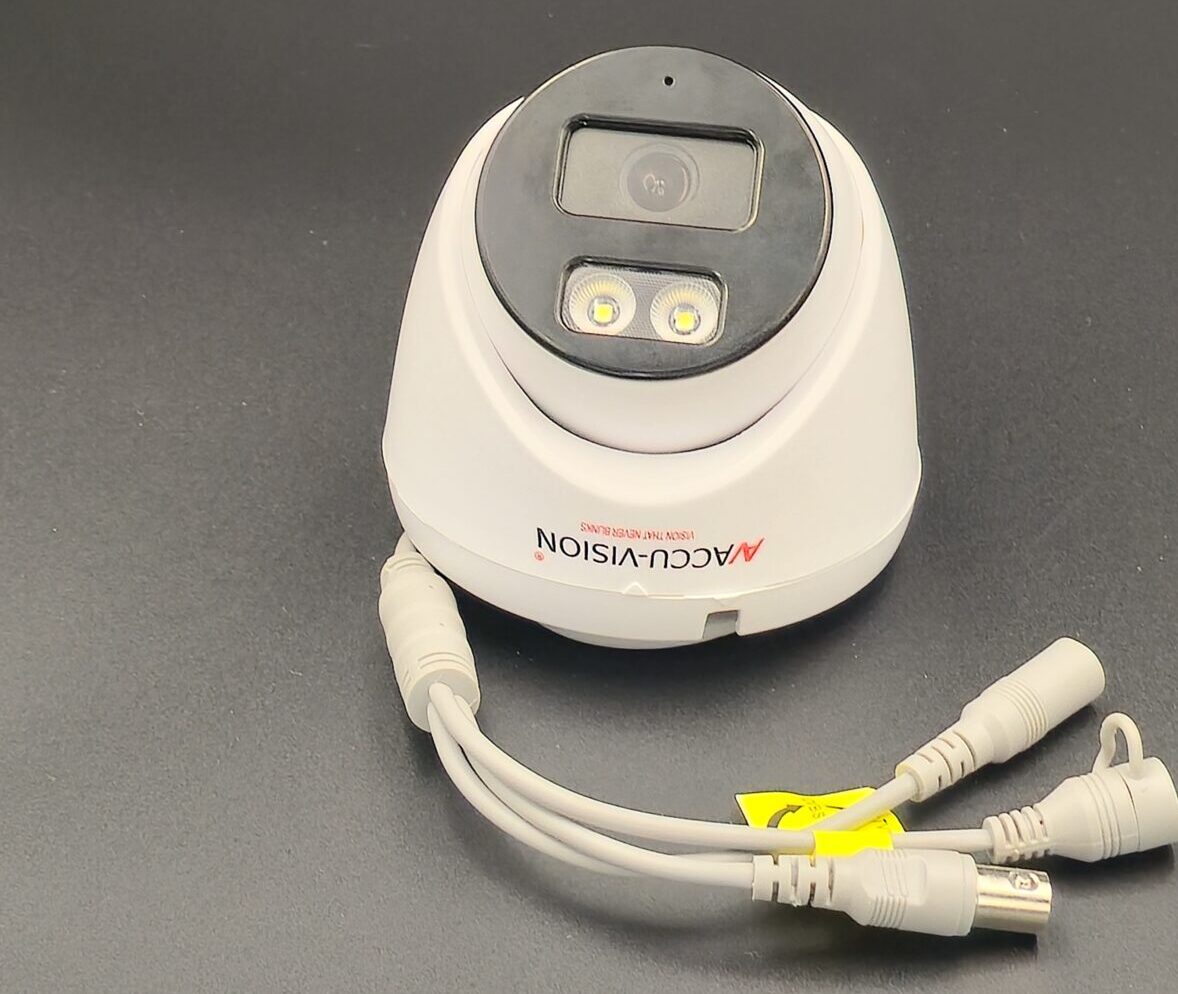
AccuVision Camera
AccuVision Camera
Dazzling Infotech- cctv camera installation in chennai/cctv dealers in chennai
Hikvision 5MP IP67 Miniโ€‘Bullet Camera
Accura 6MP AHD Dome CCTV Camera
Accura 6MP AHD Bullet CCTV Camera
Hikvision 8โ€‘Channel CCTV System

๐Ÿ“Œ Recommended for Industrial Environments

AccuVision Camera โ€“ Basic Industrial CCTV
โ€ข A good starter camera choice for monitoring entry/exit, floors, and machinery. Helps record activity reliably across factory zones.
๐Ÿ‘‰ Useful for simple perimeter and indoor monitoring.

Hikvision 5MP IP67 Miniโ€‘Bullet Camera โ€“ Weatherproof & Durable
โ€ข IP67 rated โ€” protects against dust and heavy water exposure โ€” great for outdoor gates, yards, and warehouse areas.
โ€ข High-resolution 5 MP imaging and night vision for clear footage day & night.

Accura 6MP AHD Dome CCTV Camera โ€“ High-Definition Dome Camera
โ€ข Wide-area coverage and robust housing make it good for indoor factory floors, employee corridors, and storage sections.
โ€ข IR night vision and advanced image processing for low-light conditions.

Accura 6MP AHD Bullet CCTV Camera โ€“ Starlight Tech for Low Light
โ€ข Excellent choice where lighting varies โ€” star light technology helps capture useful footage even in dim environments.
โ€ข Rugged bullet form factor suited for outdoor or semi-open factory spaces.

Hikvision 8โ€‘Channel CCTV System โ€“ Complete Surveillance Bundle
โ€ข Good option for medium to larger factories โ€” includes cameras + DVR recorder + accessories.
โ€ข Centralized monitoring and recording make it easier to manage many camera streams.

๐Ÿญ Why These Cameras Work for Factories

Industrial CCTV systems should excel in these areas:

๐Ÿ”ง Rugged & Weatherproof

Factory environments can be dusty, harsh, and variable in temperature. Choose cameras with high IP ratings (IP66/IP67) for outdoor or semi-outdoor areas.

๐ŸŒ™ Night Vision & Low-Light Performance

Areas like parking lots, machinery rooms, and service corridors often have uneven lighting โ€” night vision and enhanced low-light modes are must-have features.

๐Ÿ“ก Wide Coverage & Scalability

Factories need multiple points covered โ€” from gates to inventory storage. Dome and bullet cameras allow varied coverage, and multi-channel recorders help manage many devices.

๐Ÿ“ฑ Remote Monitoring

Modern systems let you view live footage on phones or computers โ€” essential for security teams overseeing large areas.

๐Ÿ“ How to Deploy CCTV in a Factory

๐Ÿ”น Entry & Exit Points: Cover all factory gates with weather-resistant cameras.
๐Ÿ”น Production Floor: Use dome cameras to capture broad area activity.
๐Ÿ”น Storage & Warehouse: Bullet cameras with long-range IR help monitor aisles and racks.
๐Ÿ”น Parking & Yard: Outdoor-rated cameras protect vehicles and goods.
๐Ÿ”น Control Room: Central DVR/NVR for recording & playback for incident review.

๐Ÿ“Œ Quick Buying Tips

โœ… Go for IP67 or higher ratings for outdoor factory areas.
โœ… Choose โ‰ฅ4 MP resolution for clear identification of people and objects.
โœ… Use night vision + motion detection to avoid blind spots.
โœ… Match cameras with a good NVR/DVR system for long-term storage.

๐Ÿ Final Thoughts

For factories, surveillance isnโ€™t just security โ€” itโ€™s a way to keep operations smooth, reduce theft, and boost worker safety. Start with rugged, high-resolution cameras like the ones above, and scale your CCTV system as your facility grows.

read more

Outdoor CCTV Camera Waterproof Rating

๐Ÿ“Œ Outdoor CCTV Camera Waterproof Ratings: What You Need to Know

When youโ€™re installing CCTV cameras outsideโ€”in the rain, sun, dust, or near sprinkler systemsโ€”weatherproofingย is critical. The standard way manufacturers indicate this is with an IP rating (Ingress Protection).

๐ŸŒง๏ธ What Is an IP Rating?

IP stands for Ingress Protection. Itโ€™s a two-digit code that tells you how well the cameraโ€™s housing protects against dust and water.

  • First digit (0โ€“6): Protection against solids like dust.

    • 6 = Dust-tight โ€” best for outdoor use.

  • Second digit (0โ€“9): Protection against water ingress.

    • Higher numbers = better water resistance.

So a typical outdoor camera might be IP66, IP67, or IP68.

๐ŸŒฆ๏ธ Common Outdoor IP Ratings

๐Ÿ”น IP65 โ€“ Good Rain Protection

๐Ÿ‘‰ Use case: Regular rainfall areas with standard outdoor exposure.

๐Ÿ”น IP66 โ€“ Heavy Rain & Storm-Ready

  • Dust-tight and protected from powerful water jets.
  • Handles heavy rain, wind-driven showers, and pressure sprays.
  • One of the most common ratings for outdoor CCTV cameras.

๐Ÿ‘‰ Use case: Exposed outdoor cameras on roofs, open yards, compounds.

๐Ÿ”น IP67 โ€“ Highest Outdoor Water Resistance

  • Dust-tight and can withstand temporary immersion in water (up to ~1 m for 30 min).
  • Ideal if cameras might face flooding, heavy storms, or extreme conditions.

๐Ÿ‘‰ Use case: Flood-prone areas, ground-level cameras, near ponds or pools.

๐Ÿ”น IP68 โ€“ Specialized Protection

  • Even stronger protection, often for underwater or harsh industrial environments.
  • Rare for typical residential cameras.

๐Ÿ› ๏ธ Why Waterproof Rating Matters

Outdoor CCTV cameras are constantly exposed to weather โ€” rain, dust, humidity, and even water jets from cleaning. Without a proper IP rating, water can seep in, short circuit electronics, or cause corrosion and blurry footage.

โš ๏ธ Important: IP rating applies to the camera housing only, not necessarily the cables or connectors โ€” these also need proper sealing.

๐Ÿง  Tips for Choosing Waterproof Cameras

โœ”๏ธ Always choose at least IP65 for outdoor cameras.
โœ”๏ธ If your location gets heavy rain, storms, or flooding, go for IP66 or IP67.
โœ”๏ธ Mount cameras under eaves or protective covers to increase lifespan.
โœ”๏ธ Check if cables and mounts are also weather-protected, not just the camera body.

๐Ÿ“Š Quick Rating Summary

IP Rating Dust Protection Water Protection Typical Use
IP65 Dust-tight Low pressure jets General rain, moderate weather
IP66 Dust-tight Powerful jets Heavy rain, exposed locations
IP67 Dust-tight Temporary immersion Harsh weather, flooding zones
IP68 Dust-tight Extended immersion Industrial or niche environments

(Descriptions based on international ingress protection standards.)

๐Ÿ Final Thoughts

For most homes and small businesses, IP65 or IP66 rated outdoor CCTV cameras give you reliable performance against dust and rain โ€” even during monsoons or heavy showers. If you live in a flood-prone or extremely wet area, consider IP67 for added peace of mind.

read more

CCTV Camera Recording Storage Options

CCTV Camera Recording Storage Options

Choosing the right CCTV camera recording storage option is very important for effective security and long-term video backup. CCTV storage determines how long footage is saved, video quality, and how easily recordings can be accessed.

Why CCTV Storage Matters

CCTV storage helps you:

  • Review past incidents
  • Collect video evidence
  • Monitor activities over time
  • Ensure continuous security

The better the storage option, the more reliable your surveillance system becomes.

Common CCTV Camera Storage Options

1. DVR (Digital Video Recorder) Storage

DVR storage is used with analog CCTV cameras.

  • Records video from multiple cameras
  • Stores footage on an internal hard disk
  • Works without internet
  • Suitable for homes, shops, and offices

Best for: Budget-friendly wired CCTV systems

2. NVR (Network Video Recorder) Storage

NVR storage is used with IP cameras.

  • High-resolution video recording
  • Supports PoE and LAN-connected cameras
  • Stores data on hard disks
  • Allows remote viewing with internet

Best for: High-quality and advanced surveillance setups

3. Hard Disk Drive (HDD)

Most DVRs and NVRs use surveillance-grade HDDs.

  • Available in 500GB, 1TB, 2TB, 4TB, and more
  • Designed for 24/7 recording
  • Longer lifespan than normal PC hard drives

Best for: Continuous video recording

4. SD Card Storage

Some WiFi and standalone cameras support SD cards.

  • Storage capacity usually up to 256GB
  • Records locally inside the camera
  • Works even without internet

Limitations: Limited storage duration and risk of damage or theft

5. Cloud Storage

Cloud storage saves footage on secure online servers.

  • Accessible from anywhere
  • Safe from physical damage or theft
  • Requires internet and subscription

Best for: Remote monitoring and backup security

6. Hybrid Storage (Local + Cloud)

Many modern systems support both local and cloud storage.

  • Local HDD for daily recording
  • Cloud for important events
  • Extra protection and flexibility

How Much Storage Do You Need?

Storage depends on:

  • Number of cameras
  • Camera resolution (2MP, 4MP, 8MP)
  • Recording mode (24/7 or motion-based)
  • Retention period (7, 15, 30 days or more)

Which Storage Option Is Best?

  • Home users: DVR/NVR with 1TB HDD
  • Shops & offices: NVR with HDD + cloud backup
  • Remote locations: SD card or local DVR
  • High-security needs: Hybrid storage system

Conclusion

CCTV camera recording storage options play a crucial role in surveillance efficiency. Whether you choose DVR, NVR, HDD, SD card, or cloud storage, selecting the right option ensures reliable monitoring and peace of mind.

read more

Where to Place CCTV Cameras at Home

Where to Place CCTV Cameras at Homeโ€”Complete Home Security Guide

Installing CCTV cameras at home is one of the best ways to improve safety and protect your family and property. However, correct camera placement is very important to get the best coverage and results. This blog explains the best places to install CCTV cameras in a home for maximum security.

1. Main Entrance / Front Door

The front door is the most important location for a CCTV camera.

Covers visitors, delivery staff, and unknown persons

Helps record faces clearly

Prevents theft and unauthorized entry

๐Ÿ‘‰ Tip: Install the camera at a height of 7โ€“9 feet, angled slightly downward.

2. Back Door / Rear Entrance

Many burglars try to enter through the back door.

  • Monitors less visible entry points
  • Detects suspicious movement
  • Ideal for night-vision cameras

3. Living Room or Hall (Common Area)

Placing a camera in the living room or hall helps:

  • Monitor indoor movement
  • Protect valuables
  • Keep an eye on children or elderly family members

โš ๏ธ Avoid pointing cameras toward private areas like bedrooms.

4. Staircase and Hallways

Cameras in staircases and hallways:

  • Track movement between rooms
  • Help identify intruders moving inside the house
  • Cover blind spots

5. Parking Area / Garage

If you have a car or two-wheeler, install a camera in the parking area:

  • Protects vehicles from theft or damage
  • Monitors entry and exit points
  • Useful in apartments and independent houses

6. Balcony or Terrace

Balconies and terraces are often ignored but can be entry points.

7. Backyard or Garden

For independent houses:

  • Monitor open spaces
  • Prevent trespassing
  • Protect outdoor assets

Use outdoor bullet cameras with night vision.

Places Where You Should NOT Install CCTV Cameras

For privacy reasons, avoid installing cameras in:

  • Bathrooms and toilets
  • Bedrooms
  • Changing areas
  • Inside rented rooms without permission

Indoor vs Outdoor Camera Placement

Indoor Cameras:

  • Living room
  • Hallway
  • Staircase

Outdoor Cameras:

  • Front gate
  • Back door
  • Parking
  • Balcony

Tips for Better CCTV Camera Placement

  • Avoid direct sunlight on the lens
  • Ensure proper lighting at night
  • Use wide-angle cameras for larger areas
  • Keep cameras out of easy reach
  • Display CCTV warning signs for deterrence

Conclusion

Correct CCTV camera placement is essential for effective home security. By installing cameras at key entry points and common areas while respecting privacy, you can ensure 24/7 protection for your home and loved ones.

read more

CCTV Camera for Apartment Security

CCTV Camera for Apartment Security โ€“ Complete Guide for Residents & Associations

Apartment security is a major concern today due to increasing theft, trespassing, and safety risks. Installing CCTV cameras in apartments helps protect residents, visitors, vehicles, and common areas. This blog explains how CCTV cameras improve apartment security and where they should be installed.

Why CCTV Cameras Are Important for Apartments

CCTV cameras provide 24/7 monitoring and act as a strong deterrent against crime. They help apartment associations and residents maintain a safe and secure environment.

Key Benefits of Apartment CCTV Security

Best Places to Install CCTV Cameras in Apartments

1. Main Entrance & Exit Gates

  • Records everyone entering and exiting
  • Helps identify visitors and vehicles
  • Improves access control

2. Lift Areas & Lift Lobbies

  • Monitors movement between floors
  • Prevents misuse and vandalism
  • Ensures resident safety

3. Staircases & Corridors

  • Covers blind spots
  • Tracks suspicious movement
  • Improves internal security

4. Parking Area

  • Protects cars and bikes
  • Prevents vehicle theft and damage
  • Useful for dispute resolution

5. Reception & Security Desk

  • Supports security guards
  • Helps monitor visitor activity
  • Records entry logs visually

6. Play Area & Common Areas

  • Ensures childrenโ€™s safety
  • Monitors public spaces
  • Prevents unwanted activities

Best CCTV Cameras for Apartment Security

Dome Cameras

  • Ideal for indoor common areas
  • Wide-angle coverage
  • Discreet design

Bullet Cameras

  • Suitable for outdoor use
  • Long-range viewing
  • Weatherproof and durable

IP Cameras

  • High-resolution video
  • Remote monitoring via mobile app
  • Easy integration with network systems

Night Vision Cameras

  • Clear footage in low light
  • Essential for parking and entrances

Apartment CCTV Camera Legal Guidelines (India)

  • Cameras should be installed only in common areas
  • Avoid cameras inside private homes
  • Display CCTV surveillance notice boards
  • Respect resident privacy

Wired vs WiFi CCTV Cameras for Apartments

Wired Cameras

  • Stable connection
  • Ideal for large apartment complexes
  • Centralized recording

WiFi Cameras

  • Easy installation
  • Suitable for small apartments
  • Mobile viewing support

Conclusion

Installing CCTV cameras in apartments is a smart investment for safety and peace of mind. With proper camera placement, high-quality equipment, and professional installation, apartment complexes can ensure round-the-clock security for all residents.

read more