• dazzlinginfotech.co.in
  • No. 81, 33, Thiyagappa Chetty St, Meenambal Nagar, Korukkupet, Old Washermanpet, Chennai, Tamil Nadu 600021

cctv camera

8 Channel DVR vs NVR

8-Channel DVR vs NVR: Which Surveillance System Should You Choose?

When planning a CCTV security system, one of the first decisions you’ll face is choosing between a DVR (Digital Video Recorder) and an NVR (Network Video Recorder). Both systems can support 8 channels (meaning up to 8 cameras), but they use very different technologies and are suited to different use-cases.

In this article, we’ll break down the key differences, pros and cons, and help you decide which option is best for your security needs.

What Is an 8-Channel DVR?

An 8-Channel DVR system connects up to 8 analog CCTV cameras via coaxial cables. It records video digitally onto the DVR’s internal hard drive.

How It Works

  • Cameras connect directly to the DVR using coaxial cables (RG59/RG6)
  • Video is processed and stored on the DVR’s hard disk
  • You can view footage on a monitor or remotely via app/software

Common Uses

  • Residential properties
  • Small offices and shops
  • Budget-friendly installations

What Is an 8-Channel NVR?

An 8-Channel NVR system supports up to 8 IP cameras. NVRs receive digital video data transmitted over network cables (typically Cat5e/Cat6).

How It Works

  • Cameras connect over Ethernet via a network switch or directly through PoE ports (Power over Ethernet)
  • Video is recorded on the NVR’s hard disk
  • Access footage via internet, app, or local monitor

Common Uses

  • Modern commercial buildings
  • Smart homes
  • Offices requiring high-resolution video

DVR vs NVR: Side-by-Side Comparison

Feature 8-Channel DVR 8-Channel NVR
Camera Type Analog IP (Digital)
Video Quality Up to 1080p (varies by system) Up to 4K and higher
Cabling Coaxial + Power cables Cat5e/Cat6 (data + power via PoE)
Installation Moderate Easy with PoE
Remote Access App/Software App/Software
Cost More budget-friendly Slightly higher investment
Scalability Limited Highly scalable
Advanced Features Basic AI, motion detection, analytics
Power Over Ethernet (PoE) No Yes (with PoE NVR)

Main Differences Explained

1. Video Quality

NVR systems have the edge when it comes to clarity. IP cameras can go up to 4K resolution, offering sharper footage especially useful for identifying faces or license plates. DVR cameras usually top out at Full HD or 2MP/4MP.

Winner: NVR

2. Cabling and Installation

DVRs require separate power and video cables for each camera. With NVRs that support PoE, a single Ethernet cable carries both power and data — making installation cleaner and easier.

Winner: NVR (for ease)

3. Cost

8-Channel DVR setups are generally more affordable upfront, especially if you already have coaxial cabling in place. NVR systems might cost more due to IP cameras and PoE infrastructure.

Winner: DVR (for budget)

4. Smart Features

IP cameras connected to an NVR often support advanced analytics like:

  • Motion zones
  • Line crossing alerts
  • Object tracking
  • People counting

Traditional DVR systems usually have simpler features.

Winner: NVR

5. Scalability

Adding more cameras and features is easier with NVR systems, especially in IP network infrastructures. DVR systems are more limited.

Winner: NVR

Which One Should You Choose?

Your choice depends on your needs:

Choose an 8-Channel DVR if:

  • You want a cost-effective system
  • You have existing coaxial cabling
  • You need basic surveillance without advanced features
  • You’re securing a small office or home

Choose an 8-Channel NVR if:

Real-World Examples

Small Store: An 8-Channel DVR works great for basic monitoring without hefty costs.

Office Campus: An NVR setup with 4K IP cameras helps identify events clearly and supports future upgrades.

Cost Breakdown (Approximate)

Component DVR System NVR System
8 Cameras Lower Higher
Recorder Lower Higher
Cabling Analog + Power Ethernet (lower cabling cost)
Features Basic Smart, AI

Final Thoughts

Both 8-Channel DVR and NVR systems are capable surveillance solutions, but they serve different needs.

  • DVR: Best for budget projects with basic requirements.

  • NVR: Ideal for modern, smart, scalable surveillance with higher video quality.

At the end of the day, choosing the right system means understanding your goals, budget, and future needs.
read more

CCTV Camera Cloud Storage

CCTV Camera Cloud Storage: The Future of Smart Surveillance

In today’s digital world, security is no longer limited to physical locks and guards. CCTV cameras have become an essential part of homes, offices, retail stores, and industrial facilities. But simply installing cameras is not enough — how and where you store the footage matters just as much. This is where CCTV camera cloud storage comes in.

Cloud storage is transforming video surveillance by offering secure, flexible, and accessible solutions for storing footage. Let’s explore what it is, how it works, and why it’s becoming the preferred choice for modern security systems.

What Is CCTV Cloud Storage?

CCTV cloud storage is a system where video footage from surveillance cameras is stored on remote servers (the cloud) instead of local devices like DVRs (Digital Video Recorders) or NVRs (Network Video Recorders).

Instead of saving recordings on a physical hard drive at your location, the footage is encrypted and transmitted over the internet to secure data centers. You can then access it anytime, from anywhere, using a smartphone, tablet, or computer.

How Does It Work?

  1. Camera captures video – The CCTV camera records video as usual.
  2. Internet connection – The footage is sent via a secure internet connection.
  3. Cloud server storage – The video is stored in encrypted cloud servers.
  4. Remote access – Users can log into an app or web portal to view live or recorded footage.

Key Benefits of CCTV Cloud Storage

1. Remote Access Anytime, Anywhere

One of the biggest advantages is the ability to monitor your property from anywhere in the world. Whether you’re traveling or at home, you can check live feeds instantly.

2. Enhanced Security

Local storage devices can be stolen, damaged, or destroyed. With cloud storage, your footage remains safe even if the camera or recorder is tampered with.

3. Automatic Backups

Cloud systems automatically store and back up your recordings, reducing the risk of data loss.

4. Scalability

Need to add more cameras? Cloud storage makes it easy to scale without installing additional hardware.

5. Reduced Maintenance

Unlike DVRs/NVRs, cloud systems don’t require regular hardware maintenance or manual backups.

Cloud Storage vs Local Storage

Feature Cloud Storage Local Storage
Accessibility Remote access On-site access only
Risk of Theft Low High
Maintenance Minimal Requires hardware upkeep
Scalability Easy Limited by hardware
Upfront Cost Lower Higher (equipment cost)

Is CCTV Cloud Storage Safe?

Yes, most reputable cloud providers use:

  • End-to-end encryption
  • Multi-factor authentication
  • Secure data centers
  • Regular software updates

However, security also depends on using strong passwords and reliable internet connections.

Who Should Use CCTV Cloud Storage?

Cloud storage is ideal for:

  • Homeowners
  • Small businesses
  • Retail shops
  • Warehouses
  • Multi-location enterprises
  • Property managers

It is especially useful for businesses with multiple branches, as it allows centralized monitoring.

Things to Consider Before Choosing Cloud Storage

Before investing, consider:

  • Internet speed and reliability
  • Monthly or annual subscription costs
  • Storage duration (7, 15, 30, or 90 days retention)
  • Data privacy regulations in your country
  • Customer support and service reliability

The Future of CCTV Surveillance

With advancements in AI and smart analytics, cloud-based CCTV systems are becoming even more powerful. Features like facial recognition, motion detection alerts, and real-time notifications are easier to implement with cloud platforms.

As technology continues to evolve, cloud storage will likely become the standard for modern surveillance systems.

Conclusion

CCTV camera cloud storage offers a secure, flexible, and convenient way to manage surveillance footage. It eliminates the risks associated with physical storage devices and provides easy remote access for users.

Whether for home security or business protection, cloud-based CCTV storage is a smart investment for the future.

read more

CCTV Camera Dealer Near Me

CCTV Camera Dealer Near Me – Your Trusted Partner for Complete Security Solutions

In today’s fast-paced world, security is no longer a luxury—it’s a necessity. Whether you want to protect your home, office, shop, warehouse, or industrial premises, installing a reliable CCTV surveillance system is one of the smartest decisions you can make. If you’re searching for a CCTV camera dealer near me, choosing the right local expert can make all the difference in performance, safety, and peace of mind.

Why Choose a Local CCTV Camera Dealer Near You?

When you work with a nearby CCTV camera dealer, you enjoy several advantages that online sellers or distant providers simply cannot match.

1. Quick Site Inspection & Consultation

A local dealer can visit your location, understand your security requirements, and suggest the best camera placement. This ensures maximum coverage with minimal blind spots.

2. Faster Installation & Support

Searching for a CCTV camera dealer near me means quicker installation and immediate after-sales service. In case of technical issues, local technicians can resolve problems faster.

3. Customized Security Solutions

Every property is different. A professional CCTV dealer nearby can customize solutions based on lighting conditions, area size, entry points, and your budget.

4. Reliable After-Sales Service

Regular maintenance, firmware updates, camera cleaning, and troubleshooting are easier when your dealer is just a call away.

Types of CCTV Cameras Offered by Dealers Near You

A professional CCTV camera dealer usually provides a wide range of surveillance solutions, including:

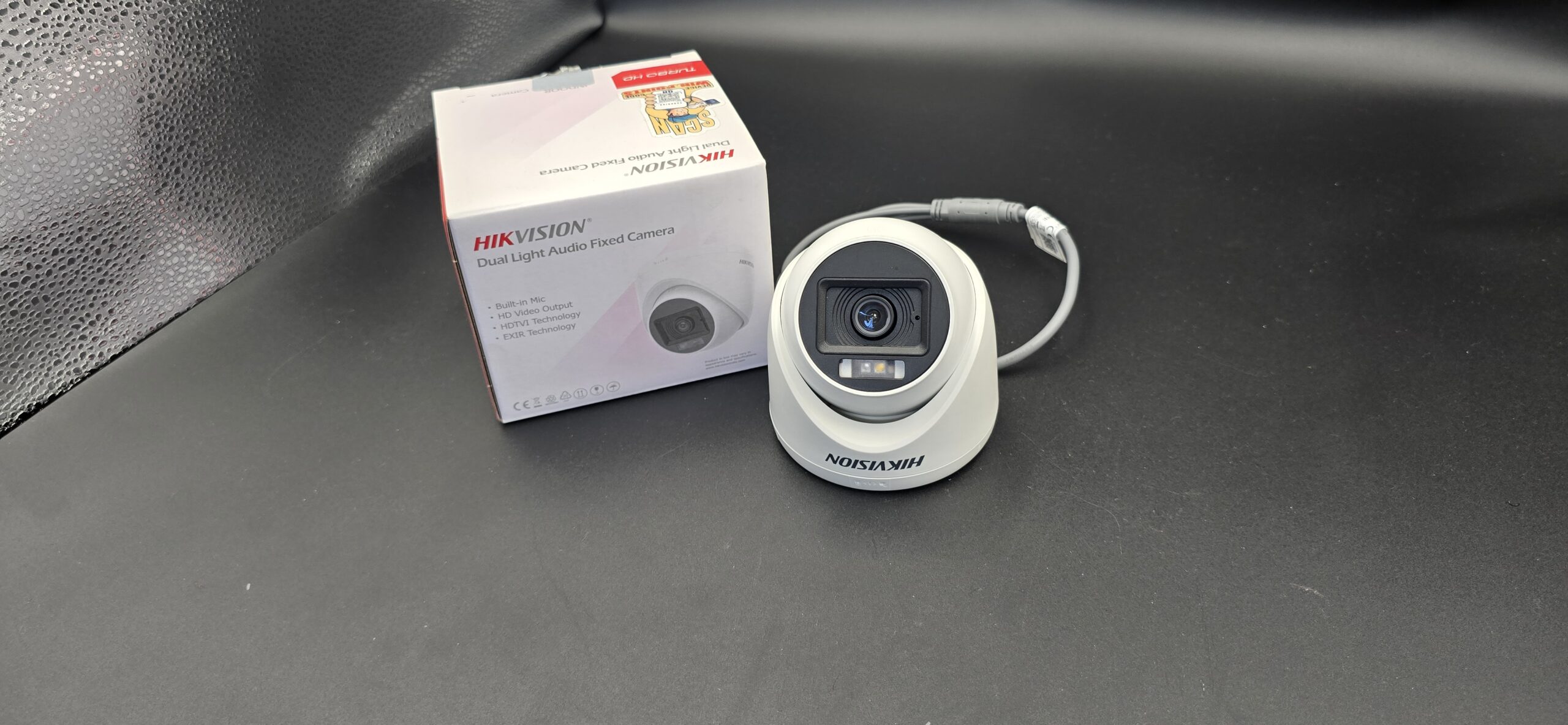
  • Dome CCTV Cameras – Ideal for homes, offices, and indoor use
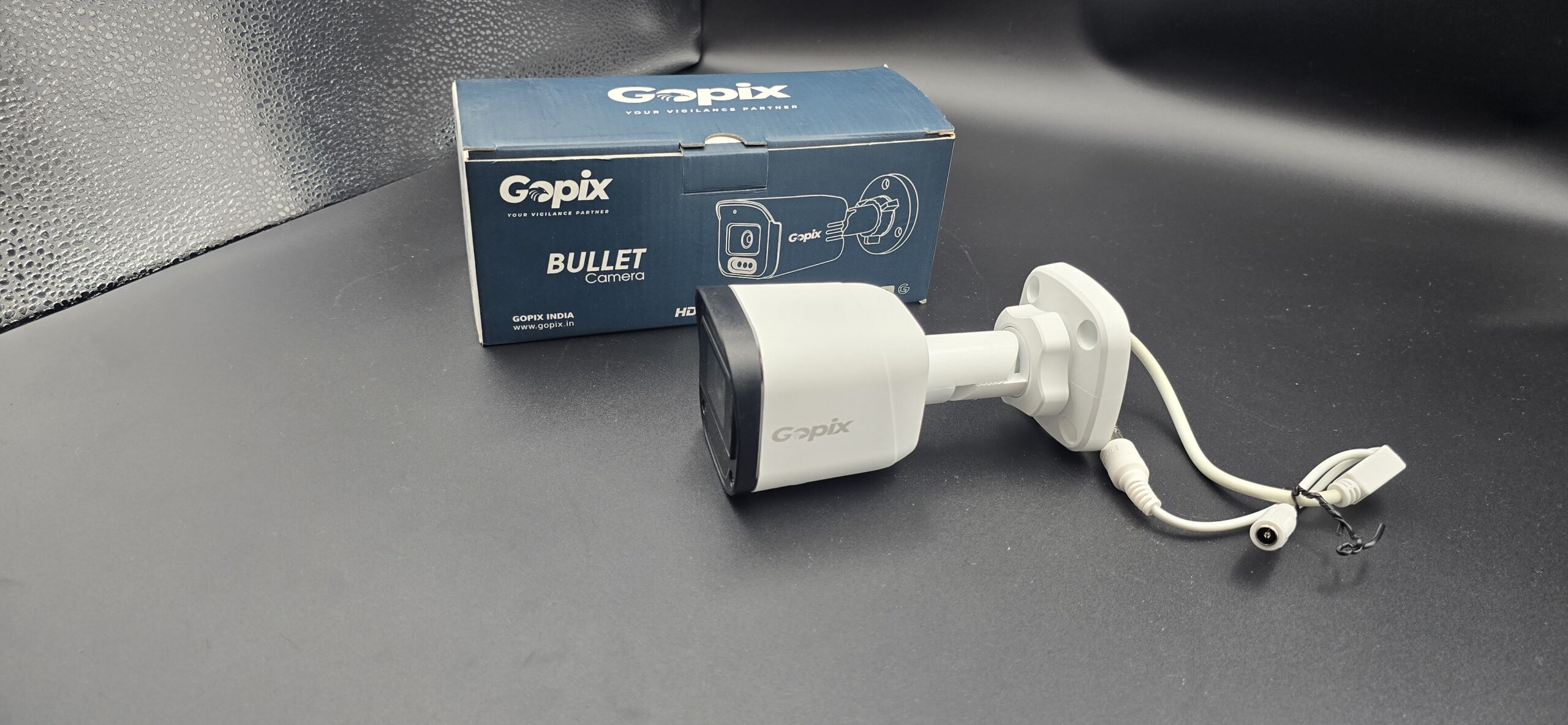
  • Bullet Cameras – Perfect for outdoor surveillance with long-range visibility
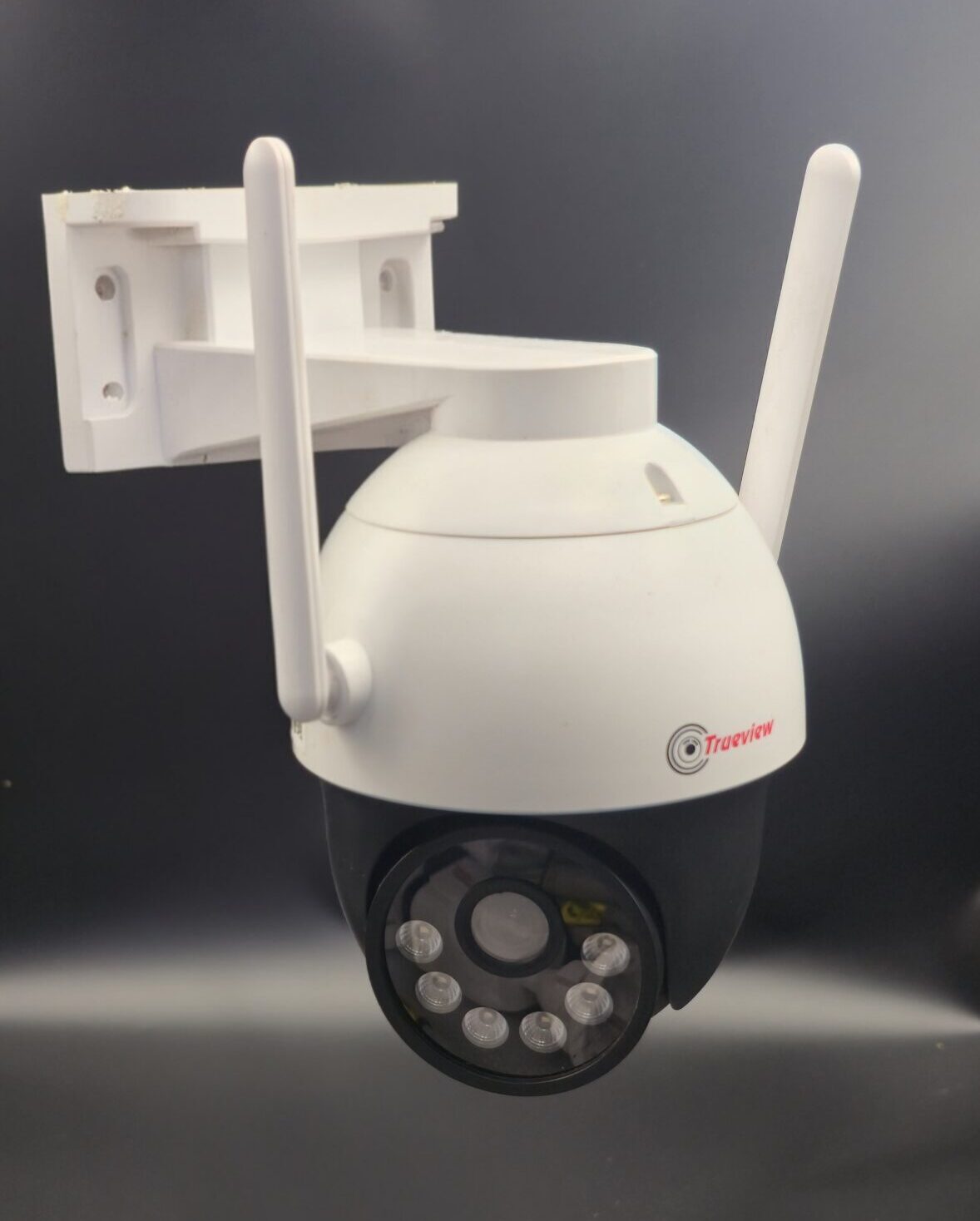
  • PTZ Cameras – Pan, Tilt & Zoom cameras for large areas
  • IP Cameras – High-resolution cameras with remote viewing
  • Wireless CCTV Cameras – Easy installation with minimal wiring
  • Night Vision CamerasClear footage even in complete darkness

If you’re looking for a CCTV camera dealer near me, make sure they offer branded products with warranty and technical support.

CCTV Camera Installation for Home & Business

A trusted local CCTV dealer provides end-to-end services such as:

  • Home CCTV camera installation
  • Office and corporate surveillance systems
  • Retail shop and showroom monitoring
  • Warehouse and factory security solutions
  • Apartment and society CCTV projects

From small residential setups to large commercial installations, a nearby dealer ensures smooth execution from planning to installation.

Benefits of Installing CCTV Cameras

Installing CCTV cameras through a professional dealer near you offers many benefits:

  • Crime Prevention: Visible cameras deter theft and vandalism
  • 24/7 Monitoring: Keep an eye on your property anytime, anywhere
  • Employee Productivity: Helps maintain discipline at workplaces
  • Evidence Recording: Recorded footage can be used as legal proof
  • Peace of Mind: Know that your loved ones and assets are safe

How to Choose the Best CCTV Camera Dealer Near Me

Before finalizing a dealer, consider the following points:

  • Experience and customer reviews
  • Availability of branded CCTV cameras
  • On-site inspection and consultation
  • Installation warranty and AMC services
  • Technical support and response time

A professional CCTV camera dealer near me will always focus on quality, transparency, and customer satisfaction.

Affordable CCTV Camera Solutions Near You

Many people assume CCTV systems are expensive, but local dealers offer solutions for every budget. From basic camera setups to advanced AI-based surveillance, you can find cost-effective security systems without compromising on quality.

Conclusion

If you are searching for a CCTV camera dealer near me, choosing a trusted local expert ensures better service, faster support, and a customized security solution that truly meets your needs. Whether it’s for your home, business, or industrial space, a reliable CCTV system is an investment in safety and peace of mind.

read more

CCTV Camera Service Near Me

🔧 CCTV Camera Service Near Me: The Complete Guide

In today’s world, CCTV cameras are vital for protecting your home, office, shop, factory, or parking area. But even the best systems can experience issues over time — from blurry footage and power failures to network glitches and damaged lenses.

If your CCTV isn’t working properly, you’ll want a trusted CCTV camera service near you — someone who can fix, maintain, and optimise your system fast. In this guide, you’ll learn how CCTV servicing works, common issues, and top local service providers in Chennai, India.

🛠️ Why CCTV Service Is Important

A properly serviced CCTV system gives you:

Clear and reliable footage — no blurry or missing video
Longer equipment life — fewer unexpected breakdowns
Better security coverage — cameras stay aligned and focused
Reduced risks of data loss or hacking

Regular service helps catch issues early — before they become expensive repairs. Outdoor cameras, in particular, should be checked frequently due to dust, rain, and environmental wear.

🧰 Common CCTV Problems That Need Service

Here are some issues that often require a professional service call:

  • No video on the monitor
  • Poor image quality or blurry footage
  • Cameras not powering on
  • System not recording or storing footage
  • Remote viewing not working
  • Cable or connector damage
  • Network or Wi-Fi signal problems
  • Outdated firmware and app issues

Often, a quick technician visit can resolve these issues without replacing the entire system.

🧑‍🔧 What CCTV Technicians Do

Professional CCTV camera services typically include:

🔹 Installation & Setup — Cameras, DVR/NVR, apps, and remote access.
🔹 Troubleshooting & Repair — Cable faults, power issues, lens alignment.
🔹 Maintenance — Cleaning lenses, checking connections, updating software.
🔹 Network Configuration — For IP or wireless cameras.
🔹 System Optimization — Adjusting angles, motion detection, recording schedules.

📅 How Often Should You Service Your CCTV?

The frequency depends on usage and environment:

  • Residential systems: At least every 6 months
  • Commercial/industrial setups: Every 3–4 months
  • Outdoor or dust-prone areas: Every 2–3 months

Regular servicing prevents issues like dust buildup, degraded image quality, power problems, and recording failures.

🔎 Quick Tips to Choose the Right CCTV Service

✅ Look for experienced technicians familiar with major brands
Choose a provider with transparent pricing and service reports
✅ Check customer reviews and ratings
✅ Ask about AMC (Annual Maintenance Contracts) for long-term support
✅ Ensure they handle both repair and installation needs

🏁 Conclusion

Finding a reliable CCTV camera service near me ensures your security system stays healthy, responsive, and dependable — giving you peace of mind at home or work. Whether you need simple maintenance, urgent repair, or a complete installation, the right local provider can make all the difference.

read more

CCTV Camera Warranty Details

📄 CCTV Camera Warranty Details: Everything You Need to Know

When purchasing a CCTV camera, most buyers focus on price, resolution, and features — but warranty is equally important. A good warranty protects your investment, ensures peace of mind, and reflects the manufacturer’s confidence in their product.

This blog explains CCTV camera warranty coverage, what is included, what is not, and how to claim it.

🔍 What Is a CCTV Camera Warranty?

A CCTV camera warranty is a written guarantee from the manufacturer or seller that the camera and related equipment will be repaired or replaced if a defect occurs within a specific period.

Warranty typically covers:

Manufacturing defects

Hardware failure under normal usage

Performance issues due to internal faults

⏳ Standard Warranty Period for CCTV Cameras

Most CCTV brands offer the following warranty periods:

  • CCTV Cameras: 1–2 years
  • DVR / NVR Recorders: 1–2 years
  • Hard Disk Drives (HDD): 1 year
  • Power Adapters & Accessories: 3–6 months

📌 Always confirm warranty terms at the time of purchase.

✅ What Is Covered Under CCTV Warranty?

Generally, the warranty includes:

✔ Manufacturing defects
✔ Camera not powering on due to internal fault
✔ DVR/NVR motherboard failure
✔ Image or recording issues caused by hardware problems
✔ Factory-installed components

❌ What Is NOT Covered Under Warranty?

Warranty does not cover damages caused by:

✖ Physical damage or mishandling
✖ Water damage due to improper installation
✖ Power surge, lightning, or voltage fluctuation
✖ Tampering or unauthorized repair
✖ Normal wear and tear
✖ Software misconfiguration

🛠️ Installation & Warranty: Important Note

Improper installation can void your warranty. To keep your warranty valid:

✔ Use recommended power supplies
✔ Follow installation guidelines
✔ Avoid modifying hardware
✔ Use surge protectors or UPS

Professional installation is often recommended for warranty protection.

📋 Documents Required for Warranty Claim

To claim CCTV warranty, you usually need:

  • Original purchase invoice
  • Warranty card or serial number
  • Product box with barcode (for some brands)

Without these documents, warranty claims may be rejected.

🔁 Repair vs Replacement Policy

  • Minor issues → Repair
  • Major manufacturing defect → Replacement
  • Repeated failures → Product exchange (brand-dependent)

Warranty service timelines typically range from 7 to 30 working days.

🏷️ Brand Warranty Differences

Different brands offer different warranty support:

Always check service center availability in your city.

📌 Tips to Maximize Your CCTV Warranty

✔ Register your product online (if available)
✔ Keep invoice and warranty card safe
✔ Use quality cables and power supply
✔ Protect cameras from water and dust
✔ Perform regular maintenance

⚠️ Extended Warranty – Is It Worth It?

Some sellers offer extended warranty plans for an additional cost.

Recommended if:

🏁 Conclusion

A CCTV camera warranty is more than just paperwork — it’s a safety net for your security system. Understanding warranty coverage, exclusions, and claim procedures helps you avoid unexpected expenses and ensures long-term protection.

Before buying, always ask:
✔ Warranty period
✔ Coverage details
✔ Service process
✔ Authorized service centers

read more

How to Choose a CCTV Camera?

📹 How to Choose a CCTV Camera: The Ultimate Buying Guide

Choosing the right CCTV camera can make all the difference in your security setup. From image clarity to night-time visibility, not all cameras are built the same. This guide helps you pick a camera that meets your needs — and helps you avoid mistakes.

🎯 Step 1: Define Your Purpose

Before anything else, ask yourself:

  • Do you want indoor or outdoor surveillance?

  • Are you covering large areas (yards, parking lots) or small spaces (room corners)?

  • Will it be 24/7 monitoring or occasional check-in?

Understanding your use case helps narrow choices quickly.

🖼️ Step 2: Check Image Quality (Resolution)

Image clarity is key to identifying people, vehicles, or events in footage.

🔹 1080p (2 MP) – Good for general home and office use
🔹 4 MP–8 MP (2K–4K) – Sharper detail, great for larger or critical areas

➡️ Remember: higher resolution means better detail but also more storage needed.

🌙 Step 3: Night Vision & Low-Light Performance

Most security incidents happen in low light — so your CCTV must see clearly at night.

✔ Look for IR (Infrared) LED night vision
✔ Check the IR range — longer ranges cover more space
✔ Some cameras have colour night vision for clearer night footage

Without good night vision, your camera may only record silhouettes in the dark.

📡 Step 4: Wired or Wireless?

Your installation choice affects reliability and convenience.

🔹 Wired cameras – Stable video feed and power; ideal for permanent setups
🔹 Wireless cameras – Quick installation and flexible placement

Both have their advantages — choose based on where the camera will go and how you want to monitor.

🌐 Step 5: Connectivity & Remote Viewing

Modern CCTV systems don’t just record — they let you monitor from anywhere.

✔ Look for mobile app support
✔ Check if the system supports remote live view and alerts
✔ Some cameras allow cloud storage so footage is safe even if the camera is damaged

This is especially useful if you travel or manage multiple locations.

☔ Step 6: Outdoor Durability & IP Rating

For outdoor installations, durability matters. Cameras must withstand rain, dust, and heat.

📌 Look for IP66/IP67 waterproof ratings — only cameras with these can handle outdoor elements reliably.

📷 Step 7: Field of View & Camera Type

Different camera types suit different needs:

  • Bullet cameras — Long-range outdoor view
  • Dome cameras — Wide indoor coverage
  • PTZ cameras — Pan, tilt, zoom for dynamic monitoring

Choose based on where and how much area you want to cover.

📦 Step 8: Storage Options

Think about how footage is stored:

Local storage (SD/DVR/NVR) – No internet dependency
Cloud storage – Safe backup and remote access

More storage means longer recording history — important if you need to review past events.

🔔 Step 9: Smart Features

Today’s cameras can do more than record:

Motion detection alerts – Get notified on suspicious activity
Two-way audio – Talk through the camera
AI features – Face detection or smart alerts

These make your CCTV proactive, rather than just passive recording.

🧠 Step 10: Budget & Warranty

Security cameras range from basic to advanced. While it’s tempting to go for the cheapest option, investing in a quality camera gives:

  • Better footage

  • Longer lifespan

  • Fewer maintenance costs

Always check the warranty and support — good brands usually have reliable service options.

🏁 Wrap-Up: Quick Checklist

✔ Define where and why you need the camera
✔ Choose the right resolution
✔ Ensure strong night vision
✔ Decide wired or wireless
✔ Enable remote monitoring
✔ Check waterproof/ dustproof rating
✔ Pick camera types based on coverage
✔ Plan how footage will be stored
✔ Look at smart features
✔ Set a sensible budget and check warranty

📸 Free CCTV Camera Photos (Use in Your Blog)

https://cdn11.bigcommerce.com/s-zbabt7ht4y/images/stencil/1280x1280/products/38530/56878/8-HDB-SYS__11999.1705572333.jpg?c=2&imbypass=on
https://cdn01.capitolcam.net/catalog/product/cache/28dd609d8bdc706904d6f229ab8e8e2a/1/0/1080p-dual-voltage-bullet-camera-long-range-night-vision.jpg
https://www.sg-cctv.com/wp-content/uploads/2023/07/Dome-CCTV-Camera-Buying-Guide-What-to-Look-For.jpg
read more

CCTV Camera for Factory Use

📽️ Best CCTV Cameras for Factory Surveillance (2026)

Choosing the right CCTV system for a factory means prioritizing durability, wide monitoring, night vision, weatherproofing, and reliable recording. Industrial environments often have dust, vibration, and variable lighting — so camera quality matters.

📸 Top CCTV Cameras for Factory Use

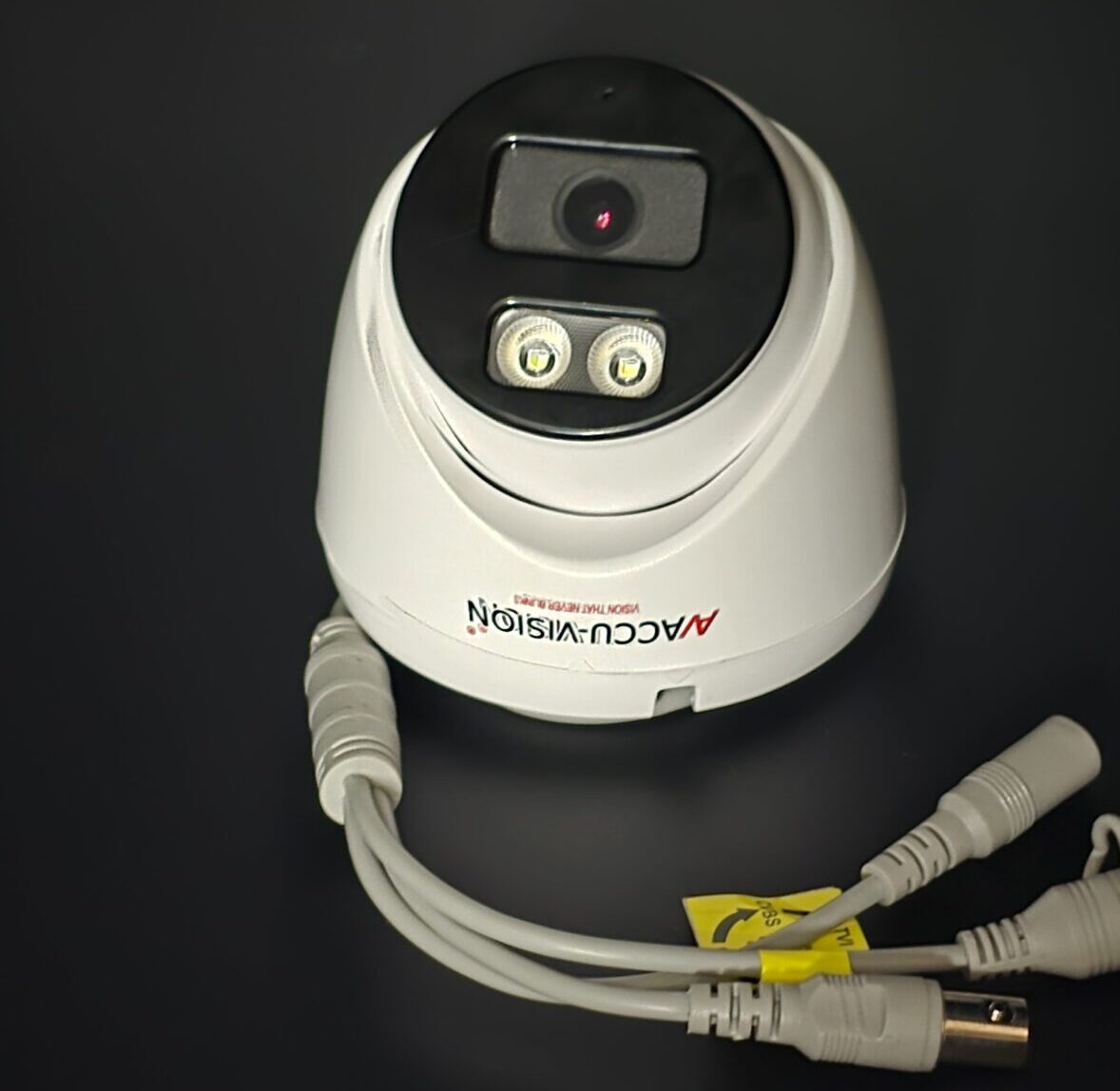
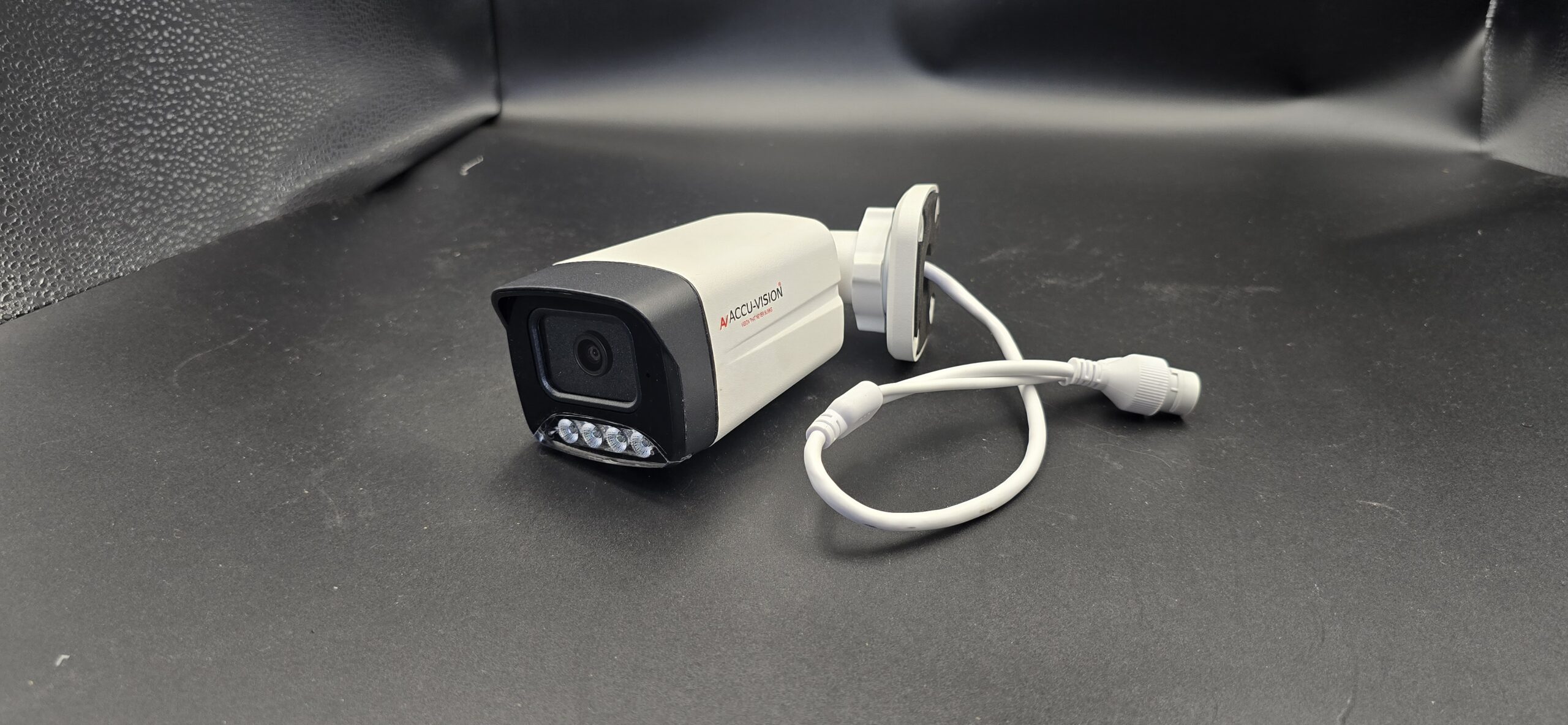
AccuVision Camera
AccuVision Camera
Dazzling Infotech- cctv camera installation in chennai/cctv dealers in chennai
Hikvision 5MP IP67 Mini‑Bullet Camera
Accura 6MP AHD Dome CCTV Camera
Accura 6MP AHD Bullet CCTV Camera
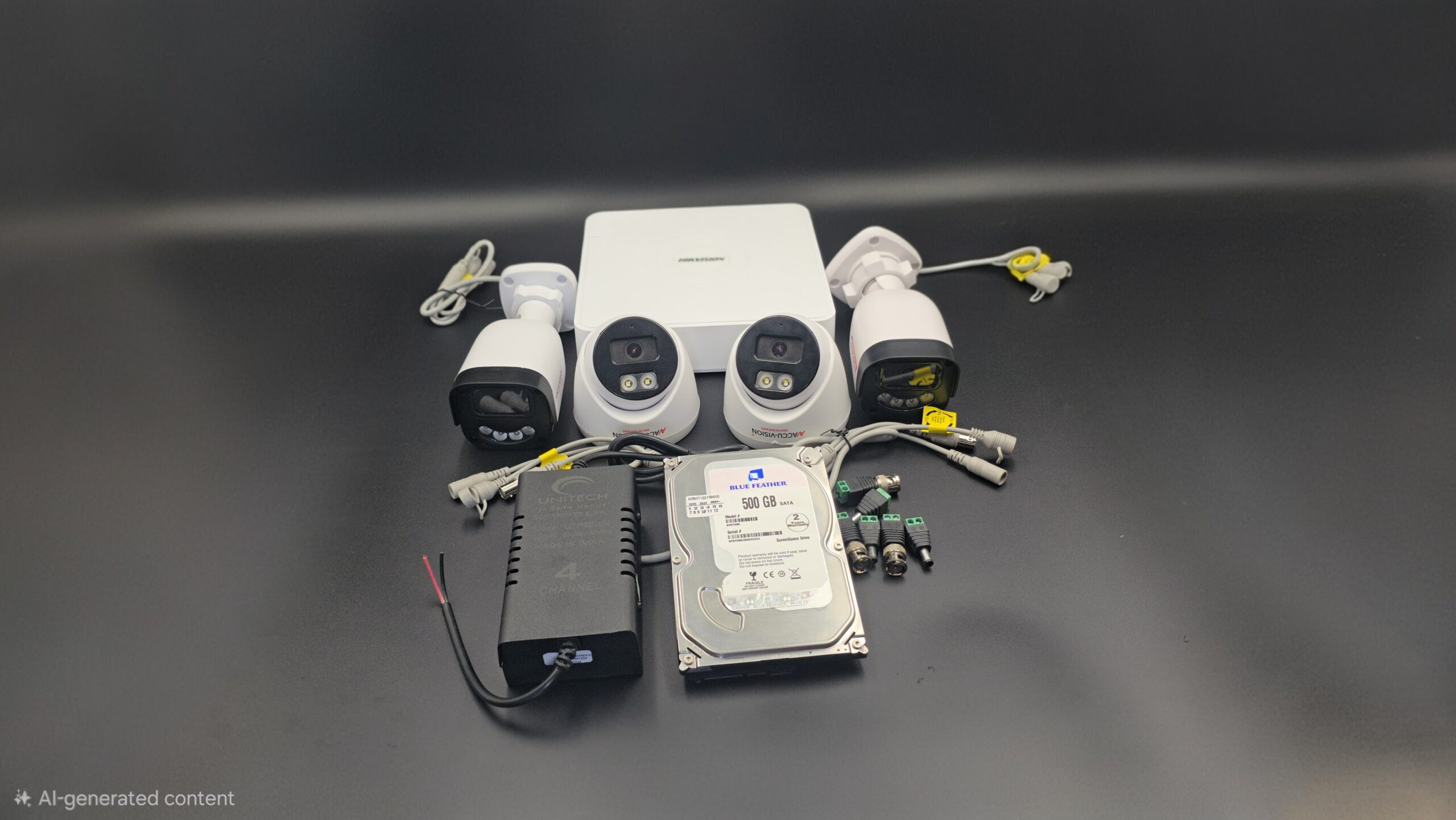
Hikvision 8‑Channel CCTV System

📌 Recommended for Industrial Environments

AccuVision CameraBasic Industrial CCTV
• A good starter camera choice for monitoring entry/exit, floors, and machinery. Helps record activity reliably across factory zones.
👉 Useful for simple perimeter and indoor monitoring.

Hikvision 5MP IP67 Mini‑Bullet CameraWeatherproof & Durable
• IP67 rated — protects against dust and heavy water exposure — great for outdoor gates, yards, and warehouse areas.
• High-resolution 5 MP imaging and night vision for clear footage day & night.

Accura 6MP AHD Dome CCTV CameraHigh-Definition Dome Camera
• Wide-area coverage and robust housing make it good for indoor factory floors, employee corridors, and storage sections.
• IR night vision and advanced image processing for low-light conditions.

Accura 6MP AHD Bullet CCTV CameraStarlight Tech for Low Light
• Excellent choice where lighting varies — star light technology helps capture useful footage even in dim environments.
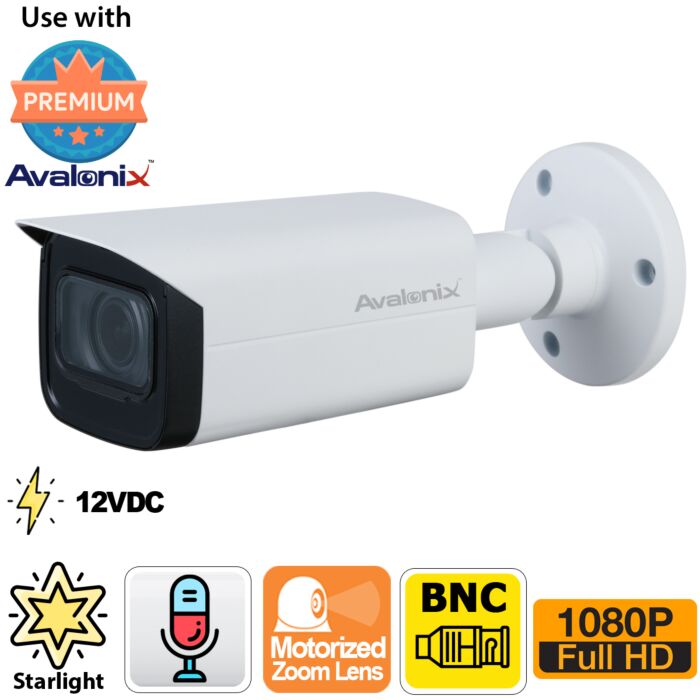
• Rugged bullet form factor suited for outdoor or semi-open factory spaces.

Hikvision 8‑Channel CCTV SystemComplete Surveillance Bundle
• Good option for medium to larger factories — includes cameras + DVR recorder + accessories.
• Centralized monitoring and recording make it easier to manage many camera streams.

🏭 Why These Cameras Work for Factories

Industrial CCTV systems should excel in these areas:

🔧 Rugged & Weatherproof

Factory environments can be dusty, harsh, and variable in temperature. Choose cameras with high IP ratings (IP66/IP67) for outdoor or semi-outdoor areas.

🌙 Night Vision & Low-Light Performance

Areas like parking lots, machinery rooms, and service corridors often have uneven lighting — night vision and enhanced low-light modes are must-have features.

📡 Wide Coverage & Scalability

Factories need multiple points covered — from gates to inventory storage. Dome and bullet cameras allow varied coverage, and multi-channel recorders help manage many devices.

📱 Remote Monitoring

Modern systems let you view live footage on phones or computers — essential for security teams overseeing large areas.

📍 How to Deploy CCTV in a Factory

🔹 Entry & Exit Points: Cover all factory gates with weather-resistant cameras.
🔹 Production Floor: Use dome cameras to capture broad area activity.
🔹 Storage & Warehouse: Bullet cameras with long-range IR help monitor aisles and racks.
🔹 Parking & Yard: Outdoor-rated cameras protect vehicles and goods.
🔹 Control Room: Central DVR/NVR for recording & playback for incident review.

📌 Quick Buying Tips

✅ Go for IP67 or higher ratings for outdoor factory areas.
✅ Choose ≥4 MP resolution for clear identification of people and objects.
✅ Use night vision + motion detection to avoid blind spots.
✅ Match cameras with a good NVR/DVR system for long-term storage.

🏁 Final Thoughts

For factories, surveillance isn’t just security — it’s a way to keep operations smooth, reduce theft, and boost worker safety. Start with rugged, high-resolution cameras like the ones above, and scale your CCTV system as your facility grows.

read more

Indoor CCTV camera recommendations

📹 Best Indoor CCTV Cameras You Can Consider (2026)

Here are some top-rated indoor CCTV cameras that balance quality, features, and value — ideal for home monitoring, baby/pet surveillance, or office security:

TP‑Link Tapo C200 Pan/Tilt Home Security Wi‑Fi Camera
TP‑Link Tapo C211 2K 3MP Pan/Tilt Wi‑Fi Camera
Qubo Smart Cam 360 3MP
Godrej ACE PRO Smart Home Camera 3MP
TP‑Link Tapo C100 Security Camera
Hikvision HD‑TVI Dome Camera
🔐 Top Picks for Home & Office Security

TP‑Link Tapo C200 Pan/Tilt Home Security Wi‑Fi Camera – Excellent all-rounder
A pan/tilt camera with wide coverage, motion alerts, night vision, and two-way audio — great for general indoor security and pet monitoring.

TP‑Link Tapo C211 2K 3MP Pan/Tilt Wi‑Fi Camera – Higher-resolution choice
Offers sharper 2K video, smooth pan/tilt controls, smart motion detection and easy app setup — ideal if you want clearer footage for identification.

Qubo Smart Cam 360 3MP – Budget 360° surveillance
Affordable option with 360° view, motion alerts and night vision — good for small rooms or entryway coverage without blind spots.

Godrej ACE PRO Smart Home Camera 3MP – Trusted Indian brand
Compact and reliable camera with decent video quality, night vision, and smart alerts — perfect for daily home monitoring.

TP‑Link Tapo C100 Security Camera – Simple & reliable
Great basic indoor security camera with 1080p video, motion detection and app alerts — great if you want an easy plug-and-play option.

Hikvision HD‑TVI Dome Camera – Traditional dome option
Wired dome camera with clear imaging — ideal for offices, reception areas, or rooms where you want discreet, fixed surveillance.

🔎 What to Look for in Indoor CCTV Cameras

When choosing an indoor camera, these features matter most:

📍 1. Video Quality

Choose 1080p or higher resolution to ensure clear footage and identifiable details — especially useful in case of incidents.

🌙 2. Night Vision

Essential for 24/7 monitoring — cameras with IR LEDs will capture clear video even in low or no light.

📱 3. Motion Detection & Alerts

Smart motion sensing reduces false triggers and sends alerts to your phone when important motion is detected.

🔊 4. Two-Way Audio

Allows you to talk through the camera (e.g., tell pets to settle or speak to someone at home).

☁️ 5. Storage Options

Look for cloud + local SD card support so you don’t lose footage if internet goes down.

🏠 How to Use These Cameras Effectively

✅ Mount cameras near entry points, living rooms, hallways
✅ Position at eye level or higher for best view
✅ Use secure Wi-Fi and enable encryption
✅ Regularly check storage and alerts

read more

What Is a CCTV Camera?

What Is a CCTV Camera?

A CCTV camera (Closed-Circuit Television camera) is a security device used to monitor, record, and protect people, property, and assets. Unlike regular television broadcasts, CCTV systems transmit video signals to a limited set of monitors or recording devices, making them ideal for surveillance and security purposes.

How Does a CCTV Camera Work?

A CCTV camera captures video footage and sends it to a DVR (Digital Video Recorder) or NVR (Network Video Recorder). The recorded footage can be viewed live or played back later through a monitor, computer, or mobile phone. Modern CCTV cameras also support remote viewing via mobile apps using the internet.

Types of CCTV Cameras

There are different types of CCTV cameras designed for various needs:

  • Dome CamerasSuitable for indoor use and provide wide-angle coverage
  • Bullet Cameras – Ideal for outdoor surveillance with long-range viewing
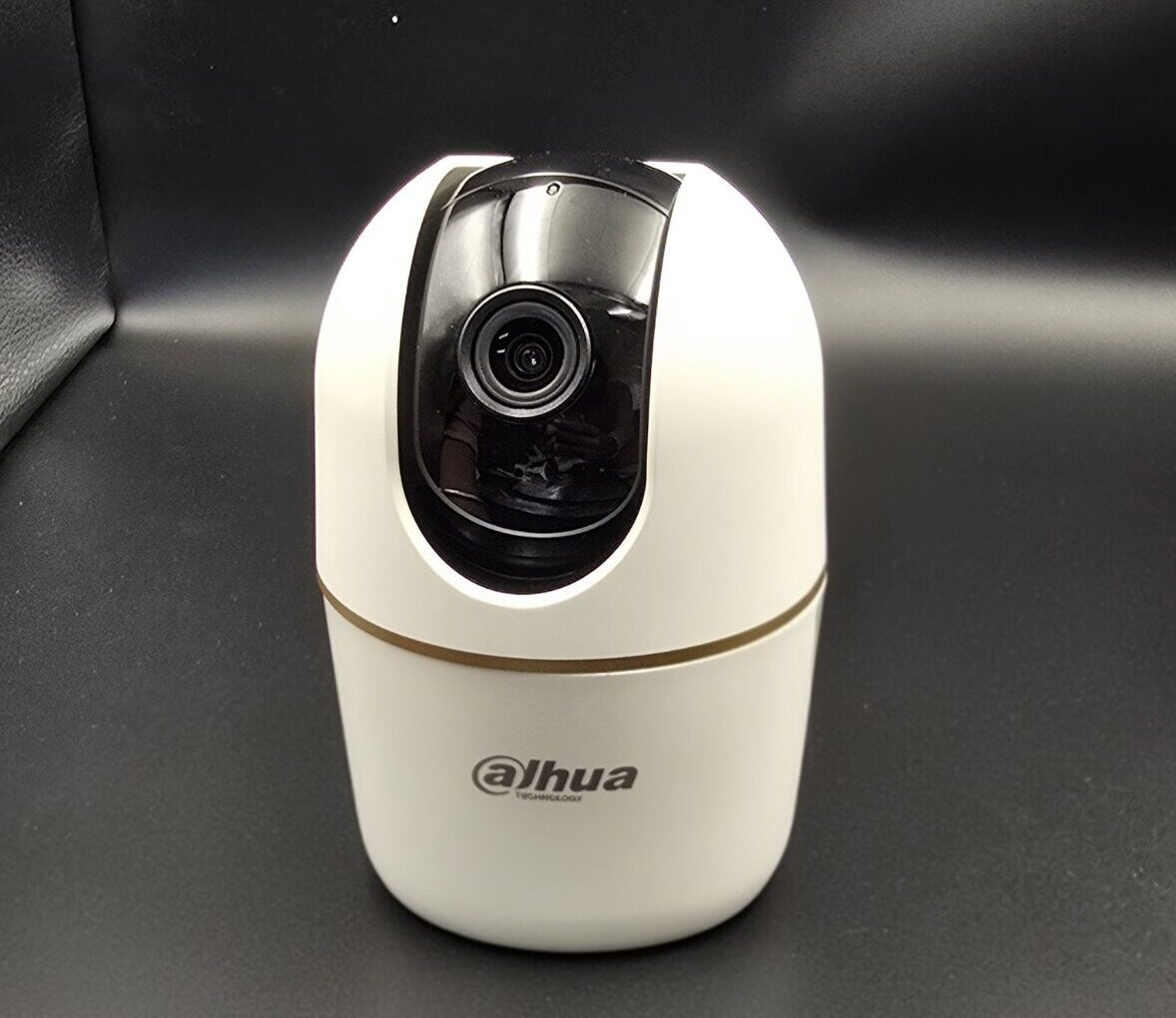
  • WiFi Cameras – Wireless cameras that connect through the internet
  • PTZ Cameras – Can pan, tilt, and zoom for advanced monitoring
  • IP Cameras – High-resolution cameras that work over network connections

Benefits of Using CCTV Cameras

  • Improves security and safety
  • Helps prevent theft and vandalism
  • Allows 24/7 monitoring
  • Provides video evidence when needed
  • Enables remote access through mobile devices

Where Are CCTV Cameras Used?

CCTV cameras are commonly used in:

  • Homes and apartments
  • Shops and showrooms
  • Offices and factories
  • Schools and colleges
  • Hospitals and public places

Conclusion

A CCTV camera is an essential security solution for modern homes and businesses. With advanced features like night vision, motion detection, and mobile viewing, CCTV systems offer reliable protection and peace of mind.

read more

Which CCTV Camera Is Best for Home?

Which CCTV Camera Is Best for Home?

Choosing the right CCTV camera for your home is an important step in ensuring safety, monitoring daily activity, and protecting your family and property. With many camera types available, it’s essential to understand which ones are best suited for residential use.

Why CCTV Cameras Are Important for Homes

Home security cameras help:

  • Deter theft, vandalism, and unauthorized access
  • Monitor your property day and night
  • Provide recorded evidence when needed
  • Allow remote viewing from mobile devices

A good CCTV system gives peace of mind, whether you are at home or away.

Best CCTV Camera Types for Home

1. WiFi / Wireless Cameras

Best For: Easy installation and flexible placement

  • Works without complicated wiring
  • Connects to your home WiFi
  • View live footage on your smartphone
  • Ideal for indoor areas like living rooms, entrance, nursery

Why Choose This: Easy setup and remote access make these great for renters and homeowners alike.

2. Dome Cameras

Best For: Indoor surveillance & discreet monitoring

  • Stylish and compact design
  • Wide-angle coverage
  • Hard to tell camera direction
  • Great for hallways, living rooms, and bedrooms

Why Choose This: Blends well with interiors while offering reliable coverage.

3. Bullet Cameras

Best For: Outdoor use

  • Long-range view
  • Weatherproof and robust frame
  • Easy to install on walls or roofs
  • Ideal for driveways, gardens, and entrance gates

Why Choose This: Excellent outdoor protection with clear long-distance monitoring.

4. IP Cameras

Best For: High-resolution footage & smart homes

  • Records HD/Full HD video
  • Connects via network (internet or LAN)
  • Supports advanced features like motion alerts and cloud storage

Why Choose This: Offers crisp video quality and modern security features.

Features to Look For in a Home CCTV Camera

📌 HD or Full HD resolution – Clear and sharp video
📌 Night Vision – Important for low-light or night monitoring
📌 Mobile App Access – View live feed from anywhere
📌 Motion Detection Alerts – Instant alerts on your phone
📌 Two-Way Audio (optional) – Communicate via camera
📌 Cloud/SD Storage – Save recordings safely

Tips to Choose the Right Camera

✔ Choose outdoor cameras for entrances and gardens
✔ Use indoor WiFi cameras for living rooms and bedrooms
✔ Ensure cameras support remote viewing
✔ Check night vision and motion detection quality
✔ Match camera features to your budget and needs

Conclusion

The best CCTV camera for your home depends on your specific needs—whether it’s indoor monitoring, outdoor protection, or remote access. Wireless WiFi cameras are great for easy setup, while bullet cameras are ideal for outdoor coverage. IP cameras provide high-resolution footage and advanced features.

read more