• dazzlinginfotech.co.in
  • No. 81, 33, Thiyagappa Chetty St, Meenambal Nagar, Korukkupet, Old Washermanpet, Chennai, Tamil Nadu 600021

gopix

Home security camera installation in Chennai

Home Security Camera Installation in Chennai – Protect Your Family & Property

In a fast-growing city like Chennai, home security has become more important than ever. With increasing residential developments, independent houses, gated communities, and apartments across areas like Anna Nagar, Velachery, Tambaram, Porur, and OMR, installing a reliable home security camera system is a smart investment.

Professional home security camera installation in Chennai ensures your property is protected 24/7 with advanced surveillance technology and mobile monitoring access.

Why Home Security Cameras Are Essential in Chennai

Chennai is a vibrant and expanding metropolitan city. While it offers great living standards, residential security concerns such as theft, unauthorized entry, and property damage still exist.

A properly installed CCTV camera system helps you:

  • Monitor your home in real-time
  • Deter burglars and intruders
  • Keep an eye on children and elderly family members
  • Track visitors and delivery personnel
  • Record evidence in case of incidents

Whether you live in an independent house in Adyar or an apartment in Sholinganallur, CCTV surveillance adds an extra layer of protection.

Benefits of Professional Home CCTV Installation

1. 24/7 Remote Monitoring

Modern CCTV systems come with mobile app integration, allowing homeowners in Chennai to monitor their property from anywhere. Whether you are at work, traveling, or out of town, you can access live footage on your smartphone.

2. High-Quality Video Surveillance

Today’s security cameras offer HD and 4K resolution, ensuring clear footage during both day and night. Night vision cameras are especially useful for outdoor security.

3. Crime Prevention

Visible cameras act as a strong deterrent. Most intruders avoid homes with surveillance systems.

4. Motion Detection Alerts

Advanced systems send instant alerts to your phone if unusual activity is detected, helping you respond quickly.

5. Insurance & Legal Evidence

Recorded footage can serve as proof for insurance claims or police investigations if required.

Types of Home Security Cameras Available in Chennai

When choosing a home security camera installation service in Chennai, you can select from various options:

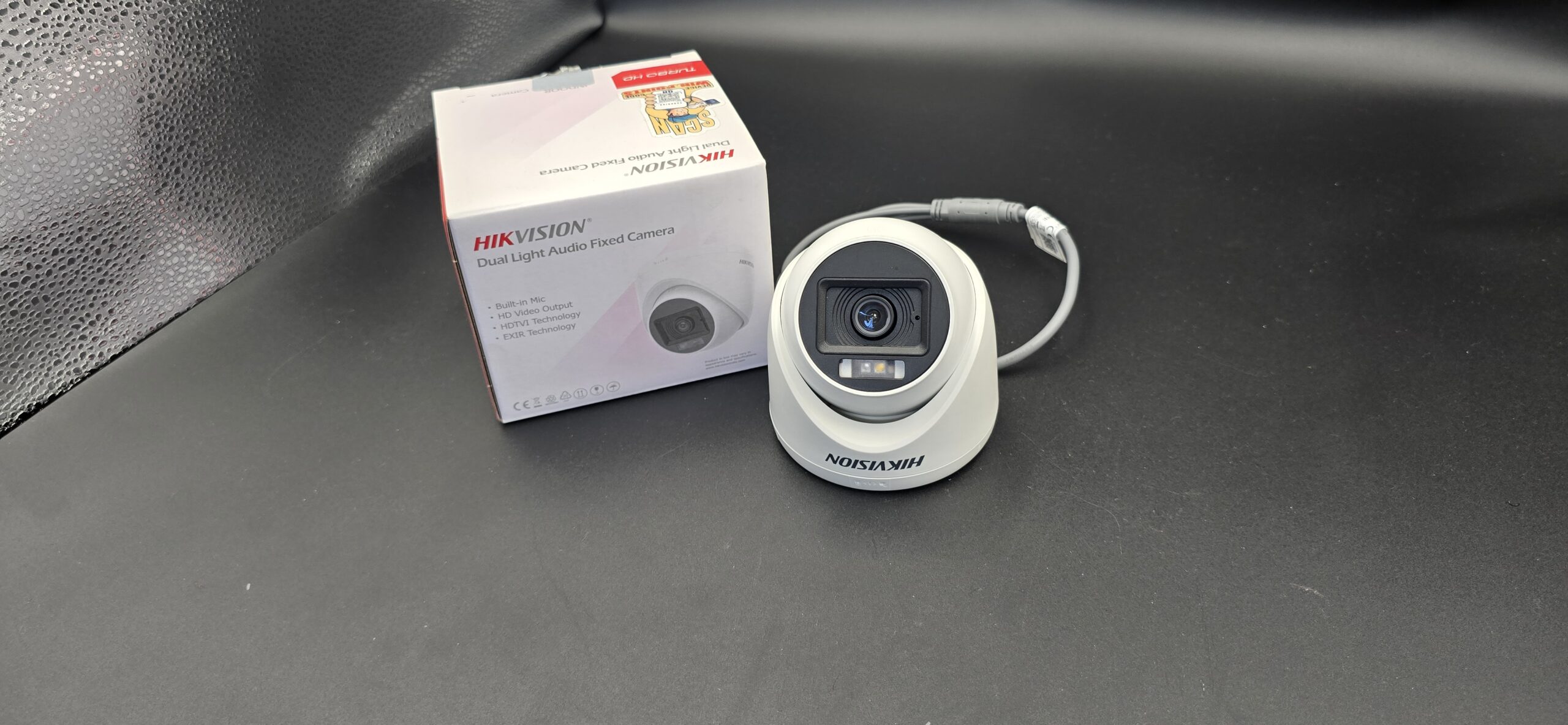
Dome Cameras

Ideal for indoor use in living rooms, hallways, and apartment corridors.

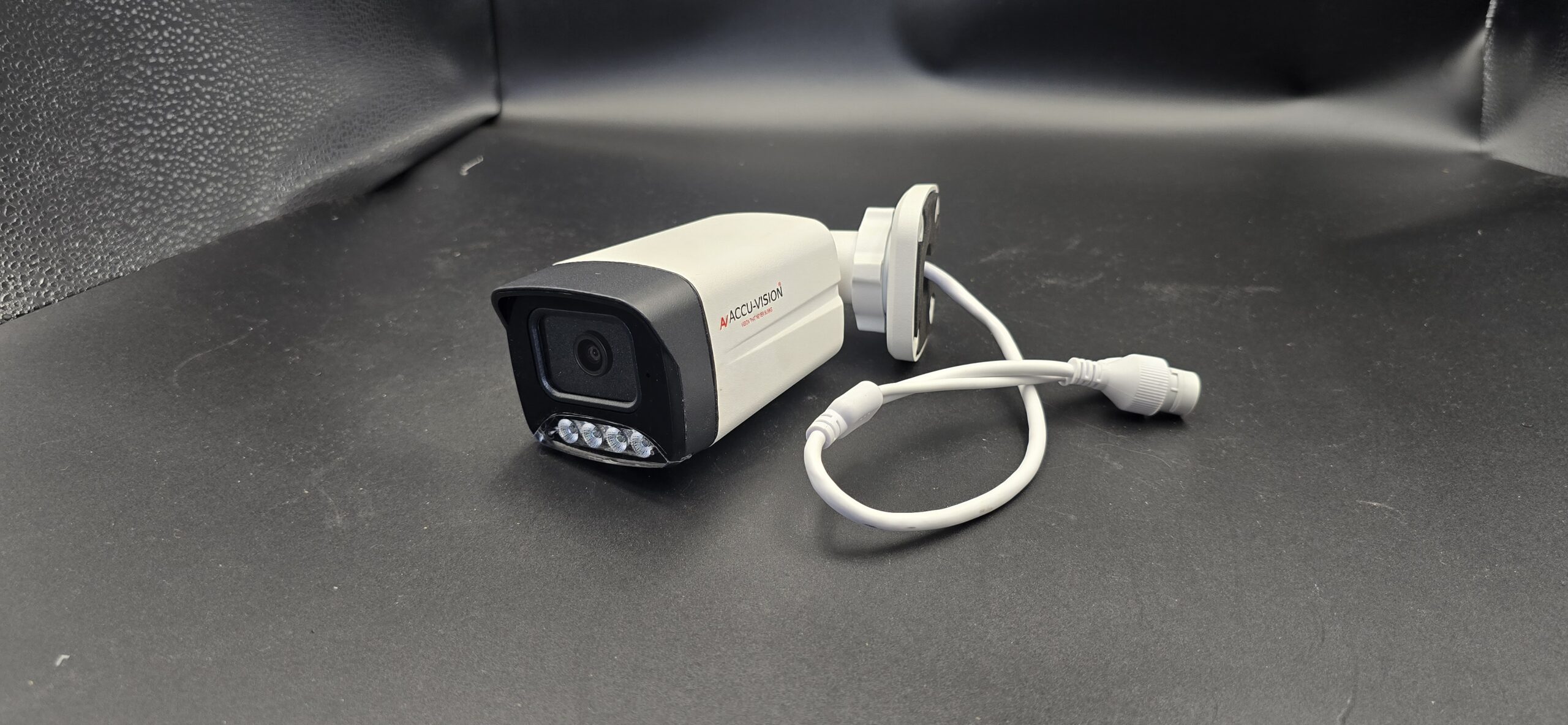
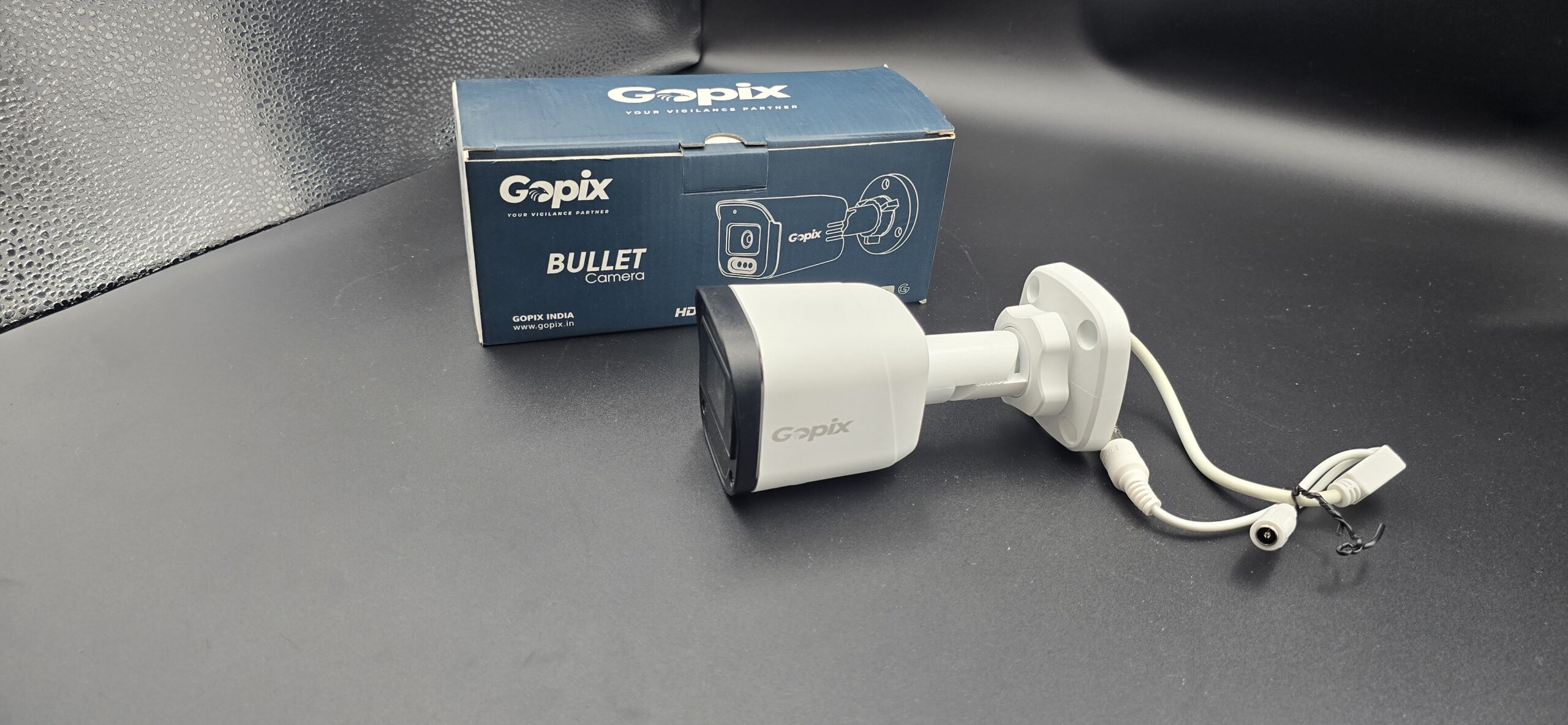
Bullet Cameras

Best suited for outdoor areas like gates, parking spaces, and entrances.

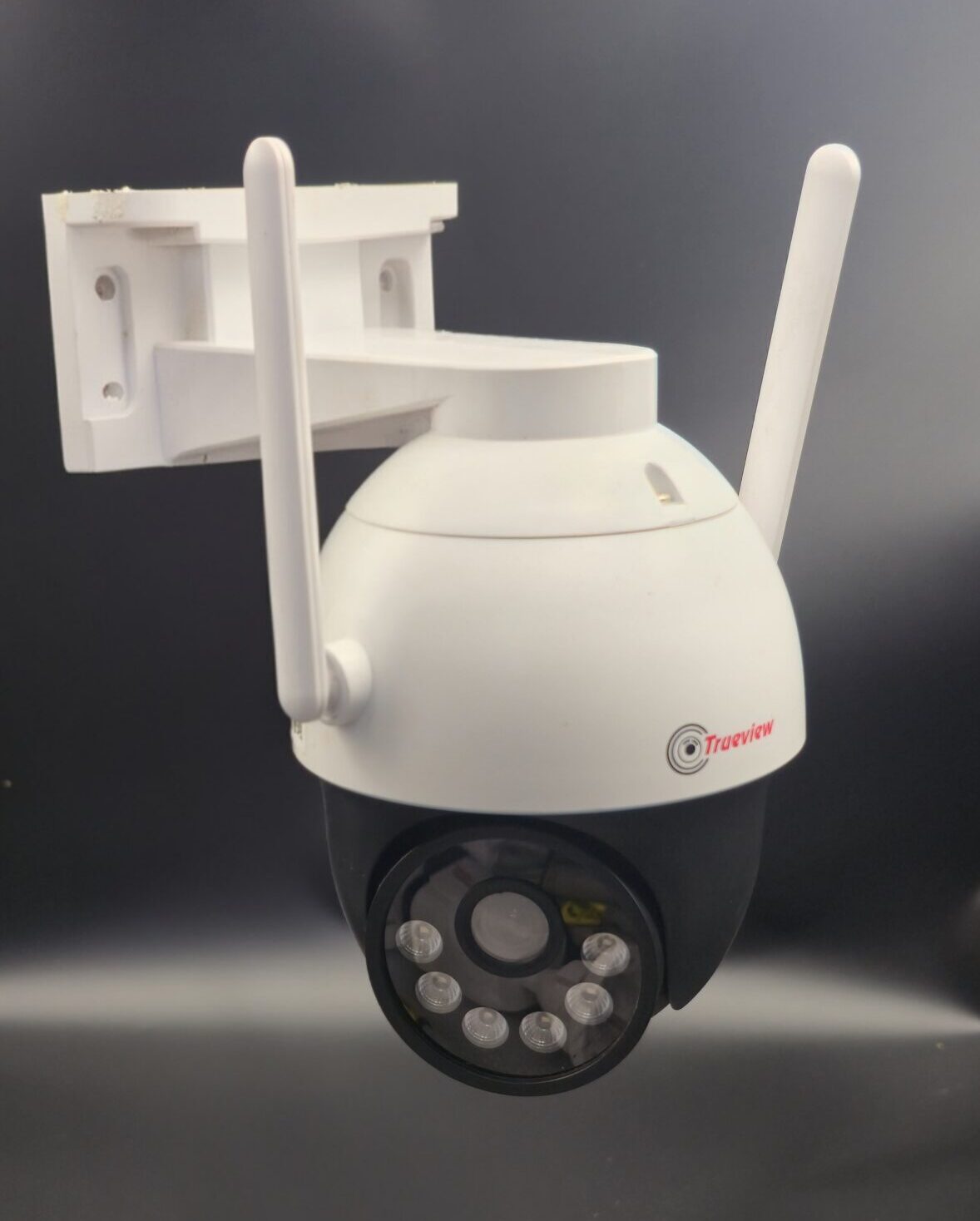
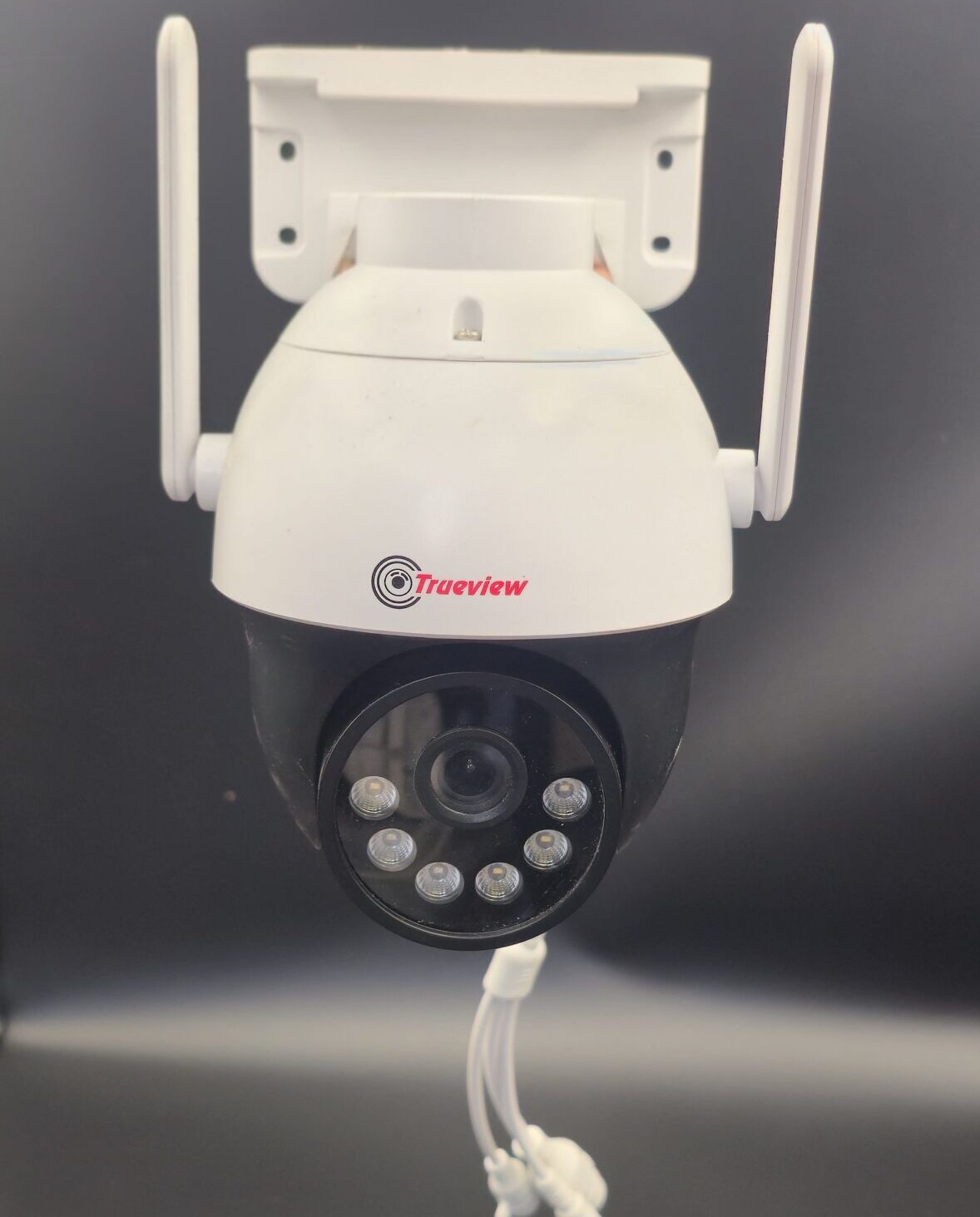
PTZ Cameras (Pan-Tilt-Zoom)

These cameras allow remote control to move and zoom through a mobile app.

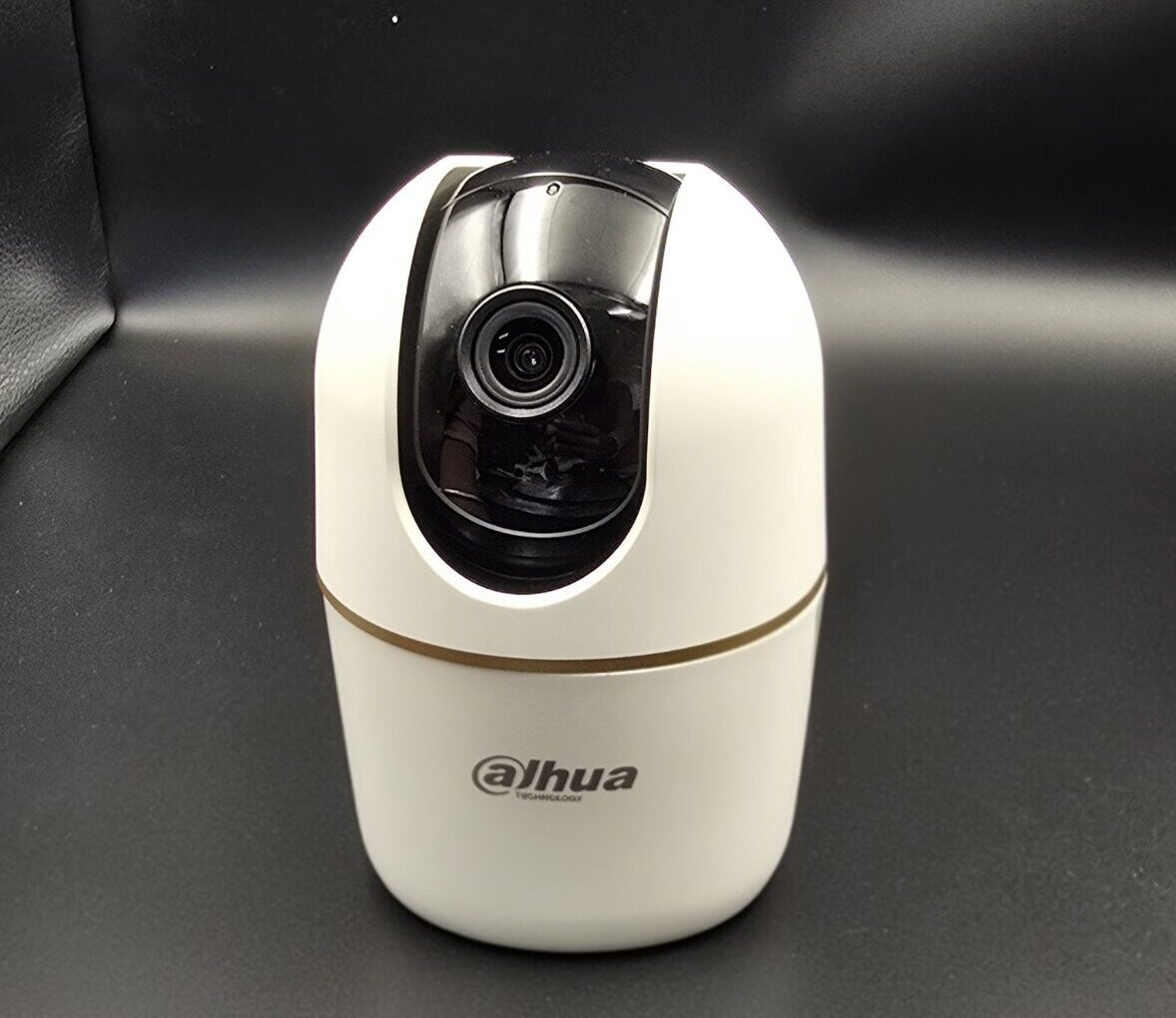
Wireless / WiFi Cameras

Perfect for apartments and homes where wiring options are limited.

IP Cameras with Mobile App Monitoring

These connect to the internet and allow remote access from anywhere.

Key Features to Look for in a CCTV System

When installing home security cameras in Chennai, make sure your system includes:

  • HD or 4K video quality
  • Night vision capability
  • Motion detection alerts
  • Cloud or DVR/NVR storage
  • Weatherproof outdoor cameras
  • Mobile app access
  • Two-way audio (optional)

Professional installers can guide you in selecting the right configuration based on your home size and security needs.

Why Choose Professional CCTV Installation in Chennai?

While DIY security cameras are available, professional installation offers better reliability and coverage.

A professional CCTV installer in Chennai will:

  • Conduct a site inspection
  • Identify blind spots
  • Suggest the best camera placement
  • Ensure proper wiring and network setup
  • Configure secure remote access
  • Provide after-sales support and maintenance

This ensures maximum coverage and long-term performance.

Areas We Cover in Chennai

Home security camera installation services are available across Chennai, including:

  • Anna Nagar
  • T. Nagar
  • Velachery
  • Tambaram
  • Porur
  • OMR (Old Mahabalipuram Road)
  • Adyar
  • Ambattur
  • Medavakkam
  • Sholinganallur

No matter where you are located, professional CCTV services can be customized to your needs.

Cost of Home Security Camera Installation in Chennai

The cost of CCTV installation depends on:

  • Number of cameras required
  • Type of cameras (HD, IP, wireless)
  • Storage capacity
  • Indoor or outdoor installation
  • Additional features like audio or cloud storage

Basic home CCTV systems in Chennai are affordable, and many service providers offer customized packages for apartments and independent houses.

Secure Your Home Today

Investing in home security camera installation in Chennai is not just about surveillance — it’s about peace of mind. With modern mobile monitoring systems, you can stay connected to your home anytime, anywhere.

If you are looking for reliable, affordable, and professional CCTV installation services in Chennai, choose a trusted security expert who offers quality equipment, proper installation, and ongoing support.
read more

CCTV Installation with Mobile App Monitoring

CCTV Installation with Mobile App Monitoring: Secure Your Property Anytime, Anywhere

In today’s fast-paced world, security is no longer limited to locks and alarms. Whether it’s your home, office, warehouse, or retail shop, having a reliable surveillance system is essential. Modern CCTV systems combined with mobile app monitoring offer real-time access, remote control, and peace of mind — all from the palm of your hand.

Let’s explore why CCTV installation with mobile app monitoring is becoming a must-have security solution.

What is CCTV with Mobile App Monitoring?

CCTV (Closed-Circuit Television) systems traditionally record video footage that can be viewed on a monitor or stored for later review. With mobile app integration, users can:

  • View live camera feeds remotely
  • Playback recorded footage
  • Receive instant motion alerts
  • Control camera angles (for PTZ cameras)
  • Manage multiple cameras from one app

All you need is an internet connection and a smartphone.

Benefits of CCTV Installation with Mobile Monitoring

1. 24/7 Remote Access

Whether you’re at work, traveling, or out for the evening, you can monitor your property anytime. Live streaming ensures you’re always connected to what matters most.

2. Real-Time Alerts

Modern CCTV systems send instant notifications to your mobile device if motion or unusual activity is detected. This allows quick action in case of emergencies.

3. Enhanced Safety for Homes

Keep an eye on:

  • Children playing outside
  • Elderly family members
  • House staff
  • Deliveries at your doorstep

Homeowners gain extra confidence knowing they can check their property at any time.

4. Business Security & Employee Monitoring

Business owners can:

This improves operational efficiency while reducing risks.

5. Evidence Collection

In case of incidents, recorded footage can be easily accessed and downloaded through the app for legal or insurance purposes.

Key Features to Look for in a CCTV System

When installing CCTV with mobile monitoring, consider these features:

  • HD or 4K video quality
  • Night vision capability
  • Two-way audio
  • Cloud or local storage options
  • Motion detection & smart alerts
  • Weatherproof cameras (for outdoor use)
  • Secure app with encrypted access

Choosing the right system ensures long-term reliability and performance.

Types of CCTV Cameras for Mobile Monitoring

1. Dome Cameras

Ideal for indoor use, commonly installed in offices and retail stores.

2. Bullet Cameras

Best for outdoor areas due to long-range visibility.

3. PTZ Cameras

Pan-Tilt-Zoom cameras allow remote directional control via mobile app.

4. Wireless/IP Cameras

Connect directly to Wi-Fi and are easy to install without extensive wiring.

Professional Installation vs DIY Setup

While some wireless systems are DIY-friendly, professional installation ensures:

  • Proper camera placement
  • Correct wiring and network setup
  • Secure configuration
  • Optimal viewing angles
  • Reduced blind spots

Expert installation maximizes coverage and system efficiency.

Why Mobile App Monitoring is the Future of Security

Technology is transforming how we protect our properties. With smart integration, AI-based motion detection, and cloud storage, CCTV systems are more powerful than ever.

Mobile monitoring gives you:

  • Instant control
  • Greater flexibility
  • Faster response time
  • Complete peace of mind

Security is no longer tied to a single location — it travels with you.

Final Thoughts

CCTV installation with mobile app monitoring is a smart investment for both homes and businesses. It enhances security, improves control, and provides real-time awareness wherever you are.

If you’re considering upgrading your security system, now is the perfect time to switch to a smart CCTV solution and experience the convenience of remote monitoring.

read more

CCTV Camera Installation Time

CCTV Camera Installation Time: How Long Does It Take?

If you’re planning to secure your home or business, one of the most common questions is: How long does CCTV camera installation take? The answer depends on several factors such as the number of cameras, property size, and whether the system is wired or wireless.

Below, we explain the estimated installation time and what affects it.

Average CCTV Installation Time

In general:

  • 2–4 Cameras (Home Setup): 2–4 hours
  • 4–8 Cameras (Medium Property): 4–8 hours
  • 8+ Cameras (Commercial Setup): 1–2 days

Most standard home CCTV installations are completed within 4–8 hours.

Factors That Affect Installation Time

1. Number of Cameras

More cameras require:

Each camera may take 30–60 minutes to install properly.

2. Wired vs Wireless System

Wireless Cameras

  • Faster installation
  • No complex cabling
  • Ideal for apartments
  • Usually completed within a few hours

Wired Cameras

  • Require cable routing through walls or ceilings
  • More secure connection
  • Take longer to install

Wired systems usually add 1–3 extra hours depending on layout.

3. Property Size

  • Small apartment: 2–3 hours
  • Standard house: 4–6 hours
  • Large villa or warehouse: 6–10+ hours

Larger properties require longer cable runs and more setup time.

4. Installation Complexity

Time increases if:

  • Walls are concrete or brick
  • Ceilings require drilling
  • Long-distance wiring is needed
  • Network setup is complex

Professional installers plan camera angles carefully to avoid blind spots, which also takes time.

DIY vs Professional Installation Time

DIY Installation

  • May take longer if you’re inexperienced
  • Can take 1 full day for 4 cameras
  • Saves labor cost

Professional Installation

  • Faster and more efficient
  • Proper camera positioning
  • Clean cable management
  • Typically completed same day

Hiring professionals reduces setup mistakes and ensures optimal coverage.

What Happens During CCTV Installation?

  1. Site inspection
  2. Camera mounting
  3. Cable routing (if wired)
  4. DVR/NVR installation
  5. Power connection
  6. Internet setup
  7. Mobile app configuration
  8. Testing and adjustments

A proper installation ensures long-term performance and reliability.

Tips to Reduce Installation Time

  • Decide camera locations in advance
  • Choose wireless cameras for quick setup
  • Ensure stable internet connection
  • Clear working area for installers
  • Use professional installers

Planning ahead can save hours.

Final Thoughts

CCTV camera installation time depends on your setup, but most home systems are completed within a single day. For larger commercial properties, it may take longer.

read more

CCTV Camera Power Consumption

CCTV Camera Power Consumption: How Much Electricity Does It Use?

When installing a security system, many people ask: How much electricity does a CCTV camera use? Understanding CCTV camera power consumption helps you estimate electricity costs, choose the right power supply, and even plan backup solutions like UPS or solar systems.

Let’s break it down in simple terms.

How Much Power Does a CCTV Camera Consume?

Most CCTV cameras are energy-efficient and consume very low power compared to other home appliances.

Average Power Consumption:

  • Basic Analog Camera: 4–8 watts
  • IP Camera: 5–12 watts
  • PTZ Camera: 20–50 watts (due to motor movement)
  • Wireless Wi-Fi Camera: 5–10 watts
  • DVR/NVR System: 10–40 watts (depending on hard drive capacity)

Example: Monthly Electricity Cost Calculation

Let’s calculate for a standard setup:

Example Setup:

  • 4 cameras (8 watts each)

  • 1 DVR (20 watts)

Total Power Usage:
(4 × 8W) + 20W = 52 watts per hour

Daily Consumption:

52W × 24 hours = 1248 Wh (1.248 kWh)

Monthly Consumption:

1.248 × 30 days = 37.44 kWh

If electricity costs $0.12 per kWh:

37.44 × 0.12 = $4.49 per month

That’s very affordable for 24/7 security.

Factors That Affect CCTV Power Consumption

1. Camera Type

PTZ cameras use more power due to moving parts.

2. Night Vision (IR LEDs)

Infrared lights increase power usage at night.

3. Resolution

Higher resolution cameras may consume slightly more energy.

4. Storage Device

DVR/NVR with multiple hard drives uses more electricity.

5. Number of Cameras

More cameras = higher total consumption.

Does CCTV Increase Electricity Bill Significantly?

No. CCTV systems consume less power than:

  • Refrigerator
  • Air conditioner
  • Water heater
  • Microwave

Even with multiple cameras running 24/7, the electricity cost remains relatively low.

Power Supply Options for CCTV Cameras

1. Direct Power Adapter

Standard 12V DC adapter used in most cameras.

2. PoE (Power over Ethernet)

Single cable provides both power and data.

3. UPS Backup

Keeps cameras running during power cuts.

4. Solar Power System

Eco-friendly option for remote locations.

How to Reduce CCTV Power Consumption

  • Use energy-efficient IP cameras
  • Install motion recording instead of continuous recording
  • Use LED IR cameras with smart night vision
  • Turn off unnecessary cameras
  • Use modern H.265 compression to reduce DVR load

Is CCTV Safe to Run 24/7?

Yes. CCTV systems are designed for continuous operation. They are built to handle 24-hour recording without major power issues.

However:

Final Thoughts

CCTV camera power consumption is relatively low and affordable for most homes and businesses. Even a multi-camera system running 24/7 adds only a small amount to your monthly electricity bill.

Security is a long-term investment, and the electricity cost is minimal compared to the protection it provides.

read more

How to View CCTV Camera on Mobile

How to View CCTV Camera on Mobile: Complete Step-by-Step Guide

Being able to monitor your home or business from anywhere is one of the biggest advantages of modern security systems. If you’re wondering how to view CCTV camera on mobile, the good news is that it’s simple when your system is properly set up.

In this blog, we’ll explain everything step-by-step so you can access your CCTV cameras on your smartphone easily.

Why View CCTV on Mobile?

Viewing your CCTV camera on mobile allows you to:

  • Monitor live footage anytime
  • Receive motion detection alerts
  • Check recorded videos
  • Talk through two-way audio (if supported)
  • Stay connected while traveling

It adds convenience and improves security response time.

What You Need Before Setup

To view CCTV on your mobile, you need:

  • CCTV camera (IP camera or DVR/NVR system)
  • Internet connection (Wi-Fi or broadband)
  • Smartphone (Android or iPhone)
  • Official mobile app of your camera brand
  • Login details (username & password)

Method 1: Viewing IP Camera on Mobile (Wi-Fi Camera)

If you have a Wi-Fi or IP camera, follow these steps:

Step 1: Install the Mobile App

Download the official app from:

  • Google Play Store (Android)
  • Apple App Store (iPhone)

Examples:

  • Hik-Connect
  • DMSS
  • iVMS
  • EZVIZ
  • TP-Link Tapo

Step 2: Connect Camera to Wi-Fi

Step 3: Add the Camera to the App

  • Scan QR code on the camera
  • Or manually enter device ID
  • Create login credentials

Step 4: Start Live Viewing

Once added, you can:

  • Watch live video
  • Enable motion alerts
  • Access playback

Method 2: Viewing DVR/NVR CCTV on Mobile

If you use a traditional CCTV system with DVR/NVR:

Step 1: Connect DVR/NVR to Internet

  • Use LAN cable from DVR to router
  • Ensure internet is active

Step 2: Enable P2P or Cloud Access

  • Go to DVR settings
  • Enable P2P/cloud feature
  • Check if status shows “Online”

Step 3: Install Brand App

Download the official app of your DVR brand.

Step 4: Add Device

  • Scan QR code from DVR
  • Or enter serial number
  • Enter username & password

Step 5: View Cameras

You can now monitor all connected cameras on your mobile.

Common Problems & Solutions

No Video Showing

  • Check internet connection
  • Restart router and DVR
  • Verify login details

Device Offline

  • Ensure DVR is connected to router
  • Check LAN cable
  • Restart system

App Not Connecting

  • Update the app
  • Clear cache
  • Reinstall the app

Security Tips for Safe Mobile Viewing

Protecting your system prevents hacking risks.

Benefits of Viewing CCTV on Mobile

  • 24/7 remote access
  • Real-time alerts
  • Quick emergency response
  • Multi-camera monitoring
  • Easy playback access

It makes home and business security more efficient.

Final Thoughts

Learning how to view CCTV camera on mobile is simple when you follow the correct setup process. Whether you have a Wi-Fi camera or a DVR-based system, mobile access gives you full control and peace of mind.

read more

Can CCTV Cameras Record Audio

Can CCTV Cameras Record Audio? Everything You Need to Know

When installing a security system, many homeowners and business owners ask the same question: Can CCTV cameras record audio? The simple answer is yes — some CCTV cameras can record audio, but it depends on the model, features, and local laws.

In this blog, we’ll explain how audio recording works in CCTV cameras, the legal considerations, and whether you should enable it.

Do CCTV Cameras Record Audio?

Not all CCTV cameras record audio. Traditional security cameras were designed for video-only recording. However, many modern IP cameras now come with:

  • Built-in microphones
  • Two-way audio systems
  • External microphone support

If the camera has a microphone, it can capture sound along with video.

Types of CCTV Cameras That Record Audio

1. Cameras with Built-in Microphones

Some indoor and outdoor IP cameras include a small microphone inside the device. These are common in:

  • Smart home cameras
  • Wi-Fi security cameras
  • Baby monitors
  • Doorbell cameras

2. Two-Way Audio Cameras

These cameras include both:

  • A microphone (to hear audio)
  • A speaker (to talk back)

They are ideal for:

3. Cameras with External Microphone Support

Some professional CCTV systems allow an external microphone to be connected to the DVR or NVR.

How to Check If Your CCTV Records Audio

You can check by:

  • Looking at the product specifications
  • Checking for a microphone hole on the camera
  • Reviewing DVR/NVR audio input ports
  • Checking settings in the mobile app

If there is no microphone, the camera cannot record audio.

Is It Legal to Record Audio with CCTV?

This is very important.

Recording video is generally legal on your own property. However, audio recording laws are stricter in many regions.

In some places:

  • One-party consent is required (only one person needs to know about recording)
  • Two-party consent is required (everyone must agree to being recorded)
  • Before enabling audio recording, always:
  • Check your local laws
  • Inform employees or household members if necessary
  • Avoid recording private conversations without consent

Recording audio without permission can lead to legal issues.

Advantages of CCTV Audio Recording

If legally allowed, audio recording can provide:

  • Stronger evidence in disputes
  • Clearer understanding of incidents
  • Better communication with visitors
  • Enhanced home security

Audio can help clarify what happened during an incident.

Disadvantages of Audio Recording

There are also potential downsides:

  • Privacy concerns
  • Legal risks
  • Increased storage usage
  • Possible misuse

In many cases, video footage alone is enough for security purposes.

Should You Enable Audio on Your CCTV?

It depends on your needs.

Enable audio if:

  • You need two-way communication
  • You manage a business environment
  • You want enhanced security monitoring

Avoid audio if:

  • Local laws are strict
  • Privacy concerns exist
  • You only need visual surveillance

Final Thoughts

So, can CCTV cameras record audio? Yes — but only if they are equipped with a microphone and if local laws allow it.

Before enabling audio recording, always verify the camera’s features and check legal requirements in your area. Proper use of audio can enhance security, but misuse can create serious legal problems.

read more

Hikvision CCTV Camera Features

Hikvision CCTV Camera Features — Everything You Need to Know

Want to understand what makes HIKVISION HD Bullet 2.0MP AUDIO and other Hikvision cameras so popular for home and business security? Hikvision is one of the most widely used CCTV brands globally, known for strong performance and smart features that help protect your property effectively.

Here’s a complete breakdown of the key features that make Hikvision CCTV cameras stand out.

📸 1. High-Quality Video Resolution

Hikvision cameras capture clear and detailed footage — from Full HD to higher megapixel resolutions like 4 MP or above, depending on the model. Higher resolution means sharper video and better clarity, especially for identifying faces and license plates.

👉 Example affordable cameras:

  • Hikvision 5MP 4‑in‑1 Turbo HD Analog IR IP67 Camera
  • Hikvision DS‑2CE1AD0T‑IRPF 2MP Outdoor Bullet Camera

🌙 2. Excellent Low-Light & Night Vision

Most Hikvision cameras come with built-in infrared (IR) LEDs that let them see in the dark — offering clear night vision up to 30 m or more, depending on the model. This means reliable 24/7 surveillance even in low-light conditions.

📶 3. Wide Dynamic Range (WDR)

True WDR technology helps the camera handle high contrast lighting — such as bright sunlight and shadows in the same scene — so images stay clear and balanced.

🔁 4. Efficient Video Compression

Hikvision uses advanced compression standards like H.265+ (and H.265/H.264), which:

  • Reduce video file size
  • Save storage space
  • Lower bandwidth usage

This means you store more video without needing bigger hard drives.

📱 5. Remote Viewing & Mobile Access

Thanks to the Hik-Connect app, you can watch live video from your phone or tablet, get motion alerts, and view playback footage from anywhere with internet.

🤖 6. Smart Detection & Analytics

Higher-end Hikvision cameras offer intelligent analytics such as:

  • Human & vehicle detection
  • Line crossing detection
  • Intrusion detection
    These features reduce false alerts and help you respond only when real events occur.

📦 7. Built-In Storage Support

Many models include a microSD card slot (up to 128 GB or more), so even if the network goes down, cameras can still record locally.

☔ 8. Durable & Weatherproof Design

If you’re installing cameras outdoors, look for:

  • IP67-rated weather resistance – protects against rain and dust
  • IK10 vandal resistance – protects against physical tampering
    These ratings ensure the camera lasts longer outdoors.

🔌 9. Easy Power Options

  • PoE (Power over Ethernet): Single cable for power + data
  • 12 V DC: Traditional power method
    Both make installation adaptable to different setups.

🧠 10. Advanced Imaging Tech

Some Hikvision cameras include:

  • 3D Digital Noise Reduction (DNR) – cleaner low-light footage
  • BLC/HLC (Backlight/Highlight Compensation) – brightens objects in shadows
  • ROI (Region of Interest) – prioritizes important areas for better detail
    These features help provide clearer video even in challenging conditions.

📌 Quick Recap of Main Hikvision Features

✔ High-resolution video
✔ Excellent night vision
✔ Efficient compression tech like H.265+
✔ Smart detection and analytics
✔ Remote monitoring with mobile app
✔ Weatherproof and vandal-resistant housing
✔ Local storage support
✔ PoE and flexible power options

Final Thoughts

Hikvision 2 MP Fixed Bullet Network Camera and other Hikvision models are popular because they balance performance, reliability, and affordability — making them great for both home and business ecurity.

Would you like this blog optimized for SEO with keywords (like “best Hikvision features,” “Hikvision camera benefits,” etc.) or location-specific for your service area? I can tailor it!

read more

Security Camera Supply and Install

Security Camera Supply and Install: Complete Protection for Your Home and Business

In today’s world, security is a top priority for homeowners and business owners alike. A professional security camera supply and install service ensures you get the right equipment, proper setup, and reliable protection — all in one complete package. Instead of buying cameras separately and struggling with installation, a full-service solution saves time, reduces errors, and guarantees better performance.

This guide explains everything you need to know about security camera supply and installation services, benefits, costs, and what to expect.

What Does “Security Camera Supply and Install” Mean?

A supply and install service includes:

  • Supplying high-quality security cameras
  • Providing DVR/NVR recording systems
  • Installing cables and power supply
  • Configuring remote viewing on mobile devices
  • Testing and system setup
  • Basic training on how to use the system

It’s a complete end-to-end solution for home or commercial security.

Why Choose Professional Supply and Installation?

1. Expert Camera Selection

Professionals assess your property and recommend the right:

  • Camera type (Dome, Bullet, PTZ, IP)
  • Resolution (1080p, 4MP, 8MP)
  • Night vision range
  • Storage capacity

2. Proper Camera Placement

Correct positioning avoids:

  • Blind spots
  • Glare issues
  • Poor facial visibility
  • Weak coverage areas

3. Clean and Secure Wiring

Professional installers:

4. Remote Access Setup

Installers configure:

  • Mobile app monitoring
  • Motion alerts
  • Playback access
  • User permissions

Types of Security Cameras Available

Dome Cameras

Ideal for indoor surveillance and retail stores.

Bullet Cameras

Best for outdoor areas like driveways and entrances.

PTZ Cameras

Suitable for large areas requiring wide coverage.

IP Cameras

High-definition cameras with advanced features and remote access.

Wireless Cameras

Easy installation and flexible placement options.

Where Security Cameras Should Be Installed

For homes:

  • Front door
  • Back entrance
  • Garage
  • Backyard
  • Living areas

For businesses:

  • Entry/exit points
  • Cash counters
  • Warehouses
  • Parking areas
  • Office floors

A professional site inspection ensures maximum coverage.

Security Camera Supply and Install Cost

The cost depends on:

  • Number of cameras
  • Camera resolution
  • Wired vs wireless system
  • Storage size (1TB, 2TB, etc.)
  • Installation complexity

Example Packages:

  • 2-Camera Basic Home Setup
  • 4-Camera Standard Home Setup
  • 8-Camera Commercial Setup

Prices vary depending on quality and property size.

Benefits of a Complete Supply and Install Package

  • One-time setup solution
  • Warranty on equipment
  • Professional installation guarantee
  • Reduced risk of system failure
  • Technical support availability

Instead of managing multiple vendors, you get everything from one provider.

Maintenance and Support

After installation, regular maintenance includes:

Some providers offer annual maintenance contracts for ongoing support.

How to Choose the Right Security Camera Installer

Look for:

  • Licensed and insured company
  • Positive customer reviews
  • Warranty on products and labor
  • Transparent pricing
  • Free site inspection

Avoid providers who offer extremely low prices without quality assurance.

Final Thoughts

A professional security camera supply and install service ensures your property is protected with the right equipment and expert setup. Whether for a home, office, warehouse, or retail store, a properly installed security system provides peace of mind and 24/7 surveillance.

read more

CCTV Camera Setup at Home

CCTV Camera Setup at Home: Complete Installation Guide

Installing a CCTV camera system at home is one of the best ways to improve security and protect your family and property. With modern technology, home CCTV systems are more affordable, user-friendly, and accessible than ever before. Whether you want to monitor entrances, driveways, or indoor areas, a properly installed CCTV system provides 24/7 surveillance and peace of mind.

In this blog, we’ll guide you through the complete process of setting up CCTV cameras at home.

Why Install CCTV Cameras at Home?

Home security is essential in today’s world. CCTV cameras offer multiple benefits:

  • Continuous 24/7 monitoring
  • Crime prevention and deterrence
  • Remote viewing via smartphone
  • Recorded video evidence
  • Monitoring deliveries and visitors
  • Increased safety for children and elderly family members

Visible security cameras alone can discourage burglars and unwanted activities.

Types of CCTV Cameras for Home Use

Before setting up your system, choose the right camera type based on your needs.

1. Dome Cameras

Ideal for indoor use. They are compact, stylish, and blend easily with home interiors.

2. Bullet Cameras

Perfect for outdoor areas such as entrances and driveways. Their visible design acts as a strong deterrent.

3. PTZ Cameras

Pan, Tilt, and Zoom cameras allow wider coverage and detailed monitoring.

4. IP Cameras

Internet-based cameras that provide high-definition video and remote access.

5. Wireless CCTV Cameras

Easy to install with minimal wiring. Ideal for small homes and apartments.

Equipment Required for Home CCTV Setup

To install a CCTV system at home, you will need:

  • CCTV cameras
  • DVR (for analog cameras) or NVR (for IP cameras)
  • Hard drive for video storage
  • Power adapters
  • Coaxial or Ethernet cables
  • Monitor or TV
  • Internet router (for remote access)
  • Mounting tools (drill, screws, brackets)

Step-by-Step CCTV Camera Setup at Home

Step 1: Plan Camera Placement

Identify important areas to monitor:

  • Main entrance
  • Back door
  • Garage
  • Driveway
  • Backyard
  • Living room or hallway

Avoid installing cameras in private areas such as bathrooms or bedrooms.

Step 2: Mount the Cameras

  • Install cameras 8–10 feet above ground level.
  • Secure them using proper mounting brackets.
  • Adjust angles to eliminate blind spots.
  • Ensure outdoor cameras are weatherproof.

Step 3: Connect Cameras to DVR/NVR

  • Use coaxial cables for analog systems.
  • Use Ethernet cables for IP camera systems.
  • Install and connect the hard drive to the recorder for storage.

Step 4: Connect Power Supply

Plug cameras and DVR/NVR into power outlets. Use surge protectors to safeguard against electrical damage.

Step 5: Connect to Monitor

Use HDMI or VGA cable to connect the recorder to a monitor or TV. Turn on the system and verify live camera feeds.

Step 6: Configure System Settings

  • Set date and time correctly.
  • Create a strong password.
  • Choose recording mode (continuous or motion-based).
  • Set up mobile app for remote viewing.
  • Adjust motion detection sensitivity and alert settings.

Step 7: Test the System

  • Check video quality and clarity.
  • Test night vision.
  • Verify motion detection alerts.
  • Playback recorded footage.
  • Confirm remote access works smoothly.

Wired vs Wireless CCTV for Home

Feature Wired CCTV Wireless CCTV
Installation More complex Easier
Stability Highly stable Depends on WiFi
Flexibility Fixed Easy to relocate
Best For Large homes Apartments & small homes

Choose wired systems for long-term reliability and wireless systems for easy installation and flexibility.

Tips for Better Home CCTV Performance

  • Choose cameras with at least 1080p resolutio
  • Keep system firmware updated.
  • Clean camera lenses regularly.
  • Use strong passwords for security.
  • Check storage capacity frequently.

Common Mistakes to Avoid

  • Poor camera placement
  • Ignoring blind spots
  • Weak internet connection (for IP cameras)
  • Using low-quality cables
  • Skipping system testing

Conclusion

Setting up CCTV cameras at home is a smart investment in safety and security. With proper planning, quality equipment, and correct installation, you can create a reliable surveillance system that protects your home 24/7.

Home security starts with preparation—and a well-installed CCTV camera system ensures peace of mind for you and your family.

read more

Full CCTV Camera Setup

Full CCTV Camera Setup: Complete Guide for Home and Business Security

A full CCTV camera setup is one of the most effective ways to protect your property, monitor activities, and ensure safety. Whether you are installing CCTV cameras for your home, office, shop, or warehouse, a proper setup ensures 24/7 surveillance and reliable recording.

In this blog, you’ll learn everything about a complete CCTV camera setup — from equipment selection to installation and maintenance.

What is a CCTV Camera System?

CCTV (Closed-Circuit Television) is a video surveillance system where cameras transmit footage to a specific monitor or recording device. Unlike broadcast television, CCTV footage is private and used mainly for security purposes.

A full CCTV setup includes cameras, recording devices, storage, power supply, and monitoring systems.

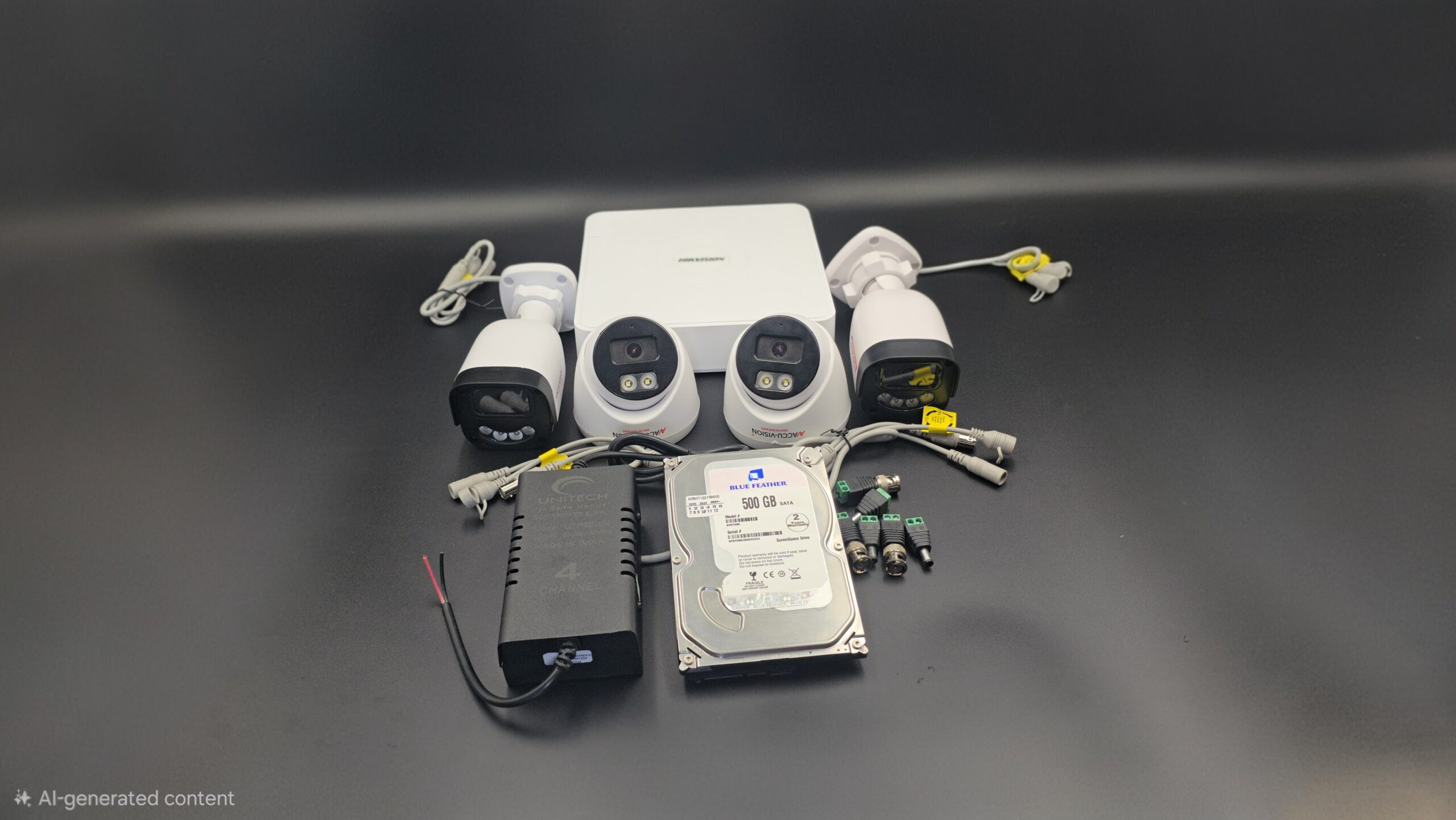
Components of a Full CCTV Camera Setup

To install a complete CCTV system, you need the following components:

1. CCTV Cameras

The most important part of the system. Types include:

  • Dome Cameras – Best for indoor use
  • Bullet Cameras – Ideal for outdoor areas
  • PTZ Cameras – Pan, tilt, and zoom functionality
  • IP Cameras – High-definition, internet-based cameras

2. DVR or NVR

  • DVR (Digital Video Recorder) – Used with analog cameras
  • NVR (Network Video Recorder) – Used with IP cameras

3. Hard Drive

Stores recorded video footage. Choose storage size based on:

  • Number of cameras
  • Recording resolution
  • Recording duration

4. Cables

  • Coaxial cables (analog systems)
  • Ethernet cables (IP systems)
  • Power cables

5. Power Supply Unit

Provides electricity to cameras and recording devices.

6. Monitor or TV

Used to view live camera feeds and playback recordings.

7. Internet Router

Required for remote viewing on mobile or desktop.

Step-by-Step Full CCTV Camera Setup

Step 1: Plan Camera Placement

Identify important areas such as:

  • Main entrance
  • Back door
  • Driveway
  • Garage
  • Backyard
  • Hallways
  • Cash counter (for business)

Avoid placing cameras in private areas like bathrooms or bedrooms.

Step 2: Install and Mount Cameras

  • Install cameras at a height of 8–10 feet.
  • Secure mounting brackets firmly.
  • Adjust camera angles to remove blind spots.
  • Use weatherproof cameras for outdoor areas.

Step 3: Install DVR/NVR and Hard Drive

  • Place DVR/NVR in a safe and ventilated location.
  • Install the hard drive inside the recorder.
  • Connect cameras to DVR using coaxial cables (analog) or Ethernet cables (IP).

Step 4: Connect Power Supply

  • Plug cameras into power adapters.
  • Connect DVR/NVR to a power outlet.
  • Use surge protectors to prevent electrical damage.

Step 5: Connect to Monitor

  • Use HDMI or VGA cable to connect DVR/NVR to a monitor.
  • Turn on the system and check all camera feeds.

Step 6: Configure the System

After powering on:

  • Set date and time
  • Create a strong password
  • Select recording mode (continuous or motion detection)
  • Adjust video resolution
  • Enable remote viewing through mobile app
  • Configure motion alerts

Step 7: Test the System

  • Check live view clarity
  • Test night vision
  • Verify motion detection
  • Playback recorded footage
  • Confirm remote access works smoothly

Wired vs Wireless CCTV Setup

Feature Wired CCTV Wireless CCTV
Installation More complex Easier
Stability Highly stable Depends on WiFi
Flexibility Fixed Easy to relocate
Best For Large properties Small homes & offices

Wired systems are more stable and suitable for long-term installations, while wireless systems offer easy setup and flexibility.

Tips for Better CCTV Performance

  • Use cameras with at least 1080p resolution
  • Ensure proper lighting
  • Use high-quality cables
  • Regularly update firmware
  • Secure the system with strong passwords
  • Clean camera lenses periodically

Common Mistakes to Avoid

  • Poor camera placement
  • Ignoring blind spots
  • Weak internet connection
  • Not testing the system
  • Using low-quality equipment

Maintenance of CCTV System

To keep your CCTV system running efficiently:

  • Inspect cables regularly
  • Clean lenses
  • Monitor storage capacity
  • Check hard drive health
  • Review footage occasionally

Conclusion

A full CCTV camera setup requires proper planning, correct equipment, and careful installation. When done correctly, it provides round-the-clock surveillance, enhances safety, and gives you peace of mind.

Investing in a complete CCTV system is not just about installing cameras — it’s about creating a secure environment for your family, employees, and property.

read more