• dazzlinginfotech.co.in
  • No. 81, 33, Thiyagappa Chetty St, Meenambal Nagar, Korukkupet, Old Washermanpet, Chennai, Tamil Nadu 600021

hd camera

CCTV Camera for Parking Area

πŸš— Best CCTV Cameras for Parking Area Security (2026 Guide)

Parking lots β€” whether at home, office, or shops β€” need reliable cameras that can handle wide coverage, night vision, weatherproof housings, and easy monitoring.

CP Plus CP‑V31A 3MP Bullet Outdoor Security Camera
Hikvision 5MP Outdoor Mini‑Bullet Camera
DDLC Dual Lens 4MP Outdoor PTZ Wi‑Fi Camera
Smars 4G Solar CCTV Security Camera
Camate Eclipse 4G Wireless Outdoor CCTV

Camate Eclipse 4G Wireless Outdoor CCTV

  • Conbre Enterprise
3MP 4G Solar Dual Lens Mini Pan‑Tilt Camera
πŸ“Œ Top Picks for Parking Areas

CP Plus CP‑V31A 3MP Bullet Outdoor Security Camera β€” Great All-Around Choice
βœ”οΈ 3 MP resolution
βœ”οΈ Weatherproof & outdoor rated
βœ”οΈ Simple setup with good night vision
πŸ“ Ideal for smaller parking spaces or driveways

Hikvision 5MP Outdoor Mini‑Bullet Camera β€” Best Budget Outdoor Camera
βœ”οΈ High-resolution footage (5 MP)
βœ”οΈ IP67 weatherproof rating (rain, dust protection)
βœ”οΈ Compatible with DVR/NVR systems
πŸ“ Works well for standard overnight surveillance

DDLC Dual Lens 4MP Outdoor PTZ Wi‑Fi Camera β€” Smart Pan & Tilt Coverage
βœ”οΈ 360Β° adjustable view + motion detection
βœ”οΈ Two-way audio β€” can talk/alert remotely
βœ”οΈ Color night vision
πŸ“ Great for wide or irregular parking zones where a fixed camera might miss spots

Smars 4G Solar CCTV Security Camera β€” Solar + 4G Option (No Wiring Needed)
βœ”οΈ Solar-powered with built-in 4G SIM support
βœ”οΈ 360Β° rotate & PIR motion detection
βœ”οΈ Cloud storage + voice monitoring
πŸ“ Perfect for areas without power or Wi-Fi

Camate Eclipse 4G Wireless Outdoor CCTV β€” Best Low-Cost Wireless 4G Camera
βœ”οΈ 3 MP resolution
βœ”οΈ 4G SIM camera β€” works without Wi-Fi
βœ”οΈ Easy wireless setup
πŸ“ Ideal for small lots or standalone parking

3MP 4G Solar Dual Lens Mini Pan‑Tilt Camera β€” Solar + Pan-Tilt Coverage
βœ”οΈ Solar powered + 4G connectivity
βœ”οΈ Dual-lens for wide field view
βœ”οΈ Weatherproof casing
πŸ“ Best if you need coverage for large open lots

πŸ›‘οΈ What Makes a Good Parking CCTV?

To protect vehicles and people effectively, your parking CCTV should have:

🌟 Essential Features

βœ” Weatherproof (IP66/IP67) – Cameras must withstand rain and dust outdoors.
βœ” Night Vision & IR Lights – See clearly in low light or night.
βœ” Wide Field of View – Covers large parking areas with fewer units.
βœ” 4G or Wi-Fi Connectivity – Reliable remote monitoring.
βœ” Motion Detection & Alerts – Saves storage and sends instant notifications.

πŸ“· Types of Cameras for Parking

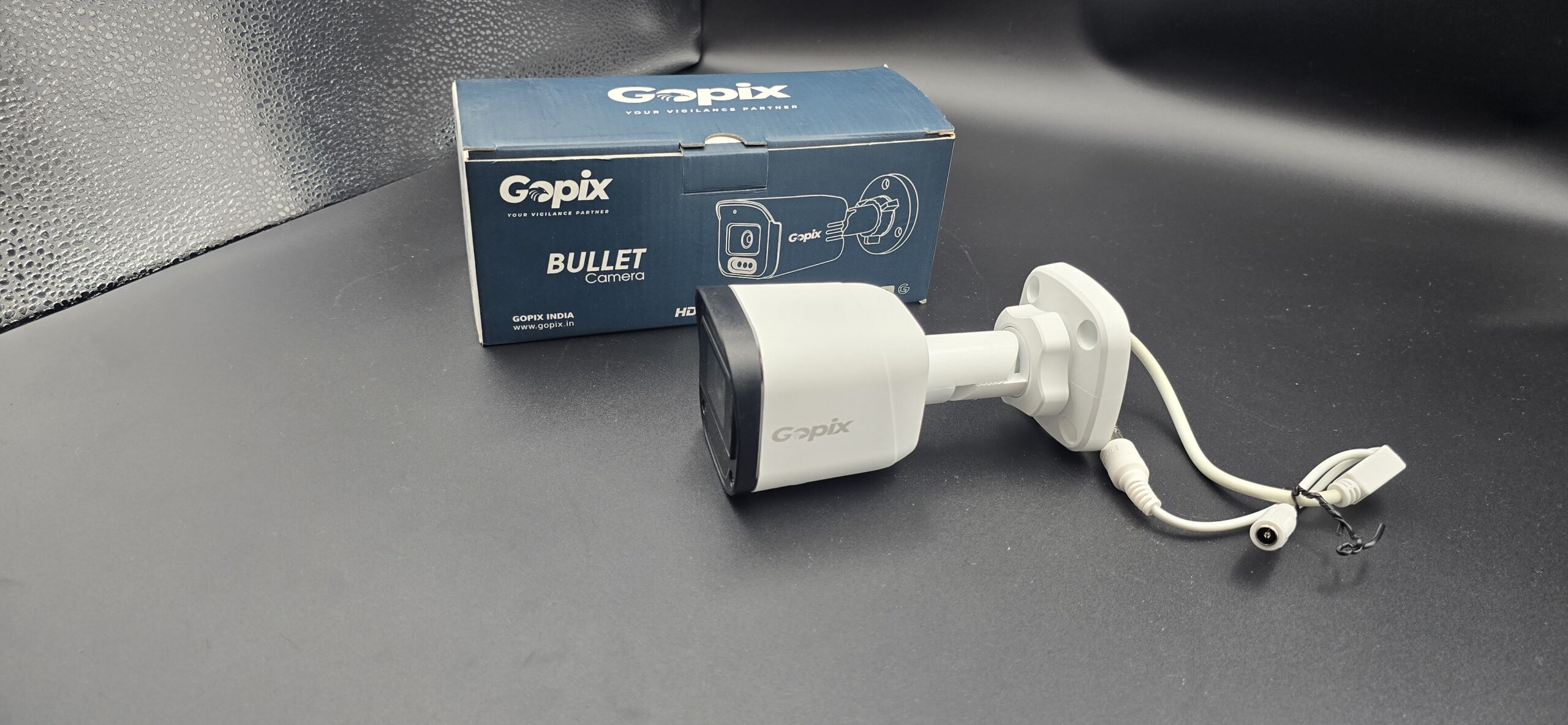
πŸ“ Bullet Cameras β€” Visible deterrent, easy to install, long-range focus.
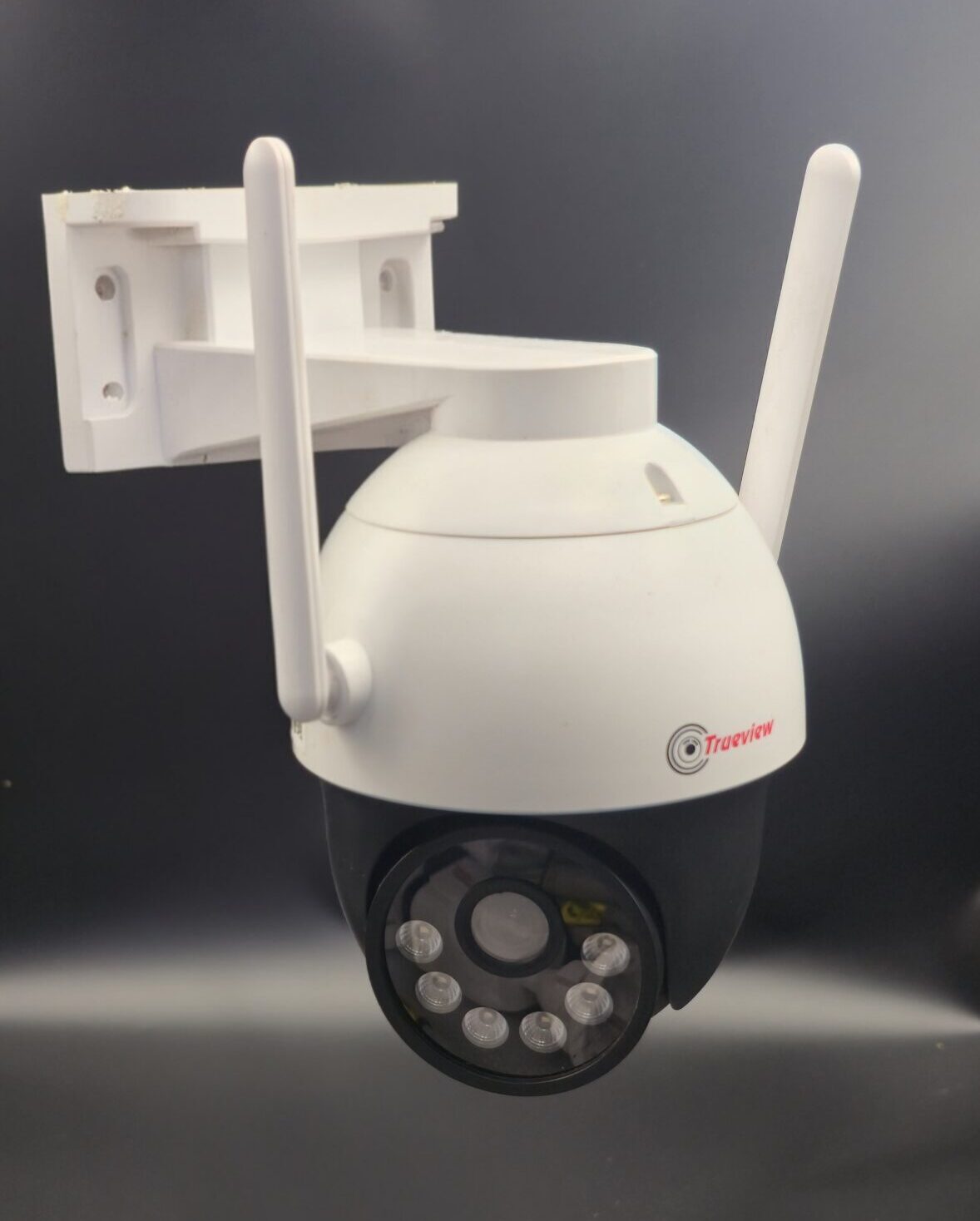
πŸ“ PTZ Cameras β€” Pan-Tilt-Zoom for wide surveillance and tracking.
πŸ“ Solar + 4G Cameras β€” Best when power & network aren’t easily accessible.

πŸ“Œ Tips for Parking Area CCTV Installation

βœ” Mount cameras high and angled down to capture both vehicles and faces.
βœ” Place cameras at entry/exit points and in corners with wide views.
βœ” Use multiple cameras for large lots to avoid blind spots.

πŸ“ Final Recommendation

read more

How does a CCTV camera work ?

How Does a CCTV Camera Work?

A CCTV (Closed-Circuit Television) camera works by capturing video footage and transmitting it to a recording and viewing system for security and monitoring purposes. It is widely used in homes, offices, shops, factories, and public places to ensure safety and surveillance.

Step-by-Step Working of a CCTV Camera

1. Video Capture

The CCTV camera uses a lens and image sensor to capture video. When light enters the lens, the image sensor converts it into an electronic signal.

2. Signal Processing

The captured signal is processed inside the camera. In analog cameras, the signal is sent directly to a DVR. In IP cameras, the video is converted into digital data and transmitted over a network.

3. Video Transmission

  • Wired CCTV cameras transmit video through coaxial or Ethernet cables
  • WiFi cameras transmit video wirelessly through an internet connection

4. Recording (DVR / NVR)

The video is stored in:

Footage is saved on a hard disk and can be stored for days or weeks depending on storage capacity.

5. Live Viewing & Playback

Users can watch live video or recorded footage on:

  • Monitor or TV
  • Computer or laptop
  • Mobile phone via a CCTV app

Remote viewing is possible through the internet.

Additional CCTV Features

Modern CCTV systems include advanced features such as:

  • Night Vision for low-light recording
  • Motion Detection alerts
  • Audio Recording (in supported models)
  • Cloud Storage
  • Mobile App Access

Why CCTV Cameras Are Important

Conclusion

A CCTV camera works as a complete security solution by capturing, recording, and displaying video footage in real time. With modern technology, CCTV systems now offer smart features that make security easier, smarter, and more reliable.

read more

Which CCTV Camera Is Best for Home?

Which CCTV Camera Is Best for Home?

Choosing the right CCTV camera for your home is an important step in ensuring safety, monitoring daily activity, and protecting your family and property. With many camera types available, it’s essential to understand which ones are best suited for residential use.

Why CCTV Cameras Are Important for Homes

Home security cameras help:

  • Deter theft, vandalism, and unauthorized access
  • Monitor your property day and night
  • Provide recorded evidence when needed
  • Allow remote viewing from mobile devices

A good CCTV system gives peace of mind, whether you are at home or away.

Best CCTV Camera Types for Home

1. WiFi / Wireless Cameras

Best For: Easy installation and flexible placement

  • Works without complicated wiring
  • Connects to your home WiFi
  • View live footage on your smartphone
  • Ideal for indoor areas like living rooms, entrance, nursery

Why Choose This: Easy setup and remote access make these great for renters and homeowners alike.

2. Dome Cameras

Best For: Indoor surveillance & discreet monitoring

  • Stylish and compact design
  • Wide-angle coverage
  • Hard to tell camera direction
  • Great for hallways, living rooms, and bedrooms

Why Choose This: Blends well with interiors while offering reliable coverage.

3. Bullet Cameras

Best For: Outdoor use

  • Long-range view
  • Weatherproof and robust frame
  • Easy to install on walls or roofs
  • Ideal for driveways, gardens, and entrance gates

Why Choose This: Excellent outdoor protection with clear long-distance monitoring.

4. IP Cameras

Best For: High-resolution footage & smart homes

  • Records HD/Full HD video
  • Connects via network (internet or LAN)
  • Supports advanced features like motion alerts and cloud storage

Why Choose This: Offers crisp video quality and modern security features.

Features to Look For in a Home CCTV Camera

πŸ“Œ HD or Full HD resolution – Clear and sharp video
πŸ“Œ Night Vision – Important for low-light or night monitoring
πŸ“Œ Mobile App Access – View live feed from anywhere
πŸ“Œ Motion Detection Alerts – Instant alerts on your phone
πŸ“Œ Two-Way Audio (optional) – Communicate via camera
πŸ“Œ Cloud/SD Storage – Save recordings safely

Tips to Choose the Right Camera

βœ” Choose outdoor cameras for entrances and gardens
βœ” Use indoor WiFi cameras for living rooms and bedrooms
βœ” Ensure cameras support remote viewing
βœ” Check night vision and motion detection quality
βœ” Match camera features to your budget and needs

Conclusion

The best CCTV camera for your home depends on your specific needsβ€”whether it’s indoor monitoring, outdoor protection, or remote access. Wireless WiFi cameras are great for easy setup, while bullet cameras are ideal for outdoor coverage. IP cameras provide high-resolution footage and advanced features.

read more

Which CCTV Camera Is Best for a Shop?

Which CCTV Camera Is Best for a Shop?

Dazzling Infotech – CCTV Camera Installation & Security Solutions

Running a shop requires constant monitoring to prevent theft, manage staff activity, and ensure customer safety. Choosing the right CCTV camera for your shop plays a crucial role in protecting your business. At Dazzling Infotech, we provide professional CCTV camera installation and customized security solutions for shops of all sizes.

Why CCTV Cameras Are Important for Shops

Installing CCTV cameras in a shop helps to:

  • Prevent theft and shoplifting
  • Monitor staff performance and cash counters
  • Ensure customer safety
  • Record evidence for disputes or incidents
  • Allow remote monitoring from mobile or computer

A reliable CCTV system acts as both a security tool and a business management aid.

Best CCTV Camera Types for Shops

1. Dome Cameras – Best for Indoor Shop Areas

Ideal for: Sales floor, billing counter, showroom

  • Wide-angle coverage
  • Compact and neat appearance
  • Difficult to identify camera direction
  • Good for continuous indoor monitoring

βœ” Recommended by Dazzling Infotech for most retail shops.

2. Bullet Cameras – Best for Shop Entrance & Outdoor Areas

Ideal for: Shop entrance, parking area, outside shutter

  • Long-distance viewing
  • Weatherproof design
  • Strong deterrent against theft

βœ” Perfect for outdoor security around your shop.

3. IP Cameras – Best for High-Quality Monitoring

Ideal for: Shops needing clear video and smart features

  • HD / Full HD video quality
  • Supports mobile viewing and alerts
  • Advanced motion detection
  • Suitable for larger shops and showrooms

βœ” Best choice for modern retail businesses.

4. WiFi Cameras – Best for Small Shops

Ideal for: Small stores with limited wiring needs

  • Easy installation
  • Works using internet connection
  • Mobile app monitoring
  • Cost-effective solution

βœ” Suitable for grocery stores, salons, and small outlets.

Key Features to Look for in a Shop CCTV Camera

πŸ”Ή HD or Full HD video clarity
πŸ”Ή Night vision for 24/7 monitoring
πŸ”Ή Wide-angle lens for maximum coverage
πŸ”Ή Mobile app access for remote viewing
πŸ”Ή Motion detection alerts
πŸ”Ή Reliable DVR/NVR recording system

Why Choose Dazzling Infotech for Shop CCTV Installation?

At Dazzling Infotech, we offer:

  • Expert CCTV camera consultation
  • High-quality branded cameras
  • Neat and professional installation
  • Mobile viewing setup
  • Affordable pricing for shop owners
  • After-sales support and maintenance

We understand shop security needs and design systems that give maximum coverage with minimum cost.

Conclusion

The best CCTV camera for a shop depends on your shop size, layout, and security needs. Dome cameras are ideal for indoor monitoring, bullet cameras for outdoor protection, and IP/WiFi cameras for smart and remote surveillance.

With Dazzling Infotech CCTV Camera Installation, you get reliable security, expert service, and complete peace of mind for your business.

πŸ“ž Contact Dazzling Infotech today for a free site inspection and the best CCTV solution for your shop.

read more

CCTV Camera Installation Cost

CCTV Camera Installation Cost – A Complete Guide for 2026

Installing a CCTV camera system is one of the most effective ways to protect your home, office, or business. However, many people wonder about the cost of CCTV camera installation before making a decision. In this guide, we’ll break down the factors that influence pricing and what you can expect to pay in India.

Why CCTV Installation Cost Varies

The cost of installing CCTV cameras depends on several factors:

1. Type of Cameras

Different types come with different prices:

  • Analog CCTV Cameras – Basic and economical
  • HD / Full HD Cameras – Better clarity and performance
  • IP / Network Cameras – Advanced features and connectivity
  • WiFi Cameras – Easy installation with wireless setup
  • PTZ Cameras – Pan, tilt, and zoom options

2. Number of Cameras

The more cameras you install, the higher the total cost:

  • 2-camera setup
  • 4-camera setup
  • 8-camera setup
  • 16-camera setup

3. Indoor vs Outdoor Installation

Outdoor cameras often cost more because they:

  • Are weatherproof
  • Have stronger casing
  • May require longer cables

4. DVR / NVR & Storage

You’ll need a recorder:

  • DVR (Digital Video Recorder) for analog cameras
  • NVR (Network Video Recorder) for IP cameras
    Plus a hard disk for storing recorded footage.

Typical CCTV Installation Cost in India

Here’s an approximate idea of what CCTV installation might cost:

Item Price Range (India)
CCTV Camera (Basic) β‚Ή1,000 – β‚Ή2,500 per camera
HD / Full HD Camera β‚Ή2,500 – β‚Ή5,000 per camera
IP / WiFi Camera β‚Ή3,000 – β‚Ή8,000+
DVR/NVR β‚Ή2,000 – β‚Ή15,000
Hard Disk (Storage) β‚Ή2,000 – β‚Ή6,000+
Installation Charge β‚Ή500 – β‚Ή2,500 per camera
Cables & Accessories β‚Ή1,000 – β‚Ή3,000 total

Note: Prices vary based on brand, quality, and service provider.

Installation Charges Explained

Professional CCTV installation includes:

  • Site survey to plan camera placement
  • Cable routing and power supply setup
  • Mounting cameras securely
  • Configuring the DVR/NVR and mobile app access
  • Testing and training

Experienced technicians ensure the system works flawlessly and covers all key areas.

What’s Included in Installation Cost

βœ” Camera positioning & placement
βœ” Power supply and connectors
βœ” DVR/NVR setup
βœ” Mobile app setup
βœ” After-installation support

Tips to Reduce Installation Cost

πŸ’‘ Choose cameras based on need (don’t overspend)
πŸ’‘ Use WiFi cameras where wiring is difficult
πŸ’‘ Buy bundles (e.g., 4-camera packs) to save money
πŸ’‘ Regular maintenance prevents costly repairs

Conclusion

The CCTV camera installation cost depends on your requirements, the type and number of cameras, and installation complexity. While basic systems are budget-friendly, advanced IP or WiFi setups offer better performance and features.

Investing in a quality CCTV system not only enhances security but also brings peace of mind for your family or business.

read more

How Many CCTV Cameras Do I Need?

How Many CCTV Cameras Do I Need? – A Complete Guide

Choosing the right number of CCTV cameras is essential for proper security. Installing too few cameras can leave blind spots, while too many may increase costs unnecessarily. The ideal number depends on your property size, layout, and security needs.

Factors That Decide the Number of CCTV Cameras

1. Property Type

Different places require different coverage:

  • Home / Apartment
  • Shop / Showroom
  • Office
  • Warehouse / Factory
  • School / Hospital

Each has unique entry points and risk areas.

2. Size and Layout of the Area

Larger properties need more cameras. Also consider:

  • Number of rooms
  • Corridors and staircases
  • Parking areas
  • Open spaces and blind corners

Wide-angle cameras can reduce the total number required.

3. Entry and Exit Points

Every main entrance and exit should be covered. These are high-risk areas for theft and unauthorized access.

4. Indoor vs Outdoor Coverage

  • Indoor cameras monitor rooms, halls, counters, and corridors
  • Outdoor cameras protect gates, parking, compound walls, and loading areas

Outdoor cameras are especially important for 24/7 security.

Recommended Number of CCTV Cameras

🏠 For Home

  • 1 camera for main entrance
  • 1 camera for back door or balcony
  • 1–2 cameras for living areas or parking
    Total: 2 to 4 cameras

πŸͺ For Small Shop

  • 1 camera at entrance
  • 1 camera covering billing counter
  • 1 camera for storage or back area
    Total: 3 to 4 cameras

🏒 For Office

  • 1 camera at entrance
  • 1 camera at reception
  • 1 camera per floor or department
  • 1 camera for parking
    Total: 4 to 8 cameras

🏭 For Warehouse / Factory

  • Multiple cameras for entry points
  • Cameras for production and storage areas
  • Cameras for loading/unloading zones
    Total: 8 to 16+ cameras (based on size)

Tips to Optimize Camera Count

βœ” Use wide-angle or HD cameras
βœ” Avoid overlapping views unnecessarily
βœ” Perform a site survey before installation
βœ” Focus on high-risk and high-traffic areas

Professional CCTV installers can help you plan effectively.

Why Proper Camera Planning Is Important

  • Reduces blind spots
  • Improves video clarity and coverage
  • Saves installation and maintenance costs
  • Ensures better security monitoring

Conclusion

There is no one-size-fits-all answer to how many CCTV cameras you need. A small home may need just 2–4 cameras, while shops and offices require more based on layout and risk level. The best approach is a custom security plan tailored to your property.

For expert guidance and professional installation, always consult a trusted CCTV service provider.


read more

Wireless CCTV Camera vs Wired

Wireless CCTV Camera vs Wired CCTV Cameraβ€”Which Is Better?

Choosing the right CCTV camera system is essential for effective security. Two popular options are wireless CCTV cameras and Wired CCTV cameras. Each system has its own advantages and is suitable for different situations. This blog explains both types, their benefits, limitations, and how to choose the best option for your needs.

What Is a Wired CCTV Camera?

A wired CCTV camera uses cables (coaxial or Ethernet) to connect directly to a DVR/NVR for power and video transmission. These cameras are known for stable performance and reliability.

Advantages of Wired CCTV Cameras

  • πŸ“Ή Stable & Reliable Signal: Less interference compared to wireless
  • πŸ“Ό Continuous Recording: Ideal for long-term monitoring
  • ⚑ No Dependency on WiFi: Works even without internet
  • πŸ”’ Strong Security: Harder to tamper with signal

Limitations

  • 🚧 Needs Cables: Installation requires wiring and drilling
  • πŸ›  Longer Setup Time: Needs professional installation
  • πŸ’° Installation Cost: Extra wiring and labor charges

What Is a Wireless CCTV Camera?

A wireless CCTV camera uses your WiFi network to send video signals to your phone or recording device. These cameras are easy to install and great for flexible locations.

Advantages of Wireless CCTV Cameras

  • πŸ“± Easy Setup: No long cables required
  • 🚨 Remote Viewing: Watch live feed instantly on smartphone or tablet
  • πŸ†“ Flexible Placement: Can be moved easily
  • πŸ’‘ Ideal for Renters: No drilling or complex wiring

Limitations

  • πŸ“Ά WiFi Dependency: Requires stable internet connection
  • πŸ”‹ Power Backup Needed: May need extra power sources
  • πŸ“‘ Signal Interference: Walls or other devices can affect signal
  • πŸ”’ Security Risk: Can be hacked if not secured properly

Head-to-Head Comparison

Feature Wired CCTV Camera Wireless CCTV Camera
Installation Requires wiring Easy, no wiring
Internet Required Not needed Required
Signal Reliability Very stable Can vary with WiFi
Remote Viewing With NVR & network Via WiFi app
Cost Higher installation cost Lower installation cost
Best For Large properties & businesses Homes & temporary use

Which System Should You Choose?

Choose Wired CCTV If:

  • You want stable, uninterrupted recording
  • Your property is large
  • You prefer professional installation
  • Internet connection is weak or inconsistent

Choose Wireless CCTV If:

  • You need easy installation
  • You want mobile viewing from anywhere
  • You rent your place or move often
  • You have good WiFi coverage

Conclusion

Both Wireless and Wired CCTV systems have their place in modern security. Wireless cameras are convenient and perfect for quick setups, while wired systems offer unmatched stability and long-term recording reliability. The best choice depends on your security needs, property size, budget, and internet availability.

At [https://dazzlinginfotech.co.in], we offer both wired and wireless CCTV solutions, along with professional installation and support to keep your property safe and secure.

read more

Do CCTV Cameras Work Without Internet

Do CCTV Cameras Work Without Internet?

Many people believe CCTV cameras always need the internet, but this is not completely true. CCTV cameras can work without an internet connection, depending on the type of camera and how it is used.

Do CCTV Cameras Need Internet?

No, internet is not mandatory for basic CCTV operation.
CCTV cameras mainly need power and a recording device (DVR or NVR) to function. The internet is only required for remote viewing and smart features.

How CCTV Cameras Work Without Internet

1. Wired CCTV Cameras (DVR-Based)

Traditional analog CCTV cameras connected to a DVR work perfectly without internet.

  • Live viewing on a monitor is possible
  • Video recording continues 24/7
  • Playback can be done directly from the DVR

➑ Internet is only needed if you want to view footage on your mobile phone remotely.

2. IP Cameras with NVR (Offline Mode)

IP cameras connected to an NVR via LAN cable can also work without internet.

  • Cameras record locally on the NVR
  • No remote access without internet
  • High-quality video recording continues

3. WiFi Cameras Without Internet

WiFi cameras need internet for remote access, but:

  • Some models can record to an SD card without internet
  • Live view may work on local network only
  • Motion alerts and cloud storage will not work

What Features Will Not Work Without Internet?

Without internet, the following features are usually unavailable:

  • Mobile app remote viewing
  • Cloud storage
  • Instant mobile notifications
  • Firmware updates

When Is Internet Required?

You need internet if you want:

  • Live monitoring from anywhere
  • Alerts on your smartphone
  • Cloud video backup
  • Smart AI features

Best Use Cases Without Internet

CCTV cameras without internet are ideal for:

  • Shops and warehouses
  • Factories and offices
  • Construction sites
  • Remote locations
  • Local-only security monitoring

Conclusion

Yes, CCTV cameras can work without internet for recording and local monitoring. However, if you want remote viewing, alerts, and cloud storage, an internet connection is required. Choosing the right CCTV system depends on your security needs.

read more

How Long Does CCTV Footage Last

How Long Does CCTV Footage Last?

One of the most common questions people ask is β€œHow long does CCTV footage last?” The answer depends on several factors such as storage capacity, number of cameras, video quality, and recording settings. Understanding this helps you choose the right CCTV system for your home or business.

Factors That Affect CCTV Footage Duration

1. Storage Capacity

The size of the storage device plays a major role.

  • 500GB, 1TB, 2TB, 4TB, or higher HDD
  • Larger storage means longer footage retention

2. Number of Cameras

More cameras record more data.

  • 1–2 cameras: Footage lasts longer
  • 8–16 cameras: Footage overwrites faster

3. Camera Resolution

Higher resolution uses more storage.

  • 2MP (Full HD): Moderate storage use
  • 4MP / 5MP: Higher clarity, more storage
  • 8MP (4K): Best quality, fastest storage usage

4. Recording Mode

Average CCTV Footage Retention Time

Storage Size Cameras Resolution Approx. Duration
500GB 2 Cameras 2MP 7–10 Days
1TB 4 Cameras 2MP 10–15 Days
2TB 4 Cameras 4MP 15–20 Days
4TB 8 Cameras 2MP
read more

CCTV Cameras at Home?

Where to Place CCTV Cameras at Home – Complete Home Security Guide

Installing CCTV cameras at home is one of the best ways to improve safety and protect your family and property. However, correct camera placement is very important to get the best coverage and results. This blog explains the best places to install CCTV cameras in a home for maximum security.

1. Main Entrance / Front Door

The front door is the most important location for a CCTV camera.

  • Covers visitors, delivery staff, and unknown persons
  • Helps record faces clearly
  • Prevents theft and unauthorized entry

πŸ‘‰ Tip: Install the camera at a height of 7–9 feet, angled slightly downward.

2. Back Door / Rear Entrance

Many burglars try to enter through the back door.

  • Monitors less visible entry points
  • Detects suspicious movement
  • Ideal for night-vision cameras

3. Living Room or Hall (Common Area)

Placing a camera in the living room or hall helps:

⚠️ Avoid pointing cameras toward private areas like bedrooms.

4. Staircase and Hallways

Cameras in staircases and hallways:

  • Track movement between rooms
  • Help identify intruders moving inside the house
  • Cover blind spots

5. Parking Area / Garage

If you have a car or two-wheeler, install a camera in the parking area:

Protects vehicles from theft or damage

Monitors entry and exit points

Useful in apartments and independent houses

6. Balcony or Terrace

Balconies and terraces are often ignored but can be entry points.

  • Covers open areas
  • Prevents unauthorized access from neighboring buildings
  • Best suited for weatherproof outdoor cameras

7. Backyard or Garden

For independent houses:

  • Monitor open spaces
  • Prevent trespassing
  • Protect outdoor assets

Use outdoor bullet cameras with night vision.

Places Where You Should NOT Install CCTV Cameras

For privacy reasons, avoid installing cameras in:

  • Bathrooms and toilets
  • Bedrooms
  • Changing areas
  • Inside rented rooms without permission

Indoor vs Outdoor Camera Placement

Indoor Cameras:

  • Living room
  • Hallway
  • Staircase

Outdoor Cameras:

  • Front gate
  • Back door
  • Parking
  • Balcony

Tips for Better CCTV Camera Placement

  • Avoid direct sunlight on the lens
  • Ensure proper lighting at night
  • Use wide-angle cameras for larger areas
  • Keep cameras out of easy reach
  • Display CCTV warning signs for deterrence

Conclusion

Correct CCTV camera placement is essential for effective home security. By installing cameras at key entry points and common areas while respecting privacy, you can ensure 24/7 protection for your home and loved ones.

read more