• dazzlinginfotech.co.in
  • No. 81, 33, Thiyagappa Chetty St, Meenambal Nagar, Korukkupet, Old Washermanpet, Chennai, Tamil Nadu 600021

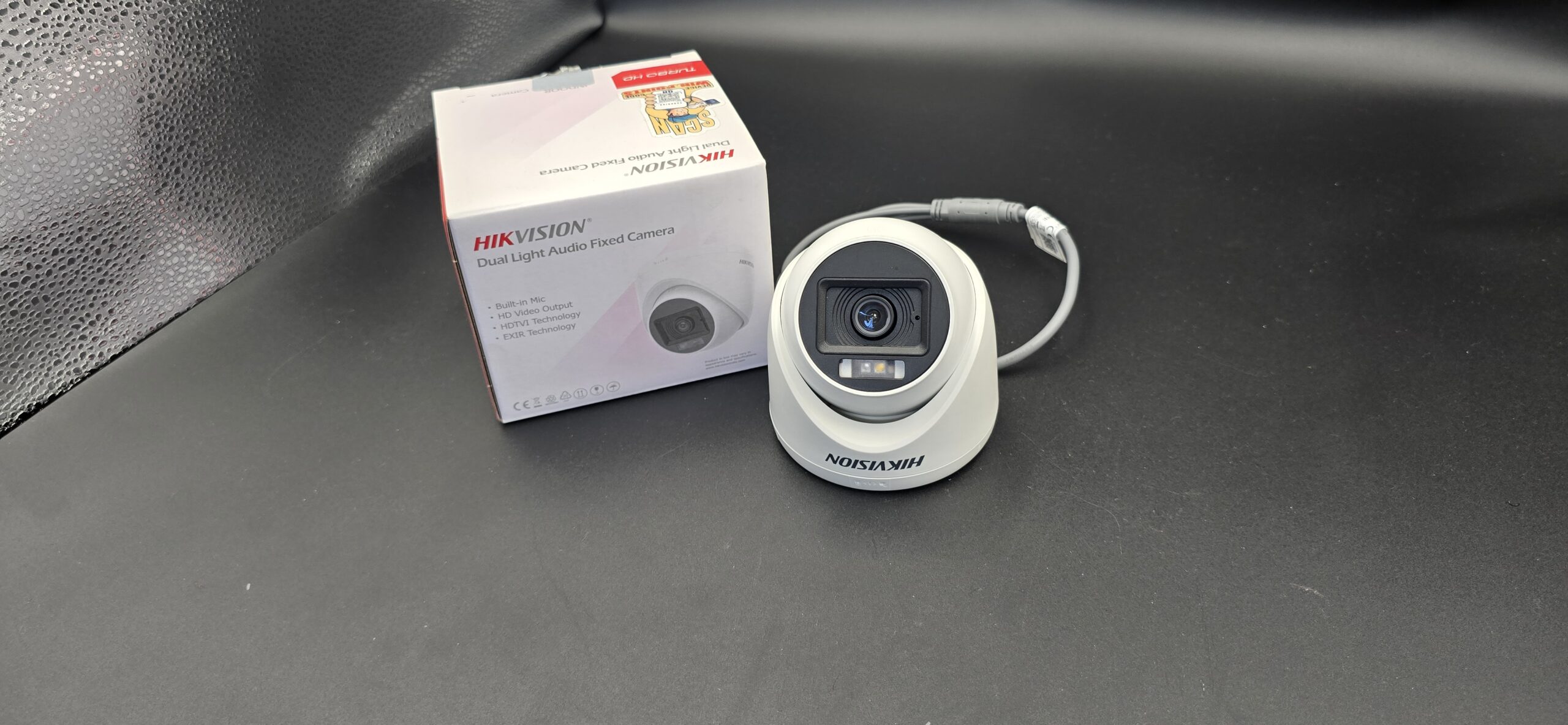
hikvision

Can CCTV Cameras Record Audio

Can CCTV Cameras Record Audio? Everything You Need to Know

When installing a security system, many homeowners and business owners ask the same question: Can CCTV cameras record audio? The simple answer is yes — some CCTV cameras can record audio, but it depends on the model, features, and local laws.

In this blog, we’ll explain how audio recording works in CCTV cameras, the legal considerations, and whether you should enable it.

Do CCTV Cameras Record Audio?

Not all CCTV cameras record audio. Traditional security cameras were designed for video-only recording. However, many modern IP cameras now come with:

  • Built-in microphones
  • Two-way audio systems
  • External microphone support

If the camera has a microphone, it can capture sound along with video.

Types of CCTV Cameras That Record Audio

1. Cameras with Built-in Microphones

Some indoor and outdoor IP cameras include a small microphone inside the device. These are common in:

  • Smart home cameras
  • Wi-Fi security cameras
  • Baby monitors
  • Doorbell cameras

2. Two-Way Audio Cameras

These cameras include both:

  • A microphone (to hear audio)
  • A speaker (to talk back)

They are ideal for:

3. Cameras with External Microphone Support

Some professional CCTV systems allow an external microphone to be connected to the DVR or NVR.

How to Check If Your CCTV Records Audio

You can check by:

  • Looking at the product specifications
  • Checking for a microphone hole on the camera
  • Reviewing DVR/NVR audio input ports
  • Checking settings in the mobile app

If there is no microphone, the camera cannot record audio.

Is It Legal to Record Audio with CCTV?

This is very important.

Recording video is generally legal on your own property. However, audio recording laws are stricter in many regions.

In some places:

  • One-party consent is required (only one person needs to know about recording)
  • Two-party consent is required (everyone must agree to being recorded)
  • Before enabling audio recording, always:
  • Check your local laws
  • Inform employees or household members if necessary
  • Avoid recording private conversations without consent

Recording audio without permission can lead to legal issues.

Advantages of CCTV Audio Recording

If legally allowed, audio recording can provide:

  • Stronger evidence in disputes
  • Clearer understanding of incidents
  • Better communication with visitors
  • Enhanced home security

Audio can help clarify what happened during an incident.

Disadvantages of Audio Recording

There are also potential downsides:

  • Privacy concerns
  • Legal risks
  • Increased storage usage
  • Possible misuse

In many cases, video footage alone is enough for security purposes.

Should You Enable Audio on Your CCTV?

It depends on your needs.

Enable audio if:

  • You need two-way communication
  • You manage a business environment
  • You want enhanced security monitoring

Avoid audio if:

  • Local laws are strict
  • Privacy concerns exist
  • You only need visual surveillance

Final Thoughts

So, can CCTV cameras record audio? Yes — but only if they are equipped with a microphone and if local laws allow it.

Before enabling audio recording, always verify the camera’s features and check legal requirements in your area. Proper use of audio can enhance security, but misuse can create serious legal problems.
read more

Security Camera Supply and Install

Security Camera Supply and Install: Complete Protection for Your Home and Business

In today’s world, security is a top priority for homeowners and business owners alike. A professional security camera supply and install service ensures you get the right equipment, proper setup, and reliable protection — all in one complete package. Instead of buying cameras separately and struggling with installation, a full-service solution saves time, reduces errors, and guarantees better performance.

This guide explains everything you need to know about security camera supply and installation services, benefits, costs, and what to expect.

What Does “Security Camera Supply and Install” Mean?

A supply and install service includes:

  • Supplying high-quality security cameras
  • Providing DVR/NVR recording systems
  • Installing cables and power supply
  • Configuring remote viewing on mobile devices
  • Testing and system setup
  • Basic training on how to use the system

It’s a complete end-to-end solution for home or commercial security.

Why Choose Professional Supply and Installation?

1. Expert Camera Selection

Professionals assess your property and recommend the right:

  • Camera type (Dome, Bullet, PTZ, IP)
  • Resolution (1080p, 4MP, 8MP)
  • Night vision range
  • Storage capacity

2. Proper Camera Placement

Correct positioning avoids:

  • Blind spots
  • Glare issues
  • Poor facial visibility
  • Weak coverage areas

3. Clean and Secure Wiring

Professional installers:

4. Remote Access Setup

Installers configure:

  • Mobile app monitoring
  • Motion alerts
  • Playback access
  • User permissions

Types of Security Cameras Available

Dome Cameras

Ideal for indoor surveillance and retail stores.

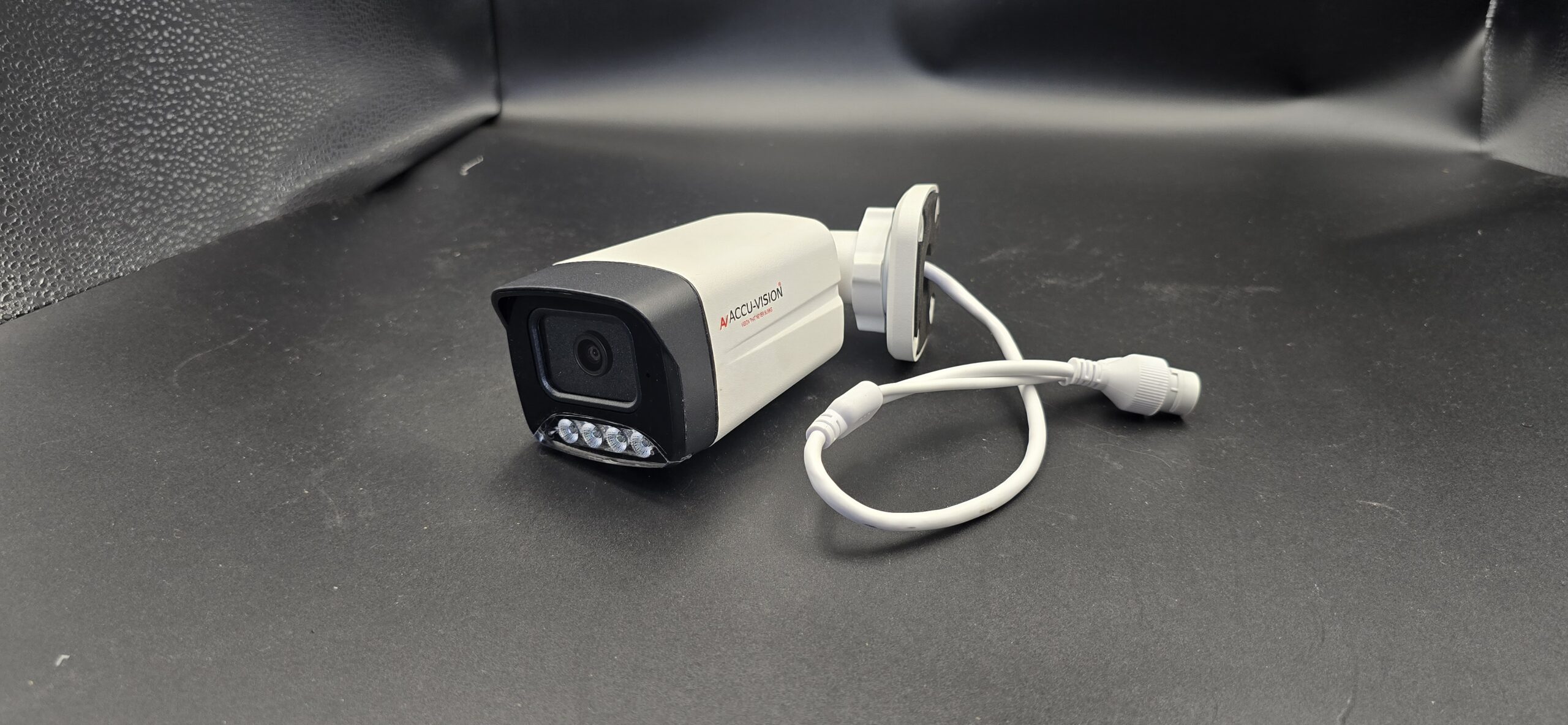
Bullet Cameras

Best for outdoor areas like driveways and entrances.

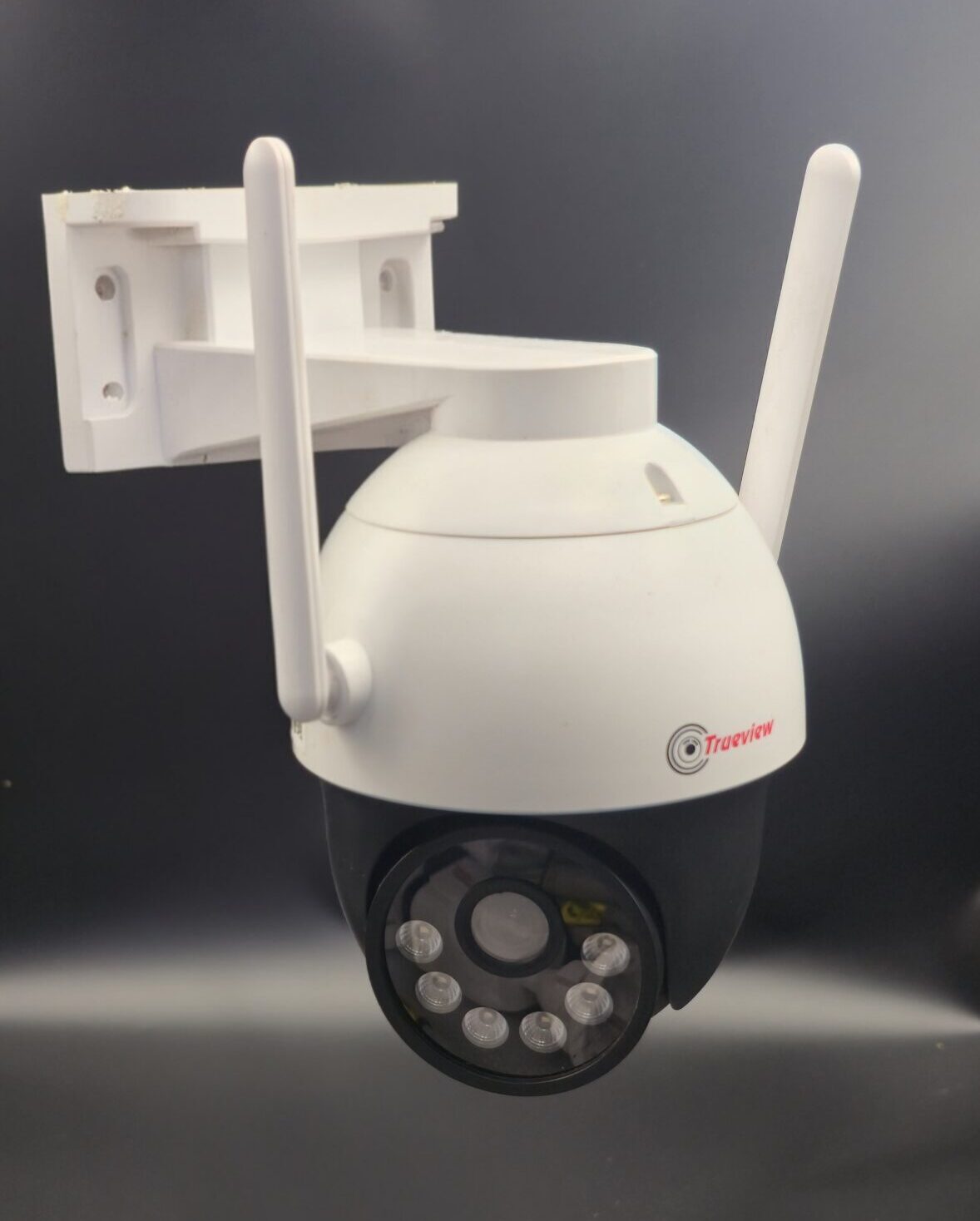
PTZ Cameras

Suitable for large areas requiring wide coverage.

IP Cameras

High-definition cameras with advanced features and remote access.

Wireless Cameras

Easy installation and flexible placement options.

Where Security Cameras Should Be Installed

For homes:

  • Front door
  • Back entrance
  • Garage
  • Backyard
  • Living areas

For businesses:

  • Entry/exit points
  • Cash counters
  • Warehouses
  • Parking areas
  • Office floors

A professional site inspection ensures maximum coverage.

Security Camera Supply and Install Cost

The cost depends on:

  • Number of cameras
  • Camera resolution
  • Wired vs wireless system
  • Storage size (1TB, 2TB, etc.)
  • Installation complexity

Example Packages:

  • 2-Camera Basic Home Setup
  • 4-Camera Standard Home Setup
  • 8-Camera Commercial Setup

Prices vary depending on quality and property size.

Benefits of a Complete Supply and Install Package

  • One-time setup solution
  • Warranty on equipment
  • Professional installation guarantee
  • Reduced risk of system failure
  • Technical support availability

Instead of managing multiple vendors, you get everything from one provider.

Maintenance and Support

After installation, regular maintenance includes:

Some providers offer annual maintenance contracts for ongoing support.

How to Choose the Right Security Camera Installer

Look for:

  • Licensed and insured company
  • Positive customer reviews
  • Warranty on products and labor
  • Transparent pricing
  • Free site inspection

Avoid providers who offer extremely low prices without quality assurance.

Final Thoughts

A professional security camera supply and install service ensures your property is protected with the right equipment and expert setup. Whether for a home, office, warehouse, or retail store, a properly installed security system provides peace of mind and 24/7 surveillance.

read more

Cheap Security Camera Installation

Cheap Security Camera Installation: Affordable Ways to Protect Your Home

Home security doesn’t have to be expensive. With modern technology and budget-friendly options available, you can install a reliable security camera system without spending a fortune. Whether you want to protect your home, apartment, or small business, cheap security camera installation is now easier and more accessible than ever.

In this guide, we’ll cover affordable camera options, installation tips, cost breakdown, and how to get the best value for your money.

Why Choose Affordable Security Camera Installation?

Many homeowners assume security systems are costly, but that’s no longer true. Budget-friendly options offer:

  • 24/7 monitoring
  • Crime deterrence
  • Remote mobile access
  • Motion alerts
  • Night vision

Even a basic 2–4 camera setup can significantly improve safety.

Types of Budget Security Cameras

Choosing the right camera helps reduce installation costs.

1. Wireless Security Cameras

  • Easy DIY installation
  • No complex wiring
  • Ideal for apartments and small homes
  • Lower installation charges

2. Indoor Cameras

  • Affordable and compact
  • Suitable for living rooms and entryways
  • Often plug-and-play

3. Outdoor Weatherproof Cameras

  • Built for rain and dust
  • Good for entrances and parking areas
  • Slightly higher cost than indoor models

4. Battery-Powered Cameras

  • No wiring required
  • Flexible placement
  • Great for renters

How Much Does Cheap Security Camera Installation Cost?

The total cost depends on:

  • Number of cameras
  • Wired vs wireless system
  • Storage type (cloud or DVR/NVR)
  • Professional installation fees

Typical Budget Setup Examples:

  • 1–2 Cameras (Basic Setup) – Most affordable
  • 3–4 Cameras (Standard Home Setup) – Mid-range
  • 6+ Cameras (Large Home Setup) – Higher cost

Wireless systems usually reduce installation labor costs.

Ways to Save Money on Security Camera Installation

1. Choose Wireless Cameras

Wireless cameras eliminate wiring costs and reduce installation time.

2. Buy Complete Camera Kits

Many brands offer bundled kits that include:

  • Cameras
  • DVR/NVR
  • Cables
  • Power adapters

These kits are cheaper than buying items separately.

3. Install Cameras Yourself

DIY installation can save service charges if:

  • You have basic tools
  • You understand Wi-Fi setup
  • You follow instructions carefully

4. Compare Local Installers

Get quotes from multiple security companies to find the best price.

Essential Features to Look For (Even on a Budget)

Even cheap cameras should include:

  • HD Resolution (1080p minimum)
  • Night Vision
  • Motion Detection
  • Mobile App Access
  • Cloud or SD Card Storage
  • Weatherproof Design (for outdoor use)

Avoid very low-cost cameras that compromise video quality or reliability.

DIY vs Professional Cheap Installation

DIY Installation

✔ No labor cost
✔ Faster setup
✔ Good for small systems
✘ May lack proper positioning

Professional Installation

✔ Proper placement and wiring
✔ Clean setup
✔ Technical support
✘ Additional service cost

If you want the lowest cost, DIY wireless cameras are ideal.

Best Places to Install Security Cameras

For maximum coverage:

  • Front door
  • Back entrance
  • Garage
  • Driveway
  • Living room
  • Backyard

Proper placement reduces the number of cameras needed, saving money.

Common Mistakes to Avoid

  • Buying very low-resolution cameras
  • Ignoring storage capacity
  • Poor Wi-Fi connection
  • Installing cameras too low
  • Not securing the recording device

Smart planning ensures you don’t overspend later.

Is Cheap Security Camera Installation Reliable?

Yes — affordable systems can be reliable if you choose trusted brands and proper installation. You don’t need the most expensive system to stay secure. Focus on essential features and correct camera placement.

Final Thoughts

Cheap security camera installation is a practical solution for homeowners who want protection without high costs. With wireless technology, DIY kits, and competitive pricing, securing your property is now affordable and effective.

read more

CCTV Camera Complete Setup

CCTV Camera Complete Setup: Step-by-Step Guide for Home & Business

A CCTV camera system is one of the most reliable ways to protect your home, office, shop, or warehouse. A complete setup ensures continuous monitoring, recorded evidence, and remote access for better security control. Whether you are installing a new system or upgrading an existing one, this comprehensive guide will walk you through the entire CCTV camera setup process.

What is a CCTV Camera System?

CCTV (Closed-Circuit Television) is a surveillance system where cameras transmit video signals to a limited set of monitors or recording devices. Unlike public broadcasting, CCTV footage is private and used mainly for security and monitoring.

Components of a Complete CCTV Setup

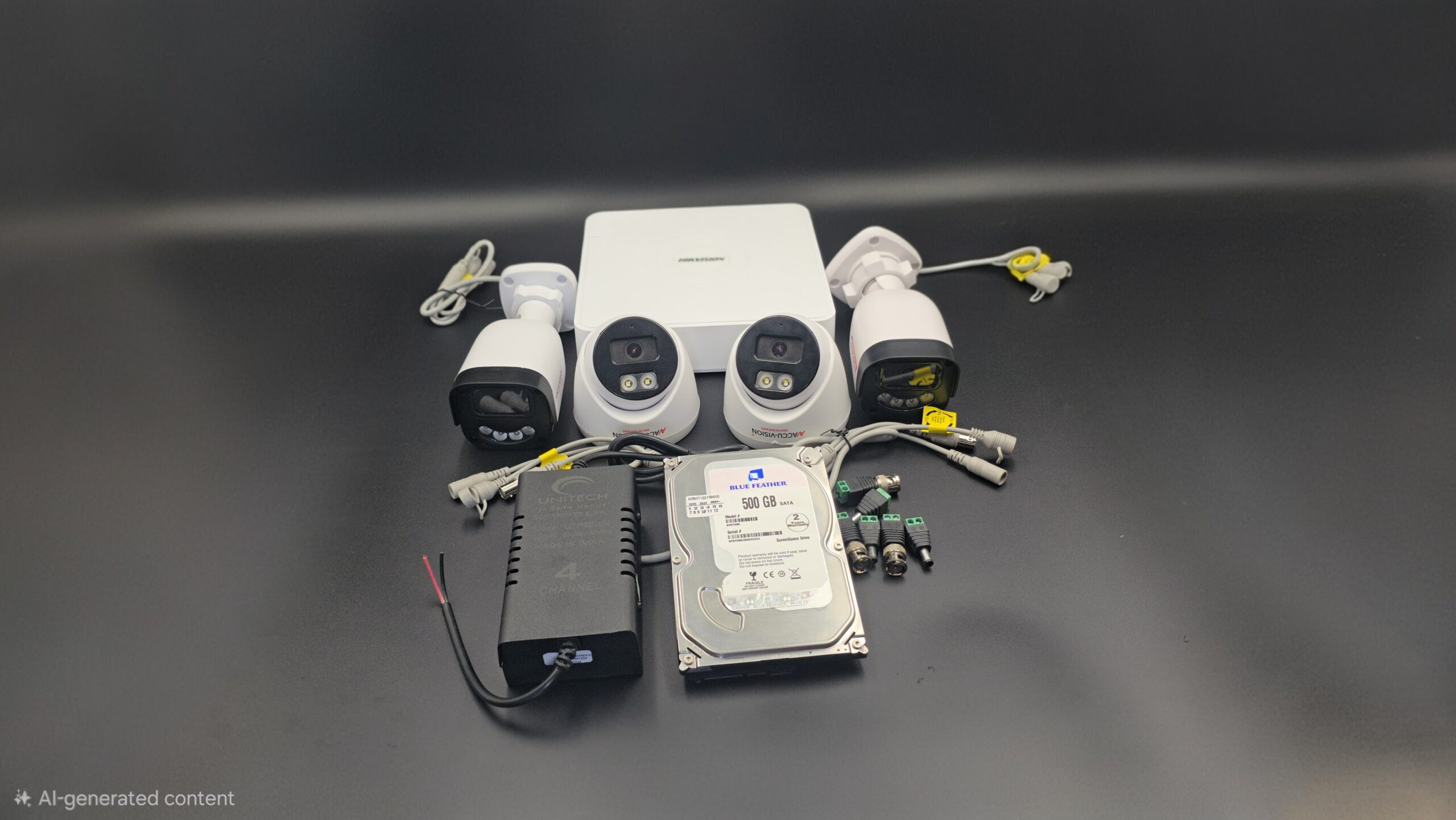
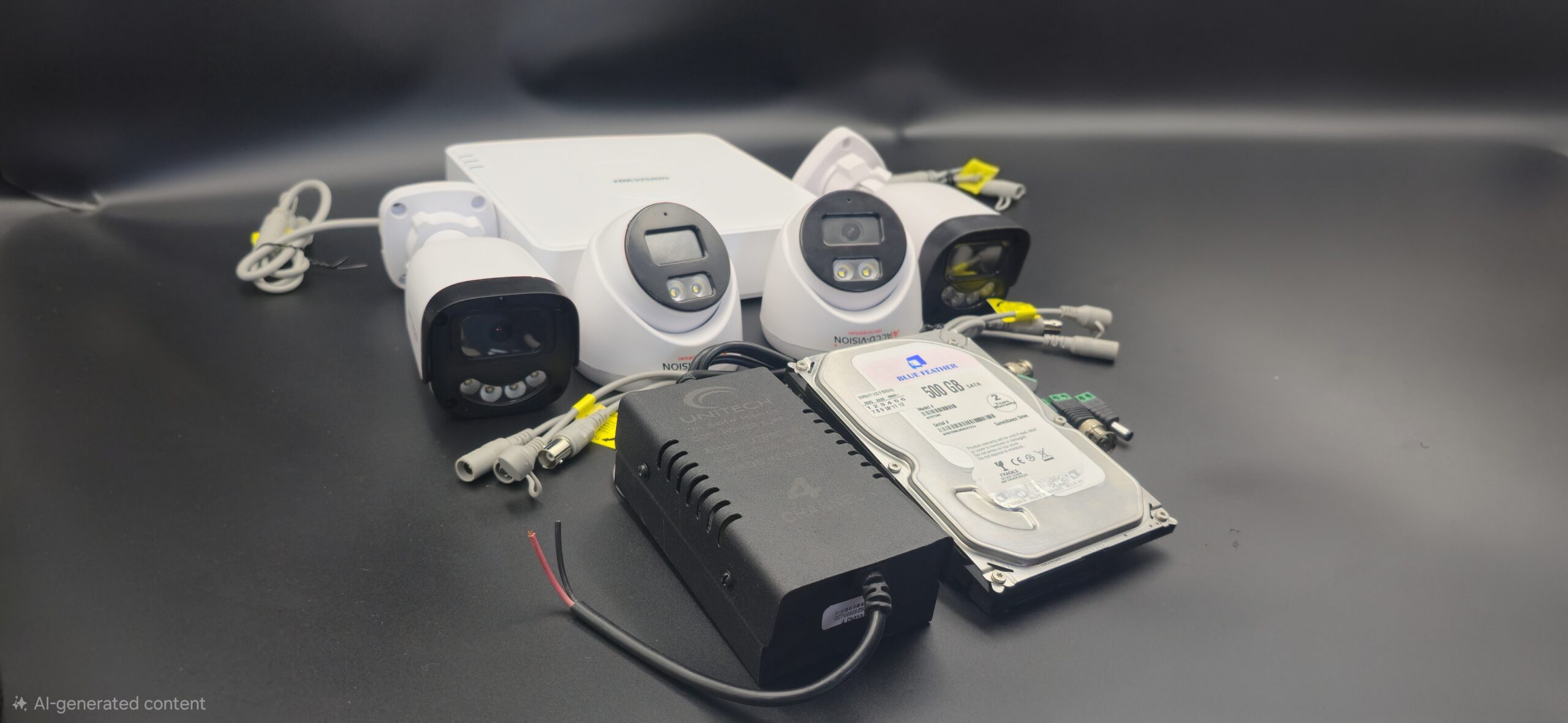
To install a CCTV system properly, you need the following equipment:

1. CCTV Cameras

These capture video footage. Common types include:

2. DVR or NVR

  • DVR (Digital Video Recorder) – Used for analog cameras
  • NVR (Network Video Recorder) – Used for IP cameras

3. Hard Drive

Stores recorded video footage. Storage size depends on the number of cameras and recording duration.

4. Cables

  • Coaxial cables (analog systems)
  • Ethernet cables (IP systems)
  • Power cables

5. Power Supply

Provides electricity to cameras and recording devices.

6. Monitor

Used to view live footage and playback recordings.

7. Internet Router

Required for remote viewing via mobile app or computer.

Step-by-Step CCTV Camera Complete Setup

Step 1: Plan Camera Placement

Identify areas that need monitoring, such as:

  • Main entrance and exit
  • Driveway or parking area
  • Backyard
  • Hallways
  • Cash counter (for businesses)

Avoid installing cameras in private areas like bathrooms or bedrooms.

Step 2: Install Cameras

  • Mount cameras at a height of 8–10 feet.
  • Secure them using proper screws and brackets.
  • Adjust the angle to eliminate blind spots.
  • Ensure outdoor cameras are weatherproof and protected.

Step 3: Install DVR/NVR

Step 4: Connect Power Supply

  • Connect cameras to their power adapters.
  • Plug DVR/NVR into a power outlet.
  • Use surge protectors to avoid electrical damage.

Step 5: Connect to Monitor

  • Use HDMI or VGA cable to connect DVR/NVR to a monitor or TV.
  • Turn on the system and check camera feeds.

Step 6: Configure the System

After powering on:

  • Set date and time.
  • Create a strong admin password.
  • Choose recording mode (continuous or motion detection).
  • Adjust video resolution settings.
  • Set up remote viewing via mobile app.

Step 7: Test the System

  • Check live video quality.
  • Test night vision performance.
  • Verify motion detection alerts.
  • Playback recorded footage.
  • Ensure remote access works properly.

Wired vs Wireless CCTV Setup

Feature Wired CCTV Wireless CCTV
Installation Complex Easier
Stability Highly stable Depends on WiFi
Flexibility Fixed Easy to relocate
Cost Higher installation cost Lower installation cost

Wired systems are more stable for long-term use. Wireless systems are flexible and easier to install.

Tips for Better CCTV Performance

  • Choose at least 1080p HD cameras.
  • Ensure proper lighting for clear footage.
  • Use high-quality cables.
  • Regularly update firmware.
  • Secure system with strong passwords.
  • Clean camera lenses periodically.

Common Mistakes to Avoid

  • Poor camera placement
  • Ignoring blind spots
  • Weak internet connection (for IP cameras)
  • Not testing the system
  • Using low-quality equipment

Maintenance of CCTV System

To keep your system running smoothly:

  • Inspect wiring regularly.
  • Clean lenses for better clarity.
  • Monitor storage capacity.
  • Check hard drive health.
  • Review recorded footage periodically.

Conclusion

A complete CCTV camera setup involves proper planning, correct equipment selection, professional installation, and regular maintenance. When installed correctly, a CCTV system provides 24/7 surveillance, improved security, and peace of mind.

Investing in a CCTV camera system is not just about installing cameras—it’s about creating a safer environment for your family, employees, and property.

read more

Wifi Security Camera Setup

What is a WiFi Security Camera?

A WiFi security camera is a wireless surveillance device that connects to your internet network. Unlike traditional wired CCTV systems, WiFi cameras transmit video data through your router, allowing you to view live footage remotely through a mobile app or computer.

Benefits of WiFi Security Cameras

Installing a WiFi security camera offers several advantages:

  • Easy installation with minimal wiring
  • Remote access via smartphone
  • Real-time alerts and notifications
  • High-definition video quality
  • Flexible placement options
  • Cloud and local storage options

These features make WiFi cameras ideal for homes, small offices, apartments, and rental properties.

Equipment Needed for WiFi Camera Setup

Before starting installation, make sure you have:

Step-by-Step WiFi Security Camera Setup

Step 1: Choose the Right Location

Select a location that provides a clear view of the area you want to monitor, such as:

  • Main entrance
  • Backyard
  • Living room
  • Garage
  • Office entrance

Make sure the camera is within range of your WiFi signal for stable connectivity.

Step 2: Power On the Camera

Plug the camera into a power outlet or insert fully charged batteries. Wait for the indicator light to show that the device is ready for setup.

Step 3: Download the Mobile App

Most WiFi cameras come with a dedicated app. Download it from the Google Play Store or Apple App Store. Create an account or log in.

Step 4: Connect Camera to WiFi

  • Open the app and select “Add Device” or “Setup Camera.”
  • Scan the QR code on the camera (if required).
  • Select your WiFi network.
  • Enter your WiFi password.
  • Wait for the camera to connect successfully.

Ensure you are connecting to a 2.4GHz WiFi network if the camera does not support 5GHz.

Step 5: Mount the Camera

After successful setup:

  • Use mounting brackets to install the camera.
  • Install it at a height of 8–10 feet for better coverage.
  • Adjust the angle to avoid blind spots.

For outdoor cameras, ensure they are weatherproof.

Step 6: Configure Settings

Customize your camera settings:

  • Set motion detection sensitivity
  • Enable push notifications
  • Adjust video resolution
  • Set recording mode (continuous or motion-based)
  • Configure night vision

Also, create a strong password for security.

Step 7: Test the Camera

  • Check live video streaming.
  • Test motion alerts.
  • Verify night vision quality.
  • Playback recorded footage.

Make sure everything works properly before finalizing installation.

Storage Options for WiFi Security Cameras

WiFi cameras typically offer two storage options:

1. Cloud Storage

  • Secure online storage
  • Accessible from anywhere
  • Subscription-based

2. SD Card Storage

  • Local storage inside the camera
  • No monthly fees
  • Limited by card capacity

Choose the option that best fits your needs.

Common WiFi Camera Setup Issues

Here are some common problems and solutions:

Tips for Better WiFi Security Camera Performance

  • Use high-speed internet.
  • Keep firmware updated.
  • Avoid placing cameras near thick walls or metal objects.
  • Secure your WiFi with a strong password.
  • Regularly clean the camera lens.

Conclusion

Setting up a WiFi security camera is simple and convenient. With proper placement, stable internet, and correct configuration, you can monitor your property anytime and from anywhere. Whether for home or office use, WiFi security cameras provide modern, flexible, and reliable security solutions.

Invest in a quality WiFi camera today and enjoy enhanced safety, control, and peace of mind.

read more

CCTV Complete Setup

CCTV Complete Setup Guide: Everything You Need to Know

Installing a CCTV system is one of the smartest decisions you can make to improve security at your home or business. A complete CCTV setup not only deters crime but also provides real-time monitoring and recorded evidence when needed. Whether you are installing a system for the first time or upgrading an existing one, this detailed guide will walk you through the entire CCTV setup process.

What is a CCTV System?

CCTV (Closed-Circuit Television) is a surveillance system that uses cameras to transmit video signals to a specific set of monitors or recording devices. Unlike broadcast television, CCTV footage is private and used mainly for security and monitoring purposes.

Components of a Complete CCTV Setup

Before starting installation, it’s important to understand the main components required:

1. CCTV Cameras

These capture video footage. Options include:

  • Dome Cameras (indoor use)
  • Bullet Cameras (outdoor use)
  • PTZ Cameras (pan, tilt, zoom)
  • IP Cameras (internet-based)

2. DVR or NVR

  • DVR (Digital Video Recorder) – Used with analog cameras.
  • NVR (Network Video Recorder) – Used with IP cameras.

3. Hard Drive

Stores recorded footage. Choose storage capacity based on the number of cameras and recording duration.

4. Cables

  • Coaxial cables (for analog systems)
  • Ethernet cables (for IP systems)
  • Power cables

5. Power Supply

Provides electricity to cameras and recording devices.

6. Monitor

Used to view live footage and playback recordings.

7. Router/Internet Connection

Required for remote viewing via mobile apps or computers.

Step-by-Step CCTV Complete Setup Process

Step 1: Plan Camera Placement

Identify important areas that need surveillance:

  • Main entrance
  • Back door
  • Driveway
  • Parking area
  • Living room or hallway
  • Office workspaces

Avoid placing cameras in private areas such as bathrooms or bedrooms.

Step 2: Install Cameras

Step 3: Install DVR/NVR

  • Place DVR/NVR in a secure and ventilated location.
  • Insert and install the hard drive.
  • Connect cameras to DVR/NVR using appropriate cables.

Step 4: Connect Power Supply

  • Connect each camera to a power adapter.
  • Plug DVR/NVR into a power outlet.
  • Use surge protectors to prevent electrical damage.

Step 5: Connect to Monitor

  • Use HDMI or VGA cable to connect DVR/NVR to a monitor.
  • Turn on the system and check live camera feeds.

Step 6: Configure System Settings

  • Set date and time.
  • Create a strong password.
  • Choose recording mode (continuous or motion detection).
  • Set up remote viewing on your smartphone.
  • Configure alerts and notifications.

Step 7: Test the Entire System

  • Check video quality.
  • Test night vision.
  • Verify motion detection.
  • Playback recorded footage.
  • Ensure remote access works properly.

Wired vs Wireless CCTV Setup

Feature Wired CCTV Wireless CCTV
Installation More complex Easier
Stability Highly stable Depends on Wi-Fi
Cost Higher installation cost Lower installation cost
Flexibility Limited movement Easy to relocate

Wired systems are ideal for long-term, stable installations. Wireless systems are suitable for small homes or rental spaces.

Tips for a Better CCTV Setup

  • Choose at least 1080p resolution cameras.
  • Use high-quality cables.
  • Keep firmware updated.
  • Regularly check storage space.
  • Clean camera lenses periodically.
  • Secure your system with a strong password.

Common Mistakes to Avoid

  • Installing cameras too low
  • Ignoring lighting conditions
  • Overlooking blind spots
  • Using weak internet for IP cameras
  • Not testing the system after installation

Maintenance After Installation

To keep your CCTV system running smoothly:

  • Inspect wiring monthly.
  • Clean lenses to maintain clarity.
  • Update software when required.
  • Check recording backups.
  • Ensure hard drive health.

Conclusion

A complete CCTV setup involves proper planning, correct equipment selection, professional installation, and regular maintenance. When installed correctly, a CCTV system provides 24/7 protection, remote monitoring, and valuable security for your property.

Investing in a complete CCTV setup is not just about installing cameras—it’s about ensuring safety, security, and peace of mind for you and your family or business.

read more

CCTV Camera Complete Installation

CCTV Camera Complete Installation Guide for Home and Office

Installing a CCTV camera system is one of the most effective ways to protect your home or business. A properly installed surveillance system not only deters crime but also provides valuable evidence and remote monitoring capabilities. In this complete guide, you’ll learn everything about CCTV camera installation—from planning and equipment selection to setup and maintenance.

Why Install a CCTV Camera System?

CCTV (Closed-Circuit Television) systems provide continuous monitoring of your property. Whether for home security or business protection, CCTV cameras offer:

  • 24/7 surveillance
  • Crime prevention
  • Remote access via smartphone
  • Recorded video evidence
  • Employee and visitor monitoring
  • Increased safety and peace of mind

Types of CCTV Cameras

Choosing the right camera is the first step in successful installation.

1. Dome Cameras

Ideal for indoor use. Compact and discreet, making it difficult to tell which direction the camera is facing.

2. Bullet Cameras

Long and cylindrical. Best for outdoor surveillance due to their weather-resistant design.

3. PTZ (Pan-Tilt-Zoom) Cameras

Can rotate and zoom for wider coverage. Suitable for large areas like parking lots.

4. IP Cameras

Internet-based cameras that offer high-definition video and remote access.

5. Wireless CCTV Cameras

Easy to install with minimal wiring. Perfect for small homes or rental properties.

Equipment Required for CCTV Installation

Before starting installation, ensure you have:

  • CCTV cameras
  • DVR (Digital Video Recorder) or NVR (Network Video Recorder)
  • Hard drive for storage
  • Power supply adapters
  • Coaxial or Ethernet cables (depending on system type)
  • BNC connectors (for analog systems)
  • Monitor or TV
  • Router (for remote viewing)
  • Drill machine and mounting tools

Step-by-Step CCTV Camera Installation Process

Step 1: Plan Camera Locations

Identify key areas that need monitoring:

Avoid installing cameras in private areas like bathrooms or changing rooms.

Step 2: Mount the Cameras

  • Fix mounting brackets securely on walls or ceilings.
  • Install cameras at a height of 8–10 feet to prevent tampering.
  • Adjust angles to eliminate blind spots.

Step 3: Install DVR/NVR and Hard Drive

  • Place DVR/NVR in a secure, ventilated location.
  • Install and connect the hard drive for recording.
  • Connect cameras to DVR using coaxial cables (analog) or Ethernet cables (IP system).

Step 4: Connect Power Supply

  • Plug cameras into a power source.
  • Ensure proper voltage to avoid system damage.
  • Use cable protectors to keep wiring safe and organized.

Step 5: Connect to Monitor

  • Connect DVR/NVR to a monitor or TV using HDMI or VGA cable.
  • Power on the system and check camera feeds.

Step 6: Configure the System

  • Set date and time.
  • Create a strong admin password.
  • Adjust recording settings (continuous or motion detection).
  • Enable remote viewing through mobile app or software.

Step 7: Test the System

  • Check video clarity.
  • Test night vision.
  • Verify motion detection alerts.
  • Confirm recording playback works properly.

Wired vs Wireless CCTV Installation

Feature Wired System Wireless System
Installation More complex Easier
Reliability Very stable Depends on Wi-Fi
Video Quality Consistent May vary
Flexibility Limited Highly flexible

For large areas and long-term use, wired systems are preferred. For smaller properties, wireless systems are convenient.

CCTV Installation Tips

  • Use high-resolution cameras (at least 1080p).
  • Ensure proper lighting for better image quality.
  • Secure cables properly to avoid damage.
  • Regularly update system firmware.
  • Back up important footage.

Common Mistakes to Avoid

  • Poor camera placement
  • Ignoring blind spots
  • Weak passwords
  • Using low-quality cables
  • Skipping system testing

Cost of CCTV Installation

The cost depends on:

  • Number of cameras
  • Type of system (Analog or IP)
  • Storage capacity
  • Installation charges
  • Brand and features

Basic home systems are affordable, while advanced commercial systems cost more due to additional features.

Maintenance and Care

  • Clean camera lenses regularly.
  • Check connections and wiring.
  • Monitor storage capacity.
  • Update system software.
  • Inspect outdoor cameras after heavy weather.

Final Words

A complete CCTV camera installation requires proper planning, quality equipment, and correct setup. Whether for home or business, installing a reliable CCTV system significantly improves security and peace of mind.

read more

House Camera Setup

Complete Guide to House Camera Setup for Home Security

Home security has become a top priority for families today. A proper house camera setup helps protect your property, monitor daily activities, and ensure the safety of your loved ones. Whether you live in an apartment, villa, or independent house, installing a CCTV camera system is a smart investment.

In this guide, we explain everything you need to know about setting up security cameras for your home.

Why Do You Need a House Camera Setup?

A home surveillance system provides:

  • 24/7 monitoring
  • Theft and burglary prevention
  • Remote mobile viewing
  • Evidence recording
  • Peace of mind

Modern security systems allow homeowners to monitor their property from anywhere using a smartphone.

Types of Home Security Cameras

1. Indoor Cameras

Used for:

These cameras are compact and easy to install.

2. Outdoor Cameras

Installed at:

  • Main entrance
  • Backyard
  • Parking area
  • Gate

Outdoor cameras are weatherproof and designed to handle rain and dust.

3. Wireless Cameras

4. Wired CCTV Systems

  • More stable connection
  • Suitable for larger homes
  • Connected to DVR/NVR

How Many Cameras Do You Need?

The number of cameras depends on your house size:

  • 1–2 Cameras → Small apartment
  • 3–4 Cameras → 2BHK / small independent house
  • 6–8 Cameras → Large villa or duplex

Proper planning ensures full coverage without blind spots.

Best Camera Placement for Home

For maximum security, install cameras at:

  1. Main entrance door
  2. Back door
  3. Living room
  4. Staircase
  5. Parking area
  6. Backyard

Mount cameras 8–10 feet high for better viewing angles and safety.

Key Features to Look For

When choosing a house camera setup, check for:

  • Full HD (1080p) or 4MP resolution
  • Night vision capability
  • Motion detection alerts
  • Mobile app remote access
  • Cloud or hard disk storage
  • Two-way audio (optional)

These features improve security and convenience.

Storage Options

Home camera systems usually offer:

  • DVR/NVR with 1TB or 2TB hard drive
  • Cloud storage
  • Motion-based recording

Storage capacity depends on recording duration and camera resolution.

Benefits of Professional Installation

While DIY kits are available, professional installation ensures:

  • Proper camera angles
  • Clean wiring
  • Secure mounting
  • Full system configuration
  • Remote viewing setup

Professionals can also customize the system according to your home layout.

Maintenance Tips for Home Cameras

To keep your system working properly:

  • Clean camera lenses monthly
  • Check recording status regularly
  • Update firmware
  • Inspect wiring and connections
  • Test mobile app access

Regular maintenance ensures long-term performance.

Final Thoughts

A well-planned house camera setup protects your home, family, and valuables. Whether you choose a simple 2-camera system or a complete 8-camera CCTV setup, investing in home security provides safety and peace of mind.

If you are looking for professional house camera installation services, contact experienced CCTV experts to design a customized security solution for your home.

read more

8 Camera Setup CCTV

Complete Guide to 8 Camera CCTV Setup for Home & Business Security

An 8 camera CCTV setup is one of the most popular security solutions for medium to large homes, offices, warehouses, retail shops, and commercial buildings. It provides wider coverage, better monitoring, and improved security control compared to smaller systems.

If you’re planning to install an 8 camera CCTV system, this guide will help you understand everything you need to know.

What Is an 8 Camera CCTV Setup?

An 8 camera CCTV system includes:

  • 8 security cameras (indoor and/or outdoor)
  • 8-channel DVR or NVR
  • Hard disk storage (1TB / 2TB / 4TB)
  • Power supply unit
  • Cables or PoE switches (for IP cameras)
  • Monitor and mobile app access

This setup allows you to monitor multiple areas of your property simultaneously.

Where Is an 8 Camera Setup Ideal?

An 8 camera system is perfect for:

It ensures complete coverage of entrances, exits, parking areas, hallways, storage rooms, and other critical zones.

Types of 8 Camera CCTV Systems

1. Analog HD CCTV System

2. IP Camera System (NVR Based)

  • Higher resolution (2MP, 4MP, 4K)
  • Network-based
  • Better video clarity
  • Remote access via internet

IP systems are recommended for businesses needing high-quality video recording.

Benefits of Installing an 8 Camera CCTV System

1. Full Property Coverage

With eight cameras, you can eliminate blind spots and monitor all important areas.

2. 24/7 Monitoring

Continuous recording ensures nothing is missed.

3. Remote Viewing

Access live footage through mobile apps from anywhere.

4. Crime Prevention

Visible cameras act as a deterrent to theft and vandalism.

5. Evidence Recording

Recorded footage can be used for investigation if needed.

Suggested Camera Placement for 8 Camera Setup

Here is a common placement plan:

  1. Main entrance
  2. Back entrance
  3. Parking area
  4. Living room or reception
  5. Hallway or corridor
  6. Backyard
  7. Staircase
  8. Storage or sensitive area

Proper placement ensures maximum security coverage.

Storage Requirements for 8 Cameras

Storage depends on:

  • Camera resolution
  • Recording mode (continuous or motion detection)
  • Number of recording days needed

For example:

  • 1TB – 7 to 10 days recording (basic setup)
  • 2TB – 15 to 20 days
  • 4TB – 30+ days

Businesses usually prefer higher storage capacity.

Cost of 8 Camera CCTV Installation

The cost depends on:

Basic analog systems are more affordable, while IP systems cost more but offer better quality and advanced features.

Professional Installation vs DIY

While DIY kits are available, professional installation ensures:

  • Correct camera angles
  • Secure wiring
  • Proper network configuration
  • Clean and safe installation
  • System testing and support

For commercial properties, professional installation is highly recommended.

Why Choose an 8 Camera CCTV Setup?

If you need wider coverage without installing multiple separate systems, an 8 camera CCTV setup offers the perfect balance between coverage, cost, and performance. It is ideal for growing businesses and medium-sized properties that require reliable security monitoring.

Need Professional 8 Camera CCTV Installation?

If you’re looking for reliable and professional CCTV installation services, choose experts who can design a customized 8 camera security system based on your property layout and security needs.

Secure your home or business today with a high-quality 8 camera CCTV setup.

read more

Video Surveillance Setup

Complete Guide to Video Surveillance Setup for Homes and Businesses

In today’s world, security is no longer optional. Whether you own a home, office, warehouse, or retail shop, a proper video surveillance setup helps protect your property, assets, and loved ones. Modern CCTV and security camera systems provide 24/7 monitoring, remote access, and high-definition recording to ensure maximum safety.

In this guide, we’ll explain everything you need to know about setting up a video surveillance system.

What Is a Video Surveillance System?

A video surveillance system is a network of cameras and recording devices that monitor and record activities in a specific area. It typically includes:

  • CCTV or IP cameras
  • DVR (Digital Video Recorder) or NVR (Network Video Recorder)
  • Storage (Hard Drive or Cloud Storage)
  • Monitor or Mobile App Access
  • Cables or Wireless Connectivity

These systems can be installed for residential, commercial, and industrial purposes.

Types of Video Surveillance Systems

1. Analog CCTV Systems

These are traditional wired systems that connect cameras to a DVR. They are affordable and suitable for small setups.

2. IP Camera Systems

IP cameras connect via the internet and offer higher video quality. They allow remote viewing through mobile apps or computers.

3. Wireless Surveillance Systems

These systems reduce cable clutter and are easier to install. They are ideal for homes and small offices.

4. Cloud-Based Surveillance

Footage is stored in the cloud instead of a local hard drive. This ensures data safety even if the recorder is damaged.

Steps for Proper Video Surveillance Setup

1. Identify Security Needs

Before installation, determine:

  • Areas that need monitoring
  • Indoor or outdoor coverage
  • Night vision requirements
  • Audio recording needs

For businesses, focus on entrances, exits, cash counters, and storage areas.

2. Choose the Right Cameras

Select cameras based on:

  • Resolution: 1080p, 2MP, 4MP, or 4K
  • Night Vision: Infrared or Color Night Vision
  • Weatherproof Rating: IP66/IP67 for outdoor use
  • Field of View: Wide-angle for larger coverage

High-resolution cameras provide clearer evidence when needed.

3. Plan Camera Placement

Correct placement is critical for effective surveillance:

Professional installation ensures optimal angles and maximum coverage.

4. Install DVR or NVR System

The recorder stores video footage. Choose:

For businesses, larger storage capacity is recommended for longer recording periods.

5. Configure Remote Viewing

Modern systems allow remote monitoring via smartphone apps. This lets you:

  • View live footage anytime
  • Replay recorded videos
  • Receive motion alerts
  • Monitor multiple locations

Remote access increases convenience and security.

Benefits of Video Surveillance Setup

1. Crime Prevention

Visible cameras act as a strong deterrent against theft and vandalism.

2. Evidence Collection

Recorded footage can be used as legal evidence if required.

3. Employee Monitoring

Businesses can monitor employee productivity and customer interactions.

4. Remote Monitoring

You can monitor your property from anywhere in the world.

5. Reduced Insurance Costs

Some insurance companies offer discounts for properties with surveillance systems.

Professional Installation vs DIY Setup

While DIY kits are available, professional installation offers:

  • Proper wiring and cable management
  • Optimal camera placement
  • System testing and configuration
  • Technical support

For large homes, offices, and commercial properties, professional installation is highly recommended.

Maintenance Tips for Surveillance Systems

To ensure long-term performance:

  • Clean camera lenses regularly
  • Check recording status weekly
  • Update firmware when required
  • Inspect cables and connections
  • Test remote access functionality

Routine maintenance ensures uninterrupted security.

Why Invest in a Video Surveillance System?

Security threats are increasing, and prevention is better than cure. A well-designed video surveillance setup not only protects property but also provides peace of mind. Whether for residential safety or business protection, installing a modern CCTV system is a smart investment.

Looking for Professional Video Surveillance Setup?

If you are planning to install a reliable video surveillance system for your home or business, contact experienced CCTV installation professionals. They can design a customized security solution based on your property size and security requirements.

Secure your property today with a smart and efficient video surveillance setup.

read more