• dazzlinginfotech.co.in
  • No. 81, 33, Thiyagappa Chetty St, Meenambal Nagar, Korukkupet, Old Washermanpet, Chennai, Tamil Nadu 600021

Security

Cheap Security Camera Installation

Cheap Security Camera Installation: Affordable Ways to Protect Your Home

Home security doesn’t have to be expensive. With modern technology and budget-friendly options available, you can install a reliable security camera system without spending a fortune. Whether you want to protect your home, apartment, or small business, cheap security camera installation is now easier and more accessible than ever.

In this guide, we’ll cover affordable camera options, installation tips, cost breakdown, and how to get the best value for your money.

Why Choose Affordable Security Camera Installation?

Many homeowners assume security systems are costly, but that’s no longer true. Budget-friendly options offer:

  • 24/7 monitoring
  • Crime deterrence
  • Remote mobile access
  • Motion alerts
  • Night vision

Even a basic 2–4 camera setup can significantly improve safety.

Types of Budget Security Cameras

Choosing the right camera helps reduce installation costs.

1. Wireless Security Cameras

  • Easy DIY installation
  • No complex wiring
  • Ideal for apartments and small homes
  • Lower installation charges

2. Indoor Cameras

  • Affordable and compact
  • Suitable for living rooms and entryways
  • Often plug-and-play

3. Outdoor Weatherproof Cameras

  • Built for rain and dust
  • Good for entrances and parking areas
  • Slightly higher cost than indoor models

4. Battery-Powered Cameras

  • No wiring required
  • Flexible placement
  • Great for renters

How Much Does Cheap Security Camera Installation Cost?

The total cost depends on:

  • Number of cameras
  • Wired vs wireless system
  • Storage type (cloud or DVR/NVR)
  • Professional installation fees

Typical Budget Setup Examples:

  • 1–2 Cameras (Basic Setup) – Most affordable
  • 3–4 Cameras (Standard Home Setup) – Mid-range
  • 6+ Cameras (Large Home Setup) – Higher cost

Wireless systems usually reduce installation labor costs.

Ways to Save Money on Security Camera Installation

1. Choose Wireless Cameras

Wireless cameras eliminate wiring costs and reduce installation time.

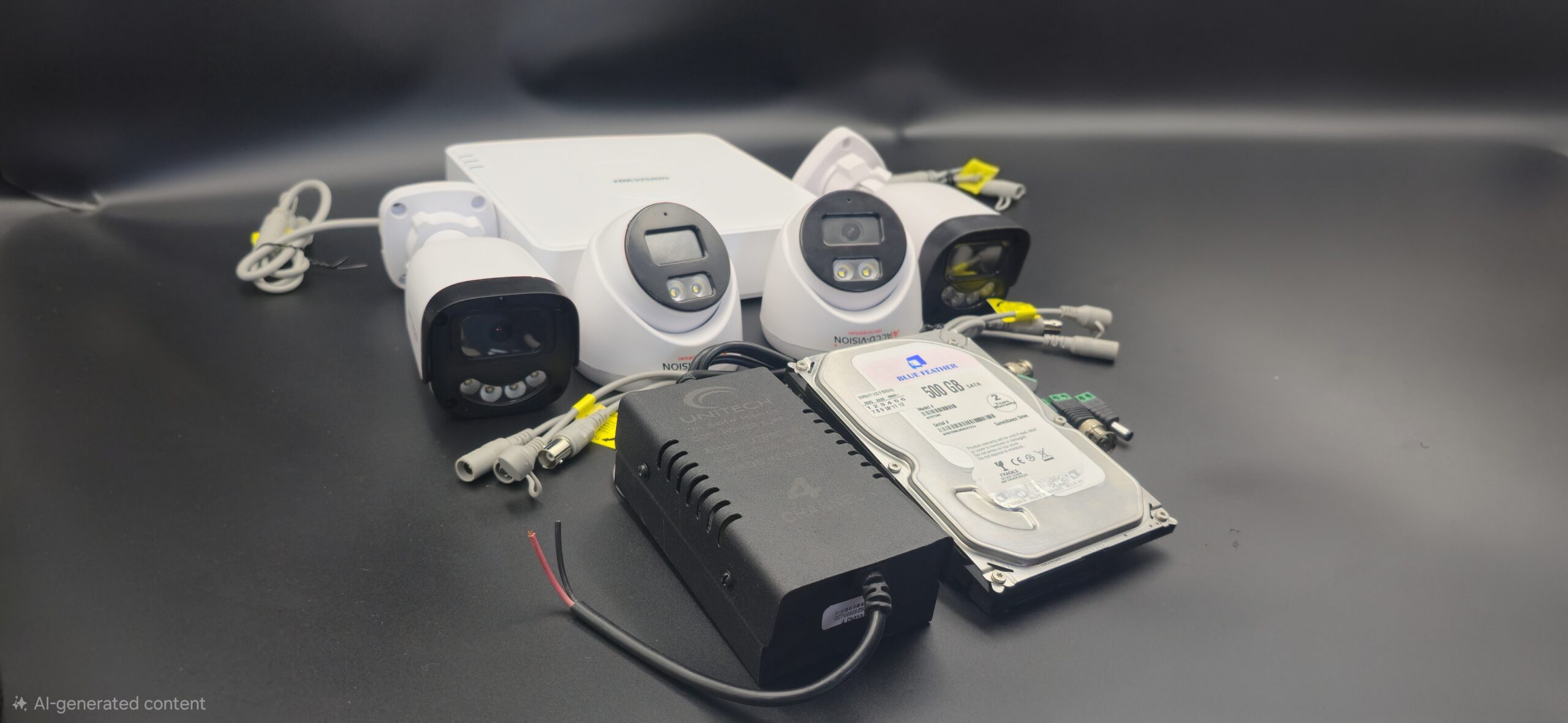
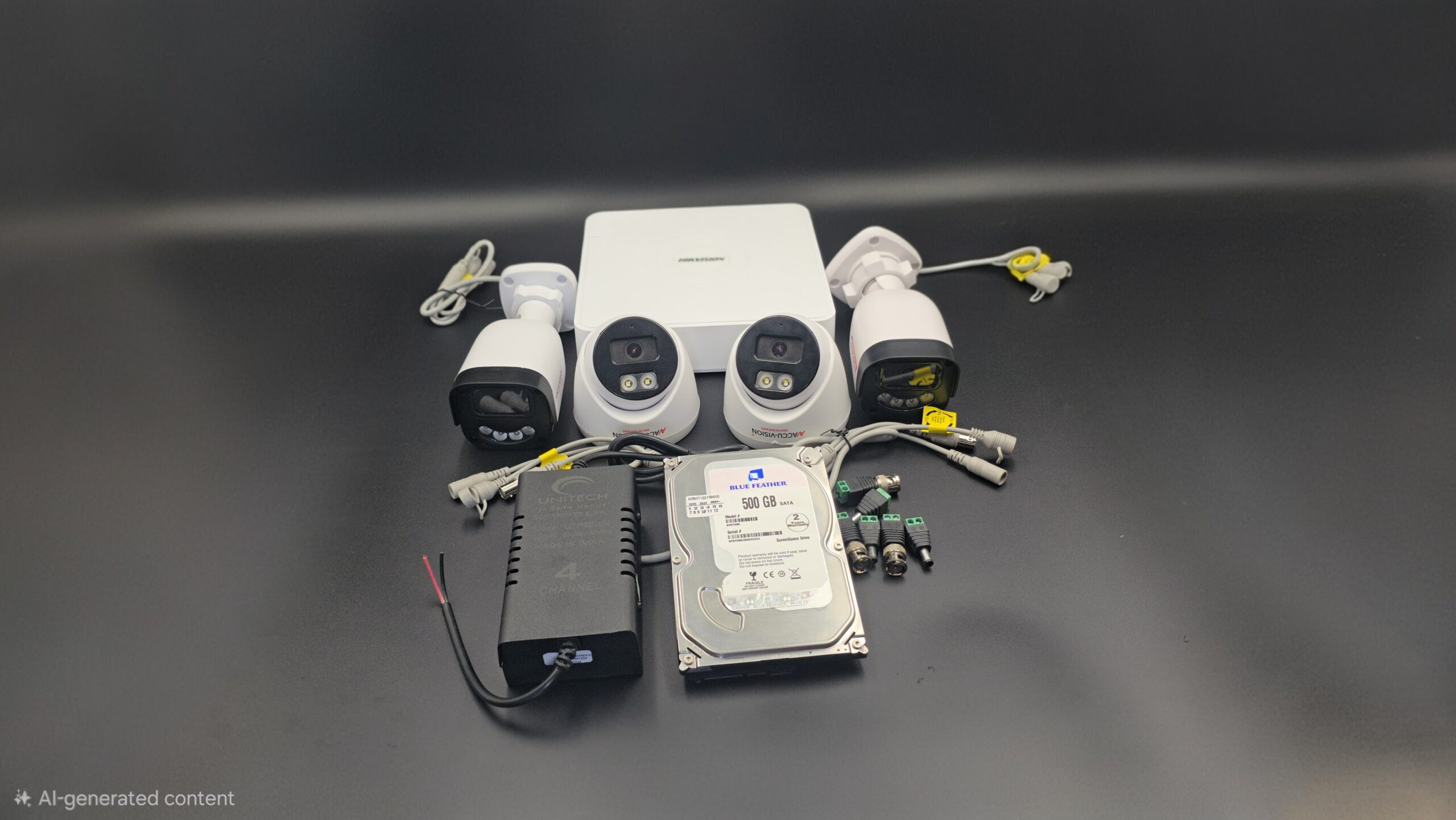
2. Buy Complete Camera Kits

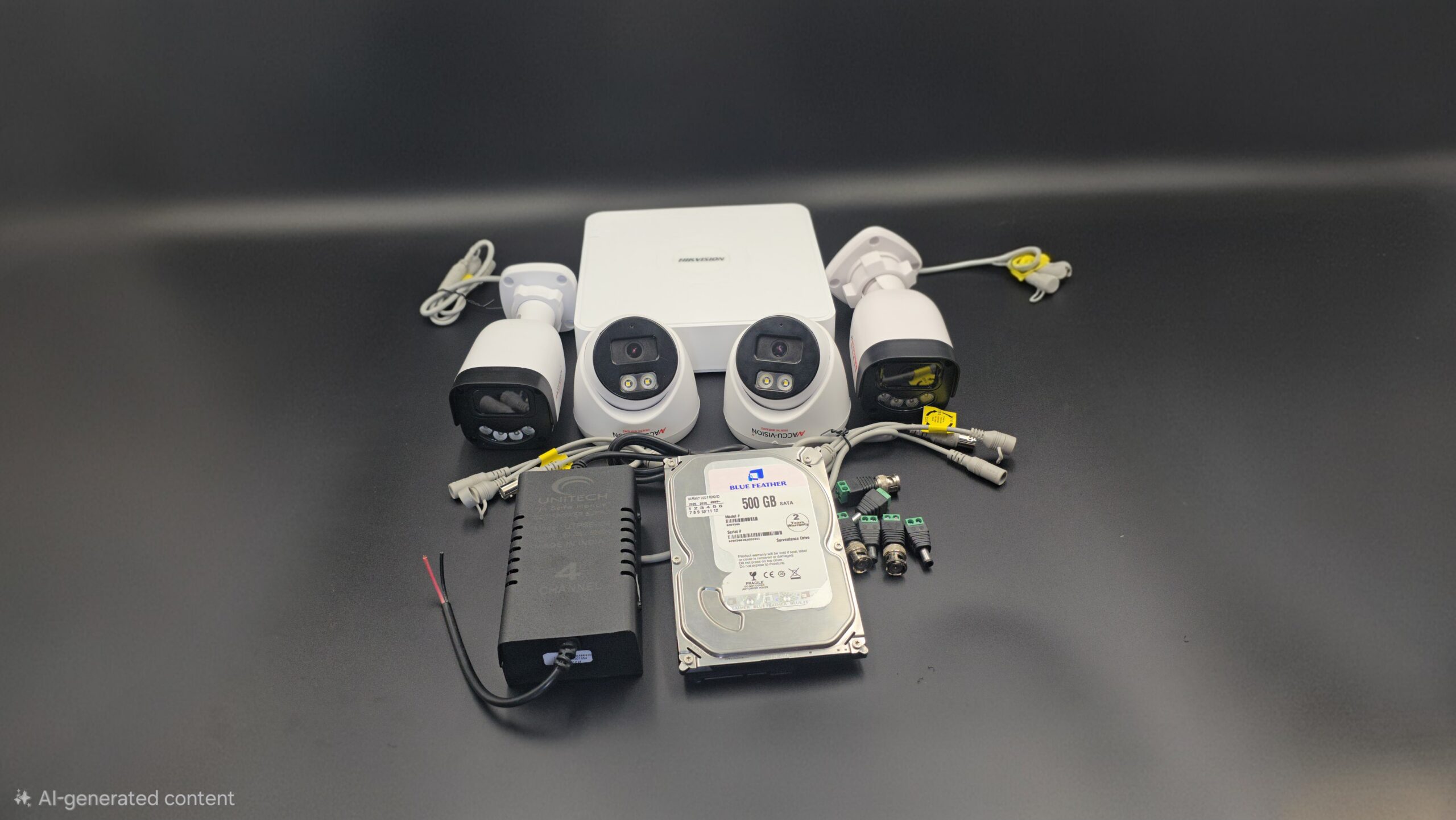
Many brands offer bundled kits that include:

  • Cameras
  • DVR/NVR
  • Cables
  • Power adapters

These kits are cheaper than buying items separately.

3. Install Cameras Yourself

DIY installation can save service charges if:

  • You have basic tools
  • You understand Wi-Fi setup
  • You follow instructions carefully

4. Compare Local Installers

Get quotes from multiple security companies to find the best price.

Essential Features to Look For (Even on a Budget)

Even cheap cameras should include:

  • HD Resolution (1080p minimum)
  • Night Vision
  • Motion Detection
  • Mobile App Access
  • Cloud or SD Card Storage
  • Weatherproof Design (for outdoor use)

Avoid very low-cost cameras that compromise video quality or reliability.

DIY vs Professional Cheap Installation

DIY Installation

✔ No labor cost
✔ Faster setup
✔ Good for small systems
✘ May lack proper positioning

Professional Installation

✔ Proper placement and wiring
✔ Clean setup
✔ Technical support
✘ Additional service cost

If you want the lowest cost, DIY wireless cameras are ideal.

Best Places to Install Security Cameras

For maximum coverage:

  • Front door
  • Back entrance
  • Garage
  • Driveway
  • Living room
  • Backyard

Proper placement reduces the number of cameras needed, saving money.

Common Mistakes to Avoid

  • Buying very low-resolution cameras
  • Ignoring storage capacity
  • Poor Wi-Fi connection
  • Installing cameras too low
  • Not securing the recording device

Smart planning ensures you don’t overspend later.

Is Cheap Security Camera Installation Reliable?

Yes — affordable systems can be reliable if you choose trusted brands and proper installation. You don’t need the most expensive system to stay secure. Focus on essential features and correct camera placement.

Final Thoughts

Cheap security camera installation is a practical solution for homeowners who want protection without high costs. With wireless technology, DIY kits, and competitive pricing, securing your property is now affordable and effective.
read more

House Camera Installation

House Camera Installation: Complete Guide for Home Security

Installing security cameras in your house is one of the most effective ways to protect your family and property. With rising safety concerns, house camera installation has become a practical solution for homeowners who want 24/7 monitoring and peace of mind. Whether you choose wired CCTV cameras or modern WiFi security cameras, proper installation is key to getting the best results.

In this blog, we’ll cover everything you need to know about house camera installation—from planning to setup and maintenance.

Why Install Security Cameras at Home?

House cameras provide more than just video recording. They offer:

When cameras are visible, they can discourage burglars and unwanted activity before it even happens.

Types of House Security Cameras

Before installation, it’s important to choose the right type of camera for your home.

1. Indoor Cameras

Perfect for living rooms, hallways, or staircases. They are compact and easy to install.

2. Outdoor Cameras

Weatherproof and durable, ideal for entrances, driveways, and backyards.

3. Dome Cameras

Discreet and commonly used indoors.

4. Bullet Cameras

Highly visible and great for outdoor security.

5. WiFi Cameras

Wireless cameras that connect through the internet for remote access.

6. IP Cameras

High-definition cameras that provide clear video and smart features.

Planning House Camera Installation

Proper planning ensures maximum coverage and effectiveness.

Identify Key Areas

Install cameras at:

  • Main entrance
  • Back door
  • Garage
  • Driveway
  • Backyard
  • Hallways

Avoid placing cameras in private areas like bathrooms or bedrooms.

Tools and Equipment Required

You may need:

  • Security cameras
  • DVR or NVR (for wired systems)
  • Hard drive
  • Power supply
  • Ethernet or coaxial cables
  • Drill machine and screws
  • Monitor
  • Internet router (for remote viewing)

Step-by-Step House Camera Installation

Step 1: Choose Camera Locations

Select areas with clear visibility and minimal obstructions. Ensure WiFi signal strength is strong for wireless cameras.

Step 2: Mount the Cameras

Outdoor cameras should be protected from direct rain and sunlight when possible.

Step 3: Run Cables (For Wired Systems)

  • Connect cameras to DVR using coaxial or Ethernet cables.
  • Secure wires properly to avoid damage.
  • Keep cables hidden for a neat appearance.

Step 4: Connect Power Supply

Plug cameras and DVR/NVR into power outlets. Use surge protectors for safety.

Step 5: Connect to Monitor

Attach DVR/NVR to a monitor using HDMI or VGA cable. Turn on the system and check live footage.

Step 6: Configure Settings

  • Set date and time.
  • Create a strong password.
  • Adjust recording mode (continuous or motion detection).
  • Set up mobile app for remote access.

Step 7: Test the System

Make sure everything works properly before finalizing installation.

Wired vs Wireless House Cameras

Feature Wired Cameras Wireless Cameras
Installation More complex Easier
Stability Highly stable Depends on WiFi
Flexibility Fixed position Easy to relocate
Cost Higher setup cost Lower setup cost

Choose wired systems for long-term reliability and wireless systems for convenience and flexibility.

Maintenance Tips

To keep your house cameras working properly:

  • Clean lenses regularly.
  • Check connections and cables.
  • Update firmware.
  • Monitor storage capacity.
  • Test cameras periodically.

Common Installation Mistakes to Avoid

  • Installing cameras too low
  • Ignoring lighting conditions
  • Covering too much or too little area
  • Using weak passwords
  • Not testing the system

Conclusion

House camera installation is a smart investment in home security. With proper planning, correct equipment, and professional setup, you can create a reliable surveillance system that protects your loved ones and property 24/7.

Whether you choose wired or wireless cameras, the key to effective home security lies in proper placement, configuration, and regular maintenance. Secure your home today and enjoy greater safety and peace of mind.

read more

CCTV Camera Complete Installation

CCTV Camera Complete Installation Guide for Home and Office

Installing a CCTV camera system is one of the most effective ways to protect your home or business. A properly installed surveillance system not only deters crime but also provides valuable evidence and remote monitoring capabilities. In this complete guide, you’ll learn everything about CCTV camera installation—from planning and equipment selection to setup and maintenance.

Why Install a CCTV Camera System?

CCTV (Closed-Circuit Television) systems provide continuous monitoring of your property. Whether for home security or business protection, CCTV cameras offer:

  • 24/7 surveillance
  • Crime prevention
  • Remote access via smartphone
  • Recorded video evidence
  • Employee and visitor monitoring
  • Increased safety and peace of mind

Types of CCTV Cameras

Choosing the right camera is the first step in successful installation.

1. Dome Cameras

Ideal for indoor use. Compact and discreet, making it difficult to tell which direction the camera is facing.

2. Bullet Cameras

Long and cylindrical. Best for outdoor surveillance due to their weather-resistant design.

3. PTZ (Pan-Tilt-Zoom) Cameras

Can rotate and zoom for wider coverage. Suitable for large areas like parking lots.

4. IP Cameras

Internet-based cameras that offer high-definition video and remote access.

5. Wireless CCTV Cameras

Easy to install with minimal wiring. Perfect for small homes or rental properties.

Equipment Required for CCTV Installation

Before starting installation, ensure you have:

  • CCTV cameras
  • DVR (Digital Video Recorder) or NVR (Network Video Recorder)
  • Hard drive for storage
  • Power supply adapters
  • Coaxial or Ethernet cables (depending on system type)
  • BNC connectors (for analog systems)
  • Monitor or TV
  • Router (for remote viewing)
  • Drill machine and mounting tools

Step-by-Step CCTV Camera Installation Process

Step 1: Plan Camera Locations

Identify key areas that need monitoring:

Avoid installing cameras in private areas like bathrooms or changing rooms.

Step 2: Mount the Cameras

  • Fix mounting brackets securely on walls or ceilings.
  • Install cameras at a height of 8–10 feet to prevent tampering.
  • Adjust angles to eliminate blind spots.

Step 3: Install DVR/NVR and Hard Drive

  • Place DVR/NVR in a secure, ventilated location.
  • Install and connect the hard drive for recording.
  • Connect cameras to DVR using coaxial cables (analog) or Ethernet cables (IP system).

Step 4: Connect Power Supply

  • Plug cameras into a power source.
  • Ensure proper voltage to avoid system damage.
  • Use cable protectors to keep wiring safe and organized.

Step 5: Connect to Monitor

  • Connect DVR/NVR to a monitor or TV using HDMI or VGA cable.
  • Power on the system and check camera feeds.

Step 6: Configure the System

  • Set date and time.
  • Create a strong admin password.
  • Adjust recording settings (continuous or motion detection).
  • Enable remote viewing through mobile app or software.

Step 7: Test the System

  • Check video clarity.
  • Test night vision.
  • Verify motion detection alerts.
  • Confirm recording playback works properly.

Wired vs Wireless CCTV Installation

Feature Wired System Wireless System
Installation More complex Easier
Reliability Very stable Depends on Wi-Fi
Video Quality Consistent May vary
Flexibility Limited Highly flexible

For large areas and long-term use, wired systems are preferred. For smaller properties, wireless systems are convenient.

CCTV Installation Tips

  • Use high-resolution cameras (at least 1080p).
  • Ensure proper lighting for better image quality.
  • Secure cables properly to avoid damage.
  • Regularly update system firmware.
  • Back up important footage.

Common Mistakes to Avoid

  • Poor camera placement
  • Ignoring blind spots
  • Weak passwords
  • Using low-quality cables
  • Skipping system testing

Cost of CCTV Installation

The cost depends on:

  • Number of cameras
  • Type of system (Analog or IP)
  • Storage capacity
  • Installation charges
  • Brand and features

Basic home systems are affordable, while advanced commercial systems cost more due to additional features.

Maintenance and Care

  • Clean camera lenses regularly.
  • Check connections and wiring.
  • Monitor storage capacity.
  • Update system software.
  • Inspect outdoor cameras after heavy weather.

Final Words

A complete CCTV camera installation requires proper planning, quality equipment, and correct setup. Whether for home or business, installing a reliable CCTV system significantly improves security and peace of mind.

read more

8 Camera Setup CCTV

Complete Guide to 8 Camera CCTV Setup for Home & Business Security

An 8 camera CCTV setup is one of the most popular security solutions for medium to large homes, offices, warehouses, retail shops, and commercial buildings. It provides wider coverage, better monitoring, and improved security control compared to smaller systems.

If you’re planning to install an 8 camera CCTV system, this guide will help you understand everything you need to know.

What Is an 8 Camera CCTV Setup?

An 8 camera CCTV system includes:

  • 8 security cameras (indoor and/or outdoor)
  • 8-channel DVR or NVR
  • Hard disk storage (1TB / 2TB / 4TB)
  • Power supply unit
  • Cables or PoE switches (for IP cameras)
  • Monitor and mobile app access

This setup allows you to monitor multiple areas of your property simultaneously.

Where Is an 8 Camera Setup Ideal?

An 8 camera system is perfect for:

It ensures complete coverage of entrances, exits, parking areas, hallways, storage rooms, and other critical zones.

Types of 8 Camera CCTV Systems

1. Analog HD CCTV System

2. IP Camera System (NVR Based)

  • Higher resolution (2MP, 4MP, 4K)
  • Network-based
  • Better video clarity
  • Remote access via internet

IP systems are recommended for businesses needing high-quality video recording.

Benefits of Installing an 8 Camera CCTV System

1. Full Property Coverage

With eight cameras, you can eliminate blind spots and monitor all important areas.

2. 24/7 Monitoring

Continuous recording ensures nothing is missed.

3. Remote Viewing

Access live footage through mobile apps from anywhere.

4. Crime Prevention

Visible cameras act as a deterrent to theft and vandalism.

5. Evidence Recording

Recorded footage can be used for investigation if needed.

Suggested Camera Placement for 8 Camera Setup

Here is a common placement plan:

  1. Main entrance
  2. Back entrance
  3. Parking area
  4. Living room or reception
  5. Hallway or corridor
  6. Backyard
  7. Staircase
  8. Storage or sensitive area

Proper placement ensures maximum security coverage.

Storage Requirements for 8 Cameras

Storage depends on:

  • Camera resolution
  • Recording mode (continuous or motion detection)
  • Number of recording days needed

For example:

  • 1TB – 7 to 10 days recording (basic setup)
  • 2TB – 15 to 20 days
  • 4TB – 30+ days

Businesses usually prefer higher storage capacity.

Cost of 8 Camera CCTV Installation

The cost depends on:

Basic analog systems are more affordable, while IP systems cost more but offer better quality and advanced features.

Professional Installation vs DIY

While DIY kits are available, professional installation ensures:

  • Correct camera angles
  • Secure wiring
  • Proper network configuration
  • Clean and safe installation
  • System testing and support

For commercial properties, professional installation is highly recommended.

Why Choose an 8 Camera CCTV Setup?

If you need wider coverage without installing multiple separate systems, an 8 camera CCTV setup offers the perfect balance between coverage, cost, and performance. It is ideal for growing businesses and medium-sized properties that require reliable security monitoring.

Need Professional 8 Camera CCTV Installation?

If you’re looking for reliable and professional CCTV installation services, choose experts who can design a customized 8 camera security system based on your property layout and security needs.

Secure your home or business today with a high-quality 8 camera CCTV setup.

read more

Video Surveillance Setup

Complete Guide to Video Surveillance Setup for Homes and Businesses

In today’s world, security is no longer optional. Whether you own a home, office, warehouse, or retail shop, a proper video surveillance setup helps protect your property, assets, and loved ones. Modern CCTV and security camera systems provide 24/7 monitoring, remote access, and high-definition recording to ensure maximum safety.

In this guide, we’ll explain everything you need to know about setting up a video surveillance system.

What Is a Video Surveillance System?

A video surveillance system is a network of cameras and recording devices that monitor and record activities in a specific area. It typically includes:

  • CCTV or IP cameras
  • DVR (Digital Video Recorder) or NVR (Network Video Recorder)
  • Storage (Hard Drive or Cloud Storage)
  • Monitor or Mobile App Access
  • Cables or Wireless Connectivity

These systems can be installed for residential, commercial, and industrial purposes.

Types of Video Surveillance Systems

1. Analog CCTV Systems

These are traditional wired systems that connect cameras to a DVR. They are affordable and suitable for small setups.

2. IP Camera Systems

IP cameras connect via the internet and offer higher video quality. They allow remote viewing through mobile apps or computers.

3. Wireless Surveillance Systems

These systems reduce cable clutter and are easier to install. They are ideal for homes and small offices.

4. Cloud-Based Surveillance

Footage is stored in the cloud instead of a local hard drive. This ensures data safety even if the recorder is damaged.

Steps for Proper Video Surveillance Setup

1. Identify Security Needs

Before installation, determine:

  • Areas that need monitoring
  • Indoor or outdoor coverage
  • Night vision requirements
  • Audio recording needs

For businesses, focus on entrances, exits, cash counters, and storage areas.

2. Choose the Right Cameras

Select cameras based on:

  • Resolution: 1080p, 2MP, 4MP, or 4K
  • Night Vision: Infrared or Color Night Vision
  • Weatherproof Rating: IP66/IP67 for outdoor use
  • Field of View: Wide-angle for larger coverage

High-resolution cameras provide clearer evidence when needed.

3. Plan Camera Placement

Correct placement is critical for effective surveillance:

Professional installation ensures optimal angles and maximum coverage.

4. Install DVR or NVR System

The recorder stores video footage. Choose:

For businesses, larger storage capacity is recommended for longer recording periods.

5. Configure Remote Viewing

Modern systems allow remote monitoring via smartphone apps. This lets you:

  • View live footage anytime
  • Replay recorded videos
  • Receive motion alerts
  • Monitor multiple locations

Remote access increases convenience and security.

Benefits of Video Surveillance Setup

1. Crime Prevention

Visible cameras act as a strong deterrent against theft and vandalism.

2. Evidence Collection

Recorded footage can be used as legal evidence if required.

3. Employee Monitoring

Businesses can monitor employee productivity and customer interactions.

4. Remote Monitoring

You can monitor your property from anywhere in the world.

5. Reduced Insurance Costs

Some insurance companies offer discounts for properties with surveillance systems.

Professional Installation vs DIY Setup

While DIY kits are available, professional installation offers:

  • Proper wiring and cable management
  • Optimal camera placement
  • System testing and configuration
  • Technical support

For large homes, offices, and commercial properties, professional installation is highly recommended.

Maintenance Tips for Surveillance Systems

To ensure long-term performance:

  • Clean camera lenses regularly
  • Check recording status weekly
  • Update firmware when required
  • Inspect cables and connections
  • Test remote access functionality

Routine maintenance ensures uninterrupted security.

Why Invest in a Video Surveillance System?

Security threats are increasing, and prevention is better than cure. A well-designed video surveillance setup not only protects property but also provides peace of mind. Whether for residential safety or business protection, installing a modern CCTV system is a smart investment.

Looking for Professional Video Surveillance Setup?

If you are planning to install a reliable video surveillance system for your home or business, contact experienced CCTV installation professionals. They can design a customized security solution based on your property size and security requirements.

Secure your property today with a smart and efficient video surveillance setup.

read more

CCTV Camera for Hospital Security

CCTV Cameras for Hospital Security: Ensuring Safety, Trust, and 24/7 Protection

Hospitals are among the most sensitive and high-traffic environments in any community. With patients, doctors, nurses, staff, and visitors moving around at all hours, maintaining safety and security is a constant challenge.

Installing a CCTV camera system in hospitals is no longer optional — it’s essential. A well-planned surveillance system helps protect patients, secure medical assets, and ensure a safe healthcare environment.

Let’s explore how CCTV cameras enhance hospital security and why they are crucial in modern healthcare facilities.

Why Hospitals Need CCTV Surveillance

Hospitals operate 24/7 and deal with vulnerable individuals, valuable equipment, and emergency situations. Without proper monitoring, risks such as theft, violence, and unauthorized access can increase.

CCTV systems provide:

  • Continuous monitoring
  • Improved emergency response
  • Protection of patients and staff
  • Prevention of theft and vandalism
  • Better operational control

Key Benefits of CCTV Cameras in Hospitals

1. Enhances Patient Safety

Patient safety is the top priority in any healthcare facility. CCTV cameras help:

Surveillance creates a safer environment for patients and their families.

2. Prevents Theft and Asset Loss

Hospitals house expensive medical equipment, medicines, and confidential records. CCTV cameras help reduce:

  • Theft of medical devices
  • Pharmacy stock losses
  • Equipment tampering
  • Unauthorized access to restricted areas

Monitoring high-value zones protects hospital investments.

3. Improves Staff and Visitor Security

Hospitals sometimes face incidents involving aggressive behavior or disputes. CCTV systems:

  • Deter violence
  • Provide evidence in case of conflicts
  • Protect healthcare workers
  • Monitor visitor activity

This improves overall workplace safety.

4. Strengthens Emergency Management

In emergency situations such as:

  • Code blue alerts
  • Fire incidents
  • Security threats
  • Crowd control issues

Real-time video access allows security teams to respond quickly and efficiently.

5. Monitors Entry and Exit Points

Installing cameras at:

  • Main entrances
  • Emergency exits
  • Ambulance bays
  • Parking areas

Helps track movement and prevent unauthorized access.

Combined with access control systems, CCTV enhances perimeter security.

6. Protects Against Legal Disputes

Hospitals may face complaints or legal claims related to:

  • Patient treatment disputes
  • Accidental injuries
  • Staff conduct
  • Visitor incidents

CCTV footage provides factual evidence, helping resolve issues fairly and transparently.

7. Supports Operational Efficiency

Beyond security, surveillance systems help hospital administrators:

  • Monitor crowd flow in waiting areas
  • Improve patient queue management
  • Track staff movement (where legally permitted)
  • Identify operational bottlenecks

This leads to better service delivery.

Important Areas for CCTV Installation in Hospitals

To maximize effectiveness, cameras should be installed in:

  • Entrances and exits
  • Reception areas
  • Waiting rooms
  • Corridors and hallways
  • Parking lots
  • Pharmacy storage
  • ICU entrances (following privacy laws)
  • Emergency departments

⚠️ Cameras must NOT be placed in private areas such as bathrooms, changing rooms, or areas violating patient privacy regulations.

Privacy and Compliance Considerations

Hospitals must follow strict privacy regulations when installing CCTV systems.

Best practices include:

  • Informing staff and visitors about surveillance
  • Displaying CCTV signage
  • Complying with healthcare privacy laws
  • Securing video storage with restricted access
  • Defining clear data retention policies

Balancing security with patient confidentiality is critical.

Choosing the Right CCTV System for Hospitals

When selecting a surveillance system, hospitals should consider:

  • High-resolution cameras (HD or 4K)
  • Night vision capability
  • Wide-angle coverage
  • Secure NVR/DVR systems
  • Cloud backup options
  • UPS power backup
  • Encrypted remote access

Professional installation ensures proper camera placement and full coverage.

Final Thoughts

CCTV cameras play a vital role in strengthening hospital security. From protecting patients and staff to preventing theft and supporting emergency response, surveillance systems create a safer and more efficient healthcare environment.

In today’s healthcare landscape, investing in a reliable CCTV system is a smart and responsible decision for every hospital.

read more

CCTV Camera Safety Benefits

CCTV Camera Safety Benefits: Why Every Home & Business Needs Surveillance

In today’s world, safety is no longer optional — it’s essential. Whether you own a home, manage an office, or run a retail store, installing CCTV cameras has become one of the most effective ways to enhance security and peace of mind.

Modern surveillance systems do more than just record footage. They actively prevent crime, protect assets, and create safer environments. Let’s explore the key safety benefits of CCTV cameras and why investing in one is a smart decision.

1. Crime Prevention and Deterrence

One of the biggest advantages of CCTV cameras is their ability to deter criminal activity.

Visible security cameras discourage:

  • Theft
  • Vandalism
  • Trespassing
  • Break-ins
  • Shoplifting

Criminals are far less likely to target properties with visible surveillance systems because the risk of being identified increases significantly.

2. 24/7 Monitoring

CCTV systems provide round-the-clock surveillance, ensuring your property is monitored even when you’re not physically present.

With features like:

  • Night vision
  • Motion detection
  • Continuous recording
  • Remote access

You can monitor activity at any time, from anywhere.

3. Real-Time Remote Access

Modern CCTV cameras allow live streaming through smartphones, tablets, or computers.

This means you can:

Remote monitoring adds an extra layer of control and confidence.

4. Evidence Collection

In case of incidents such as theft, accidents, or disputes, CCTV footage provides reliable evidence.

Recorded video can:

  • Help identify suspects
  • Support police investigations
  • Resolve employee or customer disputes
  • Strengthen insurance claims

Clear video documentation protects you legally and financially.

5. Improved Employee Safety and Productivity

For businesses, CCTV cameras help create a safer working environment.

Benefits include:

Employees tend to follow rules more carefully when they know the workplace is monitored.

6. Enhanced Customer Security

In retail stores, malls, and public spaces, CCTV systems help ensure customer safety.

They help:

  • Monitor crowd control
  • Prevent shoplifting
  • Respond quickly to emergencies
  • Improve overall customer trust

Customers feel safer in monitored environments.

7. Protection Against False Claims

Businesses often face false liability claims. CCTV footage can clarify what actually happened during:

Video evidence reduces the risk of costly legal battles.

8. Monitoring High-Risk Areas

CCTV cameras allow focused monitoring of sensitive areas such as:

  • Cash counters
  • Server rooms
  • Warehouses
  • Parking lots
  • Entry and exit points

This ensures critical assets remain protected at all times.

9. Parental and Family Safety

For homeowners, CCTV cameras offer peace of mind by allowing parents to:

Home security cameras add a strong layer of family protection.

10. Emergency Response Support

During emergencies such as fires, medical incidents, or break-ins, CCTV systems provide real-time information.

Security teams and authorities can:

  • Assess the situation quickly
  • Make informed decisions
  • Respond faster

This can significantly reduce damage and improve safety outcomes.

Final Thoughts

CCTV cameras are no longer a luxury — they are a necessity for modern safety and security. From preventing crime to providing crucial evidence and ensuring peace of mind, the safety benefits are undeniable.

Whether for residential or commercial use, investing in a quality CCTV system is a proactive step toward creating a secure environment.

read more

4 Camera CCTV Package Price

CCTV Camera Offers and Discounts – Protect Your Property for Less

In today’s world, security is more important than ever. A reliable CCTV system can protect your home, office, or business, but many people hesitate due to the cost. The good news? Many CCTV camera dealers and installers now offer exciting offers and discounts, making it easier than ever to secure your property without breaking the bank.

If you’re looking for CCTV camera offers and discounts, this blog will guide you on how to find the best deals and make the most of your investment.

Why Take Advantage of CCTV Camera Offers?

Investing in a CCTV system is an important decision, and taking advantage of discounts can help you:

  • Save Money: Purchase high-quality security cameras at lower prices
  • Upgrade Your System: Affordable offers allow you to install more cameras or get advanced features
  • Get Free Services: Many dealers provide free installation, AMC (Annual Maintenance Contracts), or extended warranties during promotions
  • Access Latest Technology: Offers often include the newest cameras with features like night vision, motion detection, and AI analytics

Common CCTV Camera Offers and Discounts

CCTV dealers often provide various types of deals. Here are the most popular ones:

1. Seasonal Discounts

Festivals, New Year, or national holidays are often the best time to buy CCTV cameras. Dealers offer price reductions, cashback, or bundle deals during these periods.

2. Combo Deals

Buy a complete CCTV system with multiple cameras, DVR/NVR, and accessories at a discounted package price. These bundles are cost-effective and include everything you need for full coverage.

3. Free Installation Offers

Some dealers provide free installation when you purchase a CCTV system, saving you additional setup costs.

4. Exchange Offers

Upgrade your old CCTV system by exchanging it for a new one with discounts applied on the new purchase.

5. Loyalty Discounts

Regular customers may receive special offers, loyalty points, or seasonal deals for upgrading or adding new cameras.

How to Find the Best CCTV Camera Offers Near You

Searching for the best deal requires some research. Here’s how you can find CCTV camera offers and discounts in your area:

  • Check Local Dealers: Visit nearby CCTV stores or their websites to learn about ongoing promotions
  • Online Marketplaces: E-commerce platforms often run seasonal or festive deals
  • Subscribe to Newsletters: Many dealers notify customers about discounts through newsletters or SMS alerts
  • Compare Prices: Don’t settle for the first deal—compare prices and offers from multiple dealers
  • Ask About Hidden Perks: Sometimes, discounts include free installation, extended warranty, or accessories

Benefits of Buying During a Discount Period

Purchasing CCTV cameras during a discount or promotional offer comes with multiple advantages:

  • Cost-Effective Security: Install a high-quality system at a lower price
  • Better Features: Get cameras with advanced features like HD resolution, night vision, and remote monitoring
  • Professional Installation: Some offers include free professional installation
  • Peace of Mind: Protect your home or business without overspending

Conclusion

Security should never be compromised, and CCTV camera offers and discounts make it easier to get top-quality surveillance systems at affordable prices. By keeping an eye on seasonal deals, combo offers, and local promotions, you can protect your property while saving money.

Don’t wait—explore the latest CCTV offers today and secure your home or business with advanced cameras at unbeatable prices!

read more

CCTV Camera Offers And Discounts

CCTV Camera Dealer Near Me – Your Trusted Partner for Complete Security Solutions

In today’s fast-paced world, security is no longer a luxury—it’s a necessity. Whether you want to protect your home, office, shop, warehouse, or industrial premises, installing a reliable CCTV surveillance system is one of the smartest decisions you can make. If you’re searching for a CCTV camera dealer near me, choosing the right local expert can make all the difference in performance, safety, and peace of mind.

Why Choose a Local CCTV Camera Dealer Near You?

When you work with a nearby CCTV camera dealer, you enjoy several advantages that online sellers or distant providers simply cannot match.

1. Quick Site Inspection & Consultation

A local dealer can visit your location, understand your security requirements, and suggest the best camera placement. This ensures maximum coverage with minimal blind spots.

2. Faster Installation & Support

Searching for a CCTV camera dealer near me means quicker installation and immediate after-sales service. In case of technical issues, local technicians can resolve problems faster.

3. Customized Security Solutions

Every property is different. A professional CCTV dealer nearby can customize solutions based on lighting conditions, area size, entry points, and your budget.

4. Reliable After-Sales Service

Regular maintenance, firmware updates, camera cleaning, and troubleshooting are easier when your dealer is just a call away.

Types of CCTV Cameras Offered by Dealers Near You

A professional CCTV camera dealer usually provides a wide range of surveillance solutions, including:

  • Dome CCTV Cameras – Ideal for homes, offices, and indoor use
  • Bullet Cameras – Perfect for outdoor surveillance with long-range visibility
  • PTZ Cameras – Pan, Tilt & Zoom cameras for large areas
  • IP Cameras – High-resolution cameras with remote viewing
  • Wireless CCTV Cameras – Easy installation with minimal wiring
  • Night Vision Cameras – Clear footage even in complete darkness

If you’re looking for a CCTV camera dealer near me, make sure they offer branded products with warranty and technical support.

CCTV Camera Installation for Home & Business

A trusted local CCTV dealer provides end-to-end services such as:

  • Home CCTV camera installation
  • Office and corporate surveillance systems
  • Retail shop and showroom monitoring
  • Warehouse and factory security solutions
  • Apartment and society CCTV projects

From small residential setups to large commercial installations, a nearby dealer ensures smooth execution from planning to installation.

Benefits of Installing CCTV Cameras

Installing CCTV cameras through a professional dealer near you offers many benefits:

  • Crime Prevention: Visible cameras deter theft and vandalism
  • 24/7 Monitoring: Keep an eye on your property anytime, anywhere
  • Employee Productivity: Helps maintain discipline at workplaces
  • Evidence Recording: Recorded footage can be used as legal proof
  • Peace of Mind: Know that your loved ones and assets are safe

How to Choose the Best CCTV Camera Dealer Near Me

Before finalizing a dealer, consider the following points:

  • Experience and customer reviews
  • Availability of branded CCTV cameras
  • On-site inspection and consultation
  • Installation warranty and AMC services
  • Technical support and response time

A professional CCTV camera dealer near me will always focus on quality, transparency, and customer satisfaction.

Affordable CCTV Camera Solutions Near You

Many people assume CCTV systems are expensive, but local dealers offer solutions for every budget. From basic camera setups to advanced AI-based surveillance, you can find cost-effective security systems without compromising on quality.

Conclusion

If you are searching for a CCTV camera dealer near me, choosing a trusted local expert ensures better service, faster support, and a customized security solution that truly meets your needs. Whether it’s for your home, business, or industrial space, a reliable CCTV system is an investment in safety and peace of mind.

read more

CCTV Camera Troubleshooting Tips

🔧 CCTV Camera Troubleshooting Tips: Complete Guide

CCTV cameras play a crucial role in security for homes, offices, factories, and commercial spaces. However, like any electronic system, CCTV cameras can sometimes stop working properly. Understanding common issues and their solutions can help you fix problems quickly without calling a technician.

This guide covers the most common CCTV camera problems and practical troubleshooting tips.

📌 1. No Video Signal on Monitor

🔍 Possible Causes

  • Loose cables or connectors
  • Power supply failure
  • Faulty camera or DVR/NVR
  • Incorrect channel selection

✅ Solutions

  • Check power adapters and cables
  • Reconnect BNC or network cables
  • Test the camera with another power supply
  • Restart DVR/NVR system

📌 2. CCTV Camera Not Powering On

🔍 Possible Causes

  • Damaged power adapter
  • Faulty wiring
  • Power socket issue

✅ Solutions

  • Replace the power adapter
  • Check wiring connections
  • Try a different power outlet

📌 3. Blurry or Poor Image Quality

🔍 Possible Causes

  • Dirty lens
  • Low resolution settings
  • Incorrect focus
  • Poor lighting

✅ Solutions

📌 4. Night Vision Not Working

🔍 Possible Causes

  • IR LEDs malfunction
  • Strong nearby light source
  • Camera settings issue

✅ Solutions

  • Check IR LED status at night
  • Remove nearby light interference
  • Enable night mode in settings

📌 5. CCTV Camera Flickering or Distorted Video

🔍 Possible Causes

✅ Solutions

  • Use a stable power supply
  • Replace damaged cables
  • Avoid running camera cables near high-voltage lines

📌 6. DVR/NVR Not Recording Footage

🔍 Possible Causes

  • Hard disk failure
  • Storage full
  • Recording settings disabled

✅ Solutions

  • Check hard disk status
  • Format or replace HDD
  • Enable recording in DVR/NVR settings

📌 7. Remote Viewing Not Working

🔍 Possible Causes

✅ Solutions

  • Check internet speed and router settings
  • Reconfigure IP and port forwarding
  • Update CCTV mobile app

📌 8. Camera Offline in Mobile App

🔍 Possible Causes

  • Network failure
  • Router restart needed
  • Camera firmware issue

✅ Solutions

  • Restart router and camera
  • Reconnect camera to Wi-Fi
  • Update camera firmware

📌 9. Water or Dust Damage in Outdoor Cameras

🔍 Possible Causes

  • Low IP rating
  • Improper installation

✅ Solutions

  • Use IP66/IP67 waterproof cameras
  • Seal connectors and cables properly
  • Install protective housing

📌 10. CCTV System Keeps Restarting

🔍 Possible Causes

  • Overheating
  • Power fluctuations
  • Software issues

✅ Solutions

  • Improve ventilation
  • Use UPS or surge protector
  • Update DVR/NVR firmware

🛠️ Pro Maintenance Tips for CCTV Cameras

✔ Regularly clean camera lenses
✔ Check cables and power supply every month
✔ Update firmware and apps
Backup important footage
✔ Use quality accessories and cables

✅ Conclusion

CCTV camera problems are common, but most issues can be solved with simple troubleshooting steps. Regular maintenance and proper installation can extend the life of your CCTV system and ensure reliable security.

If problems persist, it’s best to contact a professional CCTV technician.

read more