
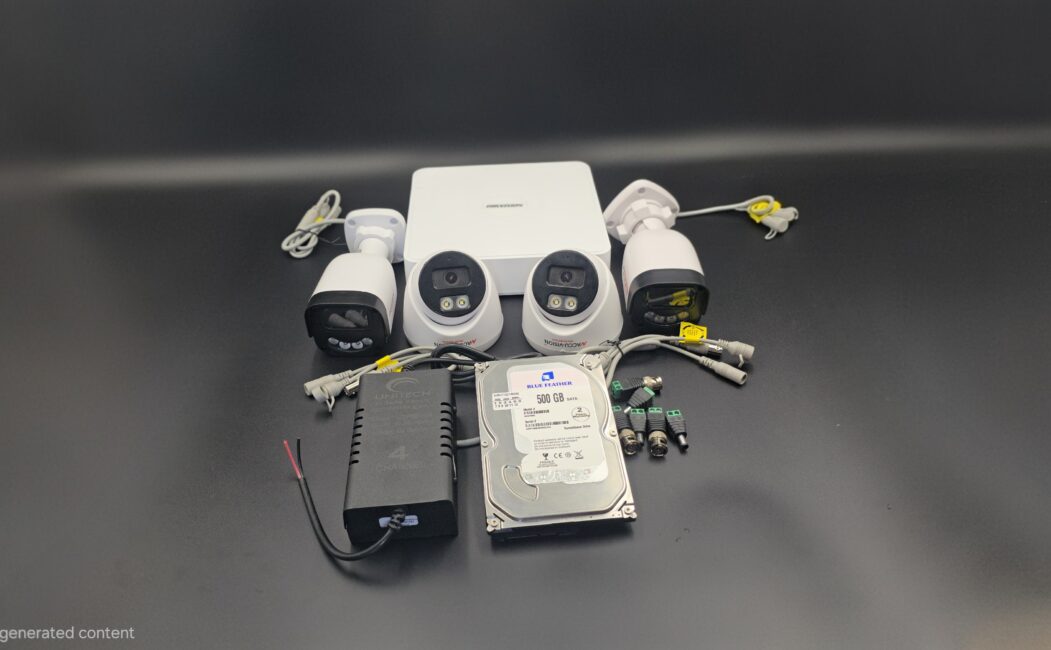
The Ultimate CCTV Camera Installation Checklist (2026 Guide)
Installing a CCTV system is one of the smartest decisions you can make to protect your home, office, warehouse, or retail store. But simply buying cameras isn’t enough. Proper planning and installation determine how effective your security system will be.
To help you get it right, here’s a complete CCTV camera installation checklist to ensure maximum coverage, performance, and long-term reliability.
✅ 1. Identify Your Security Needs
Before purchasing or installing anything, ask yourself:
- What areas need monitoring? (Entrance, parking lot, cash counter, warehouse, backyard, etc.)
- Do you need indoor, outdoor, or both types of cameras?
- Is remote viewing required?
- Do you need night vision?
- How long do you want footage stored?
Understanding your needs prevents overspending and ensures proper coverage.
✅ 2. Choose the Right Type of CCTV Camera
Different environments require different cameras.
Common Types:
- Dome Cameras – Ideal for indoor surveillance
- Bullet Cameras – Best for outdoor long-distance monitoring
- PTZ Cameras – Pan, Tilt, Zoom functionality for large areas
- IP Cameras – High-definition and remote access
- Wireless Cameras – Easier installation with flexible placement
Choose based on your property size, lighting conditions, and security level required.
✅ 3. Plan Camera Placement Strategically
Proper positioning is crucial for effective surveillance.
Key Areas to Cover:
- Main entrance and exit points
- Parking areas
- Hallways and corridors
- Staircases
- Cash registers or transaction areas
- Blind spots around the building
Placement Tips:
- Install cameras at a height of 8–10 feet
- Avoid pointing directly at bright light sources
- Ensure clear line of sight
- Protect outdoor cameras from weather exposure
✅ 4. Check Lighting Conditions
Even the best cameras fail without proper lighting.
- Ensure adequate lighting for color footage
- Use infrared (IR) cameras for night monitoring
- Avoid glare from windows or reflective surfaces
- Consider motion-activated lights for outdoor areas
✅ 5. Decide Between Wired or Wireless Setup
Wired CCTV
✔ More stable connection
✔ Ideal for large properties
✔ Less interference
Wireless CCTV
✔ Easier to install
✔ Flexible placement
✔ Suitable for small properties
Choose based on your infrastructure and budget.
✅ 6. Ensure Proper Storage Setup
Your CCTV system is only useful if footage is stored correctly.
- Select appropriate DVR (Digital Video Recorder) or NVR (Network Video Recorder)
- Choose sufficient hard drive capacity
- Set recording mode (continuous, scheduled, or motion detection)
- Enable backup options (cloud or external drive)
✅ 7. Secure Power Supply & Backup
Power interruptions can compromise security.
- Use surge protectors
- Install UPS (Uninterruptible Power Supply)
- Consider backup generators for commercial properties
- Conceal wiring to prevent tampering
✅ 8. Configure Remote Viewing
Modern CCTV systems allow remote monitoring via smartphone or desktop.
- Install official monitoring apps
- Set up secure login credentials
- Enable two-factor authentication
- Test live streaming and playback features
✅ 9. Test All Cameras Thoroughly
Before finalizing installation:
- Check video clarity (day and night)
- Confirm recording functionality
- Test motion detection alerts
- Verify remote access
- Ensure proper date/time stamping
Never skip the testing phase.
✅ 10. Follow Legal & Privacy Regulations
Always ensure compliance with local laws.
- Inform employees or residents about surveillance
- Avoid placing cameras in private areas (bathrooms, changing rooms)
- Display CCTV warning signs
- Store footage securely
Failure to comply can result in legal consequences.
✅ 11. Schedule Regular Maintenance
Maintenance ensures long-term performance.
- Clean camera lenses monthly
- Check cables and connections
- Update firmware
- Review footage quality periodically
- Replace faulty equipment immediately
Final Thoughts
A CCTV system is only as effective as its installation. By following this CCTV camera installation checklist, you ensure better security coverage, improved reliability, and peace of mind.
Whether you’re securing your home or protecting a business, proper planning and professional installation make all the difference.
Leave a Reply