
CCTV Complete Setup Guide: Everything You Need to Know
Installing a CCTV system is one of the smartest decisions you can make to improve security at your home or business. A complete CCTV setup not only deters crime but also provides real-time monitoring and recorded evidence when needed. Whether you are installing a system for the first time or upgrading an existing one, this detailed guide will walk you through the entire CCTV setup process.
What is a CCTV System?
CCTV (Closed-Circuit Television) is a surveillance system that uses cameras to transmit video signals to a specific set of monitors or recording devices. Unlike broadcast television, CCTV footage is private and used mainly for security and monitoring purposes.
Components of a Complete CCTV Setup
Before starting installation, it’s important to understand the main components required:
1. CCTV Cameras
These capture video footage. Options include:
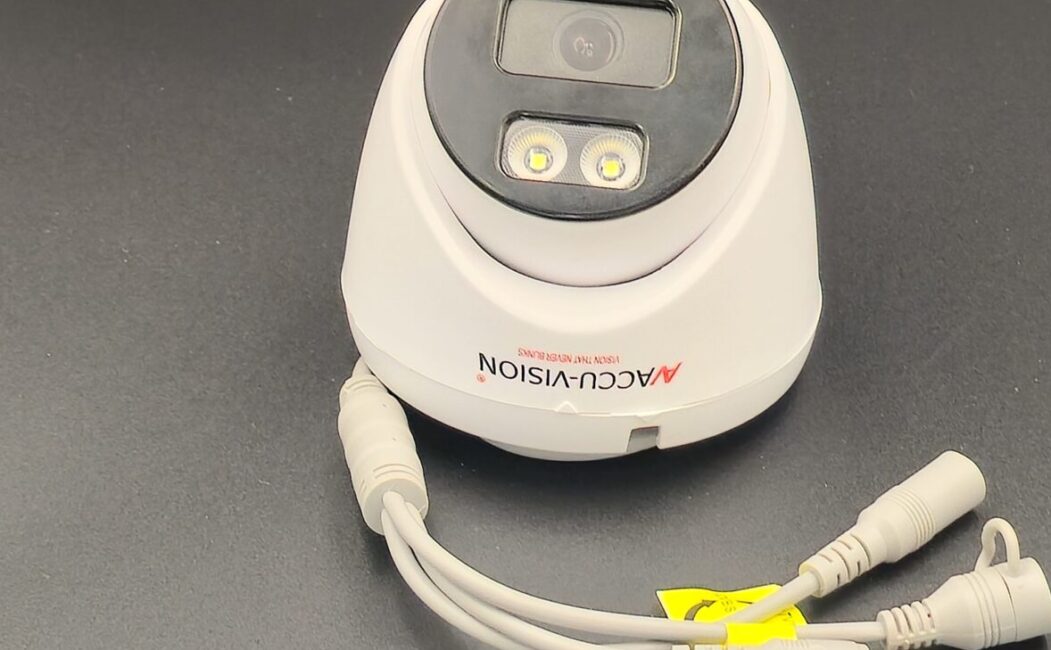
- Dome Cameras (indoor use)
- Bullet Cameras (outdoor use)
- PTZ Cameras (pan, tilt, zoom)
- IP Cameras (internet-based)
2. DVR or NVR
- DVR (Digital Video Recorder) – Used with analog cameras.
- NVR (Network Video Recorder) – Used with IP cameras.
3. Hard Drive
Stores recorded footage. Choose storage capacity based on the number of cameras and recording duration.
4. Cables
- Coaxial cables (for analog systems)
- Ethernet cables (for IP systems)
- Power cables
5. Power Supply
Provides electricity to cameras and recording devices.
6. Monitor
Used to view live footage and playback recordings.
7. Router/Internet Connection
Required for remote viewing via mobile apps or computers.
Step-by-Step CCTV Complete Setup Process
Step 1: Plan Camera Placement
Identify important areas that need surveillance:
- Main entrance
- Back door
- Driveway
- Parking area
- Living room or hallway
- Office workspaces
Avoid placing cameras in private areas such as bathrooms or bedrooms.
Step 2: Install Cameras
- Mount cameras 8–10 feet above ground.
- Use strong screws and wall plugs.
- Adjust the angle to avoid blind spots.
- Ensure outdoor cameras are weatherproof.
Step 3: Install DVR/NVR
- Place DVR/NVR in a secure and ventilated location.
- Insert and install the hard drive.
- Connect cameras to DVR/NVR using appropriate cables.
Step 4: Connect Power Supply
- Connect each camera to a power adapter.
- Plug DVR/NVR into a power outlet.
- Use surge protectors to prevent electrical damage.
Step 5: Connect to Monitor
- Use HDMI or VGA cable to connect DVR/NVR to a monitor.
- Turn on the system and check live camera feeds.
Step 6: Configure System Settings
- Set date and time.
- Create a strong password.
- Choose recording mode (continuous or motion detection).
- Set up remote viewing on your smartphone.
- Configure alerts and notifications.
Step 7: Test the Entire System
- Check video quality.
- Test night vision.
- Verify motion detection.
- Playback recorded footage.
- Ensure remote access works properly.
Wired vs Wireless CCTV Setup
| Feature | Wired CCTV | Wireless CCTV |
|---|---|---|
| Installation | More complex | Easier |
| Stability | Highly stable | Depends on Wi-Fi |
| Cost | Higher installation cost | Lower installation cost |
| Flexibility | Limited movement | Easy to relocate |
Wired systems are ideal for long-term, stable installations. Wireless systems are suitable for small homes or rental spaces.
Tips for a Better CCTV Setup
- Choose at least 1080p resolution cameras.
- Use high-quality cables.
- Keep firmware updated.
- Regularly check storage space.
- Clean camera lenses periodically.
- Secure your system with a strong password.
Common Mistakes to Avoid
- Installing cameras too low
- Ignoring lighting conditions
- Overlooking blind spots
- Using weak internet for IP cameras
- Not testing the system after installation
Maintenance After Installation
To keep your CCTV system running smoothly:
- Inspect wiring monthly.
- Clean lenses to maintain clarity.
- Update software when required.
- Check recording backups.
- Ensure hard drive health.
Conclusion
A complete CCTV setup involves proper planning, correct equipment selection, professional installation, and regular maintenance. When installed correctly, a CCTV system provides 24/7 protection, remote monitoring, and valuable security for your property.
Investing in a complete CCTV setup is not just about installing cameras—it’s about ensuring safety, security, and peace of mind for you and your family or business.
Leave a Reply