
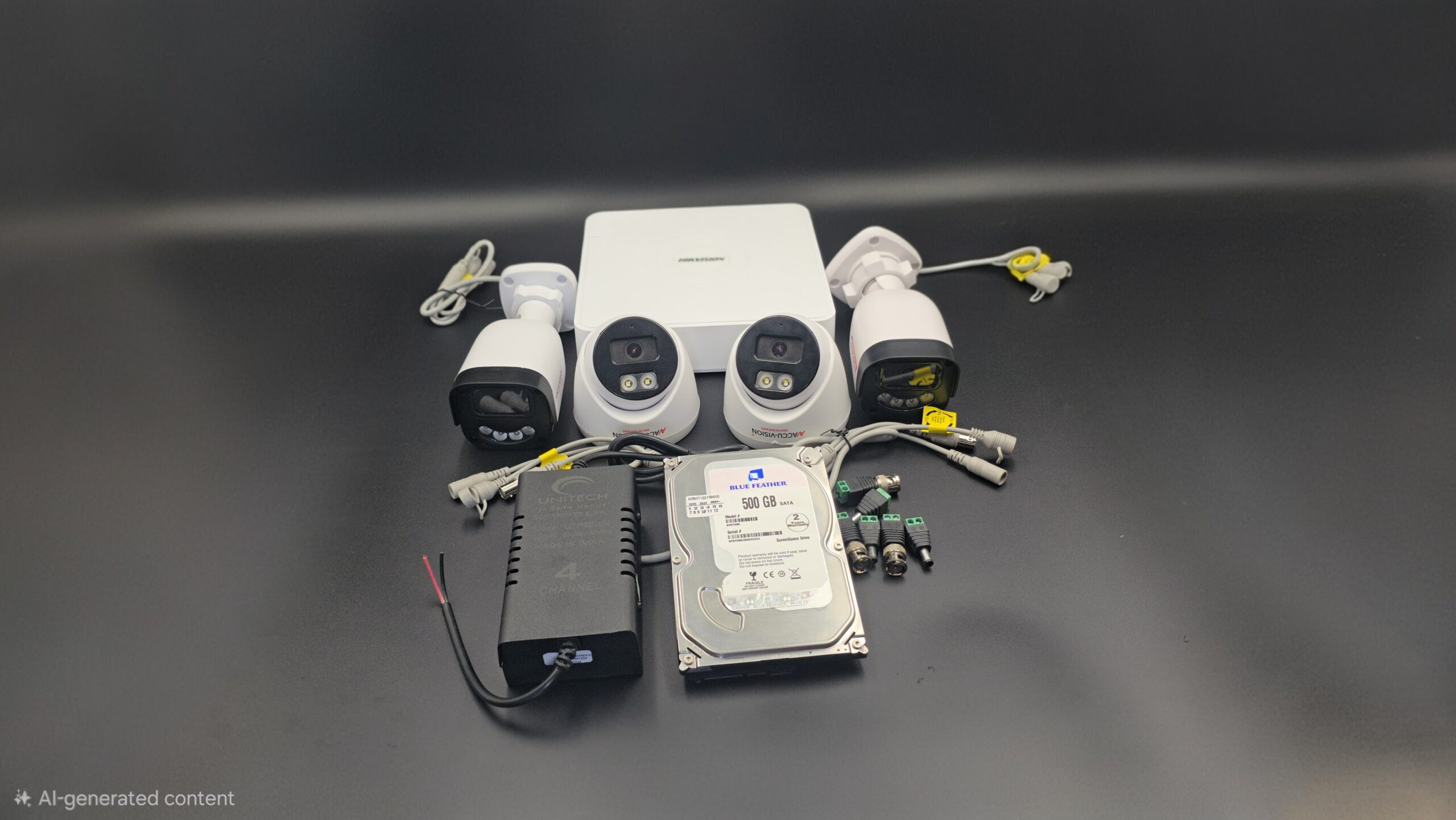
Full CCTV Camera Setup
Full CCTV Camera Setup: Complete Guide for Home and Business Security
A full CCTV camera setup is one of the most effective ways to protect your property, monitor activities, and ensure safety. Whether you are installing CCTV cameras for your home, office, shop, or warehouse, a proper setup ensures 24/7 surveillance and reliable recording.
In this blog, you’ll learn everything about a complete CCTV camera setup — from equipment selection to installation and maintenance.
What is a CCTV Camera System?
CCTV (Closed-Circuit Television) is a video surveillance system where cameras transmit footage to a specific monitor or recording device. Unlike broadcast television, CCTV footage is private and used mainly for security purposes.
A full CCTV setup includes cameras, recording devices, storage, power supply, and monitoring systems.
Components of a Full CCTV Camera Setup
To install a complete CCTV system, you need the following components:
1. CCTV Cameras
The most important part of the system. Types include:
- Dome Cameras – Best for indoor use
- Bullet Cameras – Ideal for outdoor areas
- PTZ Cameras – Pan, tilt, and zoom functionality
- IP Cameras – High-definition, internet-based cameras
2. DVR or NVR
- DVR (Digital Video Recorder) – Used with analog cameras
- NVR (Network Video Recorder) – Used with IP cameras
3. Hard Drive
Stores recorded video footage. Choose storage size based on:
- Number of cameras
- Recording resolution
- Recording duration
4. Cables
- Coaxial cables (analog systems)
- Ethernet cables (IP systems)
- Power cables
5. Power Supply Unit
Provides electricity to cameras and recording devices.
6. Monitor or TV
Used to view live camera feeds and playback recordings.
7. Internet Router
Required for remote viewing on mobile or desktop.
Step-by-Step Full CCTV Camera Setup
Step 1: Plan Camera Placement
Identify important areas such as:
- Main entrance
- Back door
- Driveway
- Garage
- Backyard
- Hallways
- Cash counter (for business)
Avoid placing cameras in private areas like bathrooms or bedrooms.
Step 2: Install and Mount Cameras
- Install cameras at a height of 8–10 feet.
- Secure mounting brackets firmly.
- Adjust camera angles to remove blind spots.
- Use weatherproof cameras for outdoor areas.
Step 3: Install DVR/NVR and Hard Drive
- Place DVR/NVR in a safe and ventilated location.
- Install the hard drive inside the recorder.
- Connect cameras to DVR using coaxial cables (analog) or Ethernet cables (IP).
Step 4: Connect Power Supply
- Plug cameras into power adapters.
- Connect DVR/NVR to a power outlet.
- Use surge protectors to prevent electrical damage.
Step 5: Connect to Monitor
- Use HDMI or VGA cable to connect DVR/NVR to a monitor.
- Turn on the system and check all camera feeds.
Step 6: Configure the System
After powering on:
- Set date and time
- Create a strong password
- Select recording mode (continuous or motion detection)
- Adjust video resolution
- Enable remote viewing through mobile app
- Configure motion alerts
Step 7: Test the System
- Check live view clarity
- Test night vision
- Verify motion detection
- Playback recorded footage
- Confirm remote access works smoothly
Wired vs Wireless CCTV Setup
| Feature | Wired CCTV | Wireless CCTV |
|---|---|---|
| Installation | More complex | Easier |
| Stability | Highly stable | Depends on WiFi |
| Flexibility | Fixed | Easy to relocate |
| Best For | Large properties | Small homes & offices |
Wired systems are more stable and suitable for long-term installations, while wireless systems offer easy setup and flexibility.
Tips for Better CCTV Performance
- Use cameras with at least 1080p resolution
- Ensure proper lighting
- Use high-quality cables
- Regularly update firmware
- Secure the system with strong passwords
- Clean camera lenses periodically
Common Mistakes to Avoid
- Poor camera placement
- Ignoring blind spots
- Weak internet connection
- Not testing the system
- Using low-quality equipment
Maintenance of CCTV System
To keep your CCTV system running efficiently:
- Inspect cables regularly
- Clean lenses
- Monitor storage capacity
- Check hard drive health
- Review footage occasionally
Conclusion
A full CCTV camera setup requires proper planning, correct equipment, and careful installation. When done correctly, it provides round-the-clock surveillance, enhances safety, and gives you peace of mind.
Investing in a complete CCTV system is not just about installing cameras — it’s about creating a secure environment for your family, employees, and property.
Recent Comments